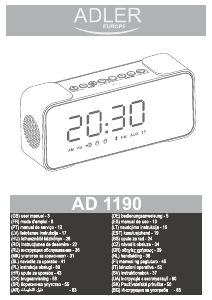
Manual de uso Adler AD 1190 Radiodespertador

¿Necesita un manual para su Adler AD 1190 Radiodespertador? A continuación puedes ver y descargar el manual en PDF gratis en español. Este producto actualmente tiene 3 preguntas frecuentes, 0 comentarios y tiene 1 voto con una calificación promedio de producto de 100/100. Si este no es el manual que desea, , contáctenos.

¿Su producto tiene algún defecto y el manual no ofrece ninguna solución? Vaya a Repair Café para solicitar un servicio de reparación gratuito.

Manual de uso

Loading…

4
1. Display
Upper side Button description:
2. Bluetooth mode 3. Previous song, Volume down 4. FM search / Play / Pause / Call
5. Next song / Volume up 6. Numerical value down 7. Alarm mode 8. Numerical value up
9. Snooze / Dimming
Back side description:
10. On / Off button 11. Aux In 12. Charge / FM antenna 13. Charging indicator 14. SD card slot.
Setting up the device:
1. Remove all packing material from the device. Please save the manual for future reference.
2. Turn on the device by long pressing the ON / Off button (10).
3. To turn off the device long press the ON / Off button (10).
Bluetooth function:
1. Long press the On / Off button (10), the device will turn on and will enter clock mode.
2. Press the Bluetooth mode button (2). The device will enter Bluetooth mode.
3. The Bluetooth logo on the display (1) will start blinking and searching for connection.
4. Find the device AD 1190 on your playback device and connect with the radio clock.
5. After successful connection the device will notify you.
6. To cancel current connection press the Bluetooth button (2) once more. Now you can connect a new device.
Playback functions:
1. To play the next of previous song short press the Previous song, Volume down (3), Next song / Volume up (5) buttons.
2. To start of pause the current song press the FM search / Play / Pause / Call (4) button.
SD card function:
1. Insert the Micro SD card into the SD card slot (14) in the back of the device.
2. The device will automatically enter the SD card playback function.
3. You can also long press the FM search / Play / Pause / Call (4) button to enter the SD card playback.
4. Long press the Previous song, Volume down (3), Next song / Volume up (5) buttons to adjust the volume.
Playback functions:
Playback functions:
1. To play the next of previous song short press the Previous song, Volume down (3), Next song / Volume up (5) buttons.
2. To start of pause the current song press the FM search / Play / Pause / Call (4) button.
AUX function:
1. Insert the AUX cable card into the AUX IN (11) in the back of the device.
2. The device will automatically enter the SD card playback function.
3. You can also long press the FM search / Play / Pause / Call (4) button to enter the AUX IN playback.
4. Long press the Previous song, Volume down (3), Next song / Volume up (5) buttons to adjust the volume.
FM Radio:
1. After turning the device on press and hold the FM search / Play / Pause / Call (4) button.
2. You will enter the FM mode.
3. On the display (1) you can see the current frequency.
4. To start auto search of radio stations press once the FM search / Play / Pause / Call (4) button.
5. The device will start to find all available FM stations.
6. Once the device has finished you can use the Volume down (3), Next song / Volume up (5) to switch between the found stations.
(Please note that if the device has poor reception you can also insert the USB cable into the Charge / FM antenna (12) slot to act as an
external antenna and improve the reception.)
Clock Setting:
1. When the clock is displayed long press the M button Alarm mode (7) button.
2. You will enter the clock setting.
3. The current edited value will be flashing.
4. To change the value press the Numerical value down (6) or Numerical value up (8) buttons to change.
5. To confirm your selection press the M button, Alarm mode (7) button.
6. After changing the Hour and Minutes setting and confirming them you can change between 24 and 12 H display.
7. On the display the lower part of the display will flash showing either the flashing icon of 24 H or PM / 12H display setting.
Descargue el manual en Español (PDF, 3.35 MB)
(Piense en el medioambiente y solo imprima este manual si es de verdad necesario)

Loading…

Puntuación

Dé su opinión de la Adler AD 1190 Radiodespertador calificando el producto. ¿Quiere compartir su experiencia con este producto o hacer una pregunta? Deje un comentario en la parte inferior de la página.
¿Estás satisfecho con elAdler AD 1190 Radiodespertador?
No
100%
0%
1 voto

Únase a la conversación sobre este producto

Aquí puedes compartir lo que piensas sobre Adler AD 1190 Radiodespertador. Si tiene alguna pregunta, primero lea atentamente el manual. Puede solicitar un manual utilizando nuestro formulario de contacto.

Más sobre este manual

Entendemos que es bueno tener un manual en papel para tus Adler AD 1190 Radiodespertador. Siempre puedes descargar el manual desde nuestro sitio web e imprimirlo tú mismo. Si deseas tener un manual original te recomendamos contactar con Adler. Es posible que puedan proporcionar un manual original. ¿Estás buscando el manual de tu Adler AD 1190 Radiodespertador en otro idioma? Elija su idioma preferido en nuestra página de inicio y busque el número de modelo para ver si lo tenemos disponible.

Especificaciones

Marca Adler
Modelo AD 1190
Categoría Radiodespertadores
Tipo de archivo PDF
Tamaño del archivo 3.35 MB

Todos los manuales para Adler Radiodespertadores
Más manuales de Radiodespertadores

Preguntas frecuentes sobre Adler AD 1190 Radiodespertador

Nuestro equipo de atención al cliente busca información útil sobre los productos y responde a las preguntas frecuentes. Si encuentra inexactitudes en las preguntas frecuentes, indíquenoslo usando nuestro formulario de contacto.

¿Qué significa AM y PM? Verificado

AM significa Ante Meridiem e indica que la hora es antes del mediodía. PM significa Post Meridiem e indica que la hora es después del mediodía.

Ha sido de gran ayuda (294) Leer más

¿Qué significan las siglas GMT? Verificado

GMT son las siglas en inglés del tiempo medio de Greenwich (a veces llamado UTC, que significa tiempo universal coordinado). Es la hora en el meridano cero, que pasa por Greenwich cerca de Londres.

Ha sido de gran ayuda (168) Leer más

¿Cuál es la diferencia entre FM y AM? Verificado

Tanto FM como AM son formas de modulación utilizadas para transmitir una señal. FM significa modulación de frecuencia y AM significa modulación de amplitud. AM es la forma de modulación más antigua. La mayor diferencia es que la señal de FM es mucho más fuerte que la de AM.

Ha sido de gran ayuda (167) Leer más
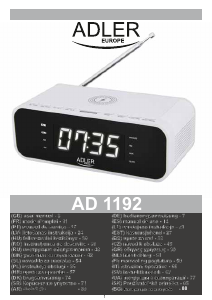
Manual de uso Adler AD 1190 Radiodespertador

Productos relacionados

Categorias relacionadas

×
Download