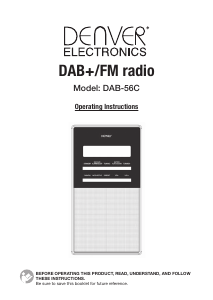
Manual de uso Denver DAB-56C Radio

¿Necesita un manual para su Denver DAB-56C Radio? A continuación puedes ver y descargar el manual en PDF gratis en español. Este producto actualmente tiene 2 preguntas frecuentes, 0 comentarios y tiene 0 votos. Si este no es el manual que desea, , contáctenos.

¿Su producto tiene algún defecto y el manual no ofrece ninguna solución? Vaya a Repair Café para solicitar un servicio de reparación gratuito.

Manual de uso

Loading…

HEADPHONES
A 3.5mm socket for connecting a set of stereo headphones (not included). The internal
loudspeaker is muted when headphones are plugged-in.
Avoid listening to headphones at high volume levels to prevent possible hearing damage.
AUX LINE INPUT
This 3.5mm socket is for connecting an external source such as an MP3 player, CD player, TV or
computer.
DC 6V JACK
Connect to the UNIT power adapter
STANDBY MODE
1. Press POWER (ON/OFF) switch to ”ON” position.
2. The display on the UNIT will light and display 'Welcome! Digital Radio'
3. After 2-3s the display light dims, the message changes to 'Standby' and then goes to the Time
screen.
Time and date will automatically update on-air, when the radio is operated.
OPERATING THE UNIT IN DAB MODE
AUTO SCAN
1. Fully extend the telescopic antenna.
2. Short press the STANDBY button to switch on the radio.
3. The first time the radio is powered and switched on, it will automatically select DAB mode and
start a scan of the DAB channels to search for available stations. Please leave it to complete
this process otherwise no DAB stations will be stored for later selection.
During the scan the display shows the scan progress, channel number, the multiplex name and
then the total number of stations.
4. When the scan is complete, the UNIT will automatically tune to the first station in the list.
Stations are listed in numeric-alpha order i.e. from 0 to 9 and then A to Z.
5. If no stations are detected during the scan the display will show 'NO SIGNAL DAB' ,in this
case, reposition the unit and/or the aerial and short press theAUTO SCAN button to start
another scan.
Note: Like Digital TV there are some areas where it may still be difficult to get a good DAB signal.
The broadcasters are constantly improving DAB coverage so in some cases it may be neccesary
to wait before some or all DAB services become available. You can check coverage for your area.
SELECTING A STATION
1. Short press either the TUNING+ or TUNING- button to scroll through the available station list
and stop at the required station.
2. The display may show 'SEARCHING …' while the radio selects the new station. If after
selecting a station, 'not available' is shown, try relocating the radio to improve reception.
SECONDARY STATIONS
Some stations have one or more secondary services associated with them. When
secondary stations are available a > sign is shown after the station name.
BBC5Live> >BBC Sport Extra
BBC National DAB BBC National DAB
PRESETS
TO STORE A STATION PRESET
1. Select a DAB station as described above.
ENG-4
Descargue el manual en Español (PDF, 5.27 MB)
(Piense en el medioambiente y solo imprima este manual si es de verdad necesario)

Loading…

Puntuación

Dé su opinión de la Denver DAB-56C Radio calificando el producto. ¿Quiere compartir su experiencia con este producto o hacer una pregunta? Deje un comentario en la parte inferior de la página.
¿Estás satisfecho con elDenver DAB-56C Radio?
No
Sea el primero en calificar este producto
0 votos

Únase a la conversación sobre este producto

Aquí puedes compartir lo que piensas sobre Denver DAB-56C Radio. Si tiene alguna pregunta, primero lea atentamente el manual. Puede solicitar un manual utilizando nuestro formulario de contacto.

Más sobre este manual

Entendemos que es bueno tener un manual en papel para tus Denver DAB-56C Radio. Siempre puedes descargar el manual desde nuestro sitio web e imprimirlo tú mismo. Si deseas tener un manual original te recomendamos contactar con Denver. Es posible que puedan proporcionar un manual original. ¿Estás buscando el manual de tu Denver DAB-56C Radio en otro idioma? Elija su idioma preferido en nuestra página de inicio y busque el número de modelo para ver si lo tenemos disponible.

Especificaciones

Marca Denver
Modelo DAB-56C
Categoría Radio
Tipo de archivo PDF
Tamaño del archivo 5.27 MB

Todos los manuales para Denver Radio
Más manuales de Radio

Preguntas frecuentes sobre Denver DAB-56C Radio

Nuestro equipo de atención al cliente busca información útil sobre los productos y responde a las preguntas frecuentes. Si encuentra inexactitudes en las preguntas frecuentes, indíquenoslo usando nuestro formulario de contacto.

¿Qué es DAB+? Verificado

DAB+ es el sucesor de la señal de FM y significa radiodifusión de audio digital por sus siglas en inglés. Es una señal digital que permite un mayor número de canales dentro del mismo ancho de banda y permite cambiar más fácilmente de un canal a otro.

Ha sido de gran ayuda (305) Leer más

¿Cuál es la diferencia entre FM y AM? Verificado

Tanto FM como AM son formas de modulación utilizadas para transmitir una señal. FM significa modulación de frecuencia y AM significa modulación de amplitud. AM es la forma de modulación más antigua. La mayor diferencia es que la señal de FM es mucho más fuerte que la de AM.

Ha sido de gran ayuda (245) Leer más
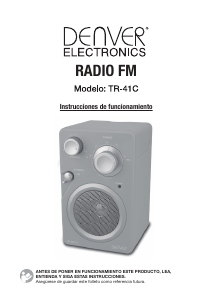
Manual de uso Denver DAB-56C Radio

Productos relacionados

Categorias relacionadas

×
Download