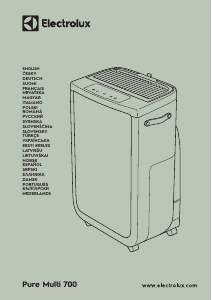
Manual de uso Electrolux EPU73771DG Pure Multi 700 Purificador de aire

¿Necesita un manual para su Electrolux EPU73771DG Pure Multi 700 Purificador de aire? A continuación puedes ver y descargar el manual en PDF gratis en español. Este producto actualmente tiene 2 preguntas frecuentes, 0 comentarios y tiene 1 voto con una calificación promedio de producto de 100/100. Si este no es el manual que desea, , contáctenos.

¿Su producto tiene algún defecto y el manual no ofrece ninguna solución? Vaya a Repair Café para solicitar un servicio de reparación gratuito.

Manual de uso

Loading…

www.electrolux.com8
USING YOUR PRODUCT
TURNING ON
15. Press the ON/OFF button
to turn ON the air purifier, the unit will run in default setting (SMART
mode, Humidity off and the louvres pointing forward) when used the unit the first time. Next
time you start the unit it will resume the last settings you had before turning OFF the product.
NOTE: When turning ON the air purifier, it will take about 10 seconds for the sensors to calibrate
and analyze the air quality. During this time, the air quality indicator will pulsate slowly in white.
CHANGING MODES & FAN SPEEDS & SWING & HUMIDITY
16. Press the MODE button
once to toggle between the two modes: SMART and MANUAL
SMART: This is the default mode the unit will start in. In the SMART mode the unit will utilize
the sensor data as input to decide on the appropriate fan speed and humidification level for
a comfortable air environment ,depending on the temperature in the room. The fan speed
or humidification level, can not be adjusted by the user under this mode. Please see the AIR
QUALITY INDICATOR section for more details.
MANUAL: In the MANUAL mode the unit will utilize the sensor data as input only to show the
air quality level via the air quality indicator but will not self-adjust the fan speed. This mode is
best utilized for a quick burst of cleaning, especially when the user anticipates an increase in
particulate matter in the room due to household chores (e.g. vacuuming).
17. FAN SPEED: While in MANUAL mode, Press the FAN button to adjust the fan speed – the air
purifier has 5 levels fan speed, the fan speed indicator will show the fan speed.
NOTE: The unit will ramp up OR down to chosen speed setting gradually.
18. QUIET Mode: This function can be used in SMART mode to limit the fan speed in daytime, to
avoid disturbances if the PM values are increased. You can activate the QUIET mode via the
Electrolux App. The display on the product will dim to show that the QUIET Mode has been
activated. The air quality indicator will still function as normal in the QUIET Mode.
You can also activate the QUIET mode on the product display panel by pressing the MODE
button for 3 seconds. To exit the QUIET Mode, just press either the MODE or FAN SPEED button.
19. SWING: Press SWING button can active Swing feature to get your desired air flow direction.
There have below 3 options:
"
" Narrow (Move the fins/louvres in the grill in aconsistent way in a narrow angle range).
" " Wide (Move the fins/louvres in the grill in aconsistent way in a wide angle range).
" " Natural Breeze (Move the fins/louvres in the grill in arandom way back and forth with a
wideangle range).
20. HUMIDITY: Press HUMIDITY button to turn on the Humidification function and chose your
target humidity level (40%, 50% and 60%). Once activated, the humidification filter will run
until therelative humidity level of the room reachesthe target humidity level you choose. The
unit will then attempt tomaintain this target of humidity in the air. In Humidity mode, please
observe:
- If the room is large or windows or doors are open the target humidity level may not be
reached.
- The air coming out from the air purifier will have a higher humidity than the target humidity
setting, so that the room can get humidified.
FEATURE ICONS AND INDICATORS
NOTE: Not all indicators OR feature icons might be available on your model. Please consult
packaging information or the product specifications on the website for details on available
features.
21. ALERT: The alert icon
will light up to alert you of a possible electrical or electronic error with
your unit. Please refer to the Electrolux App for details on the error type, component details and
any mitigating actions. More details can also be found in the ERRORS & TROUBLESHOOTING
section below.
Descargue el manual en Español (PDF, 72.79 MB)
(Piense en el medioambiente y solo imprima este manual si es de verdad necesario)

Loading…

Puntuación

Dé su opinión de la Electrolux EPU73771DG Pure Multi 700 Purificador de aire calificando el producto. ¿Quiere compartir su experiencia con este producto o hacer una pregunta? Deje un comentario en la parte inferior de la página.
¿Estás satisfecho con elElectrolux EPU73771DG Pure Multi 700 Purificador de aire?
No
100%
0%
1 voto

Únase a la conversación sobre este producto

Aquí puedes compartir lo que piensas sobre Electrolux EPU73771DG Pure Multi 700 Purificador de aire. Si tiene alguna pregunta, primero lea atentamente el manual. Puede solicitar un manual utilizando nuestro formulario de contacto.

Más sobre este manual

Entendemos que es bueno tener un manual en papel para tus Electrolux EPU73771DG Pure Multi 700 Purificador de aire. Siempre puedes descargar el manual desde nuestro sitio web e imprimirlo tú mismo. Si deseas tener un manual original te recomendamos contactar con Electrolux. Es posible que puedan proporcionar un manual original. ¿Estás buscando el manual de tu Electrolux EPU73771DG Pure Multi 700 Purificador de aire en otro idioma? Elija su idioma preferido en nuestra página de inicio y busque el número de modelo para ver si lo tenemos disponible.

Especificaciones

Marca Electrolux
Modelo EPU73771DG Pure Multi 700
Categoría Purificadores de aire
Tipo de archivo PDF
Tamaño del archivo 72.79 MB

Todos los manuales para Electrolux Purificadores de aire
Más manuales de Purificadores de aire

Preguntas frecuentes sobre Electrolux EPU73771DG Pure Multi 700 Purificador de aire

Nuestro equipo de atención al cliente busca información útil sobre los productos y responde a las preguntas frecuentes. Si encuentra inexactitudes en las preguntas frecuentes, indíquenoslo usando nuestro formulario de contacto.

Quiero saber la antigüedad de mi electrodoméstico Electrolux. ¿Cómo puedo averiguarla? Verificado

Puede determinar la antigüedad de su producto a través del número de serie. Lo encontrará en su dispositivo. El primer dígito del número de serie indica el año (p. ej., 1 = 2001) y los dos caracteres siguientes indican la semana de producción (p. ej., 35 = semana 35 de aquel año). Así que, el número de serie 13500016 indica que el aparato se ha fabricado en la semana 35 del año 2001.

Ha sido de gran ayuda (1017) Leer más

¿Un purificador de aire también elimina el polvo regular del aire? Verificado

Sí, los purificadores de aire también eliminan el polvo del aire que, de otro modo, tendría que eliminarse quitando el polvo y limpiando. Depende del purificador de aire hasta qué tamaño de polvo se puede eliminar del aire.

Ha sido de gran ayuda (263) Leer más
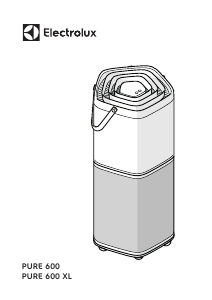
Manual de uso Electrolux EPU73771DG Pure Multi 700 Purificador de aire

Productos relacionados

Categorias relacionadas

×
Download