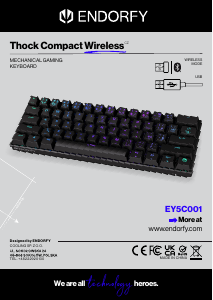
Manual de uso Endorfy EY5C001 Thock Compact Wireless Teclado

¿Necesita un manual para su Endorfy EY5C001 Thock Compact Wireless Teclado? A continuación puedes ver y descargar el manual en PDF gratis en español. Este producto actualmente tiene 2 preguntas frecuentes, 0 comentarios y tiene 0 votos. Si este no es el manual que desea, , contáctenos.

¿Su producto tiene algún defecto y el manual no ofrece ninguna solución? Vaya a Repair Café para solicitar un servicio de reparación gratuito.

Manual de uso

Loading…
+
=
=
=
+
+
=
+
=
+
=
+
=
+
=
Thock Compact Wireless
MECHANICAL GAMING KEYBOARD
CUSTOMER SERVICE
ENDORFY.COM/CONTACT
DETAILED INFO
ENDORFY.COM/EYBTHOCKCOMPACTWIRELESS
  
EN
CZ
WIRELESS MODE (Bluetooth & 2.4G)
Connection in the 2.4G mode (USB receiver)
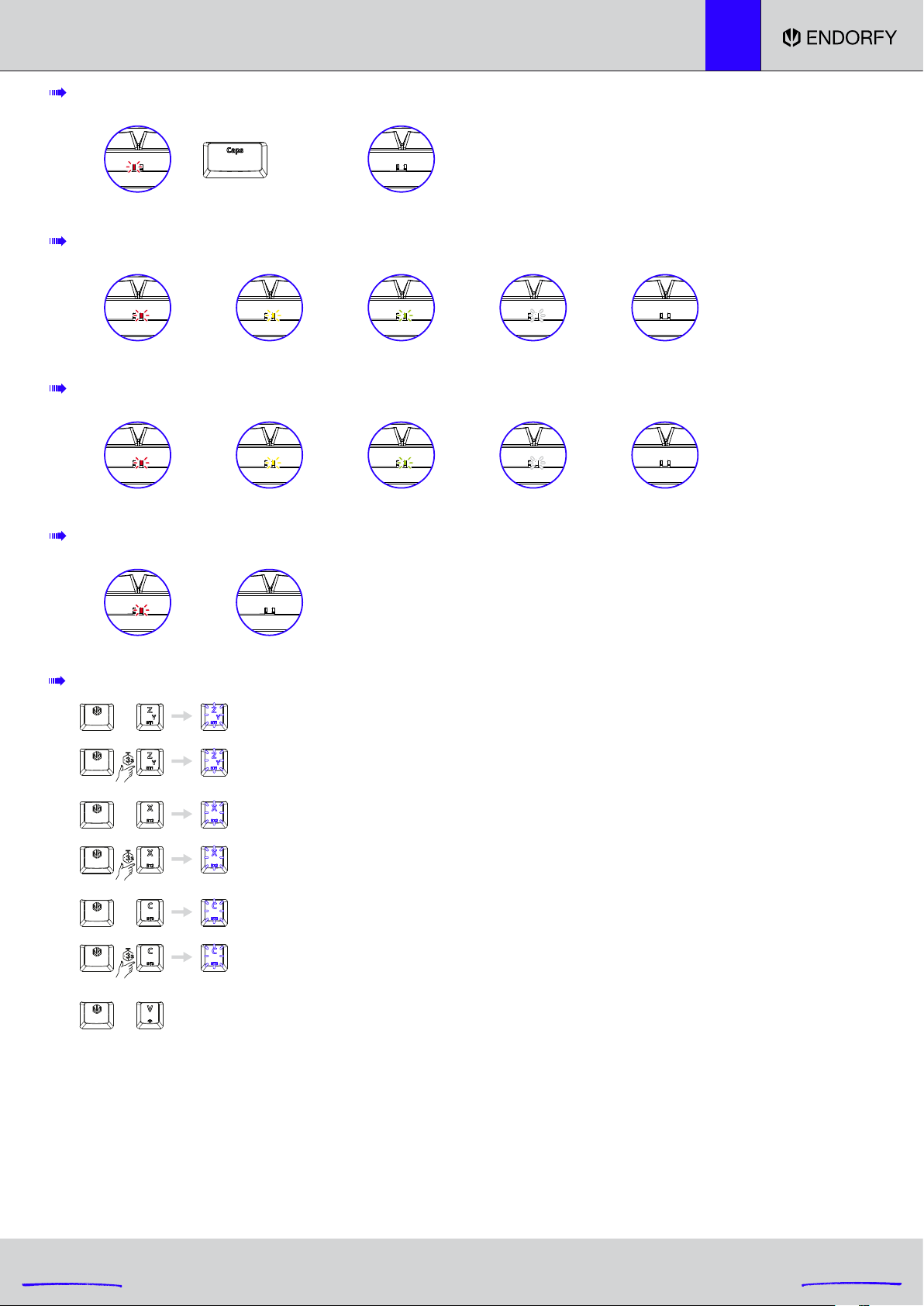
Pairing Bluetooth 2 device: The [X] key turns white and starts blinking. After successful pairing,
the [X] key will once again turn the same colour as the keyboard backlight from before pairing.
After failed pairing, the pairing mode will be switched o after 180 seconds.
The [X] key will once again turn the same colour as the keyboard backlight from before pairing.
Pairing Bluetooth 1 device: The [Z] key turns white and starts blinking. After successful pairing,
the [Z] key will once again turn the same colour as the keyboard backlight from before pairing.
After failed pairing, the pairing mode will be switched o after 180 seconds.
The [Z] key will once again turn the same colour as the keyboard backlight from before pairing.
Selecting Bluetooth 2 device
Selecting Bluetooth 1 device
Pairing Bluetooth 3 device: The [C] key turns white and starts blinking. After successful pairing,
the [C] key will once again turn the same colour as the keyboard backlight from before pairing.
After failed pairing, the pairing mode will be switched o after 180 seconds.
The [C] key will once again turn the same colour as the keyboard backlight from before pairing.
Selecting Bluetooth 3 device
After the first pairing, during the following connection, the [Z], [X] or [C] key (depending on the selected device: BT1, BT2 or BT3) will be backlit in
white. After successful pairing, the [Z], [X] or [C] key (depending on the selected device: BT1, BT2 or BT3) will turn the same colour as the keyboard
backlight. If the keyboard cannot be paired with the selected device within 180 s, the pairing mode will be disabled. Then, the [Z], [X] or [C] key
(depending on the selected device: BT1, BT2 or BT3) will turn the same colour as the keyboard backlight.
In the wireless mode (Bluetooth and 2.4G), if the keyboard is not used for 5 minutes, the device will enter the first level of the sleep mode, and LED
backlight will be disabled. Press any button to switch the LED backlight of the keyboard back on after the device has entered the first level of sleep
mode.
In the wireless mode (Bluetooth and 2.4G), if the keyboard is not used for 30 minutes, the device will enter the second level of the sleep mode, and
LED backlight will be disabled along with Bluetooth communication. Then, press any button to switch the LED backlight of the keyboard and
Bluetooth communication back on after the device has entered the second level of sleep mode.
RIGHT LED: BATTERY SUPPLY (ONLY IN WIRELESS MODE)
BATTERY CHARGE INDICATOR (WIRELESS MODE WITH THE CABLE CONNECTED)
BATTERY CHARGING (WIRED MODE, ACTIVE WHEN THE KEYBOARD IS OFF)
LEFT LED: CAPS LOCK
0-20% 20-50% 50-90% 90-100%
red
Caps on
red
yellowy green white
10 s without clicking
o
0-20% 20-50% 50-90% 90-100% Fully charged
blinking red blinking yellow blinking green blinking white o
0-100% Fully charged
blinking red o
Caps o
o
Descargue el manual en Español (PDF, 23.26 MB)
(Piense en el medioambiente y solo imprima este manual si es de verdad necesario)

Loading…

Puntuación

Dé su opinión de la Endorfy EY5C001 Thock Compact Wireless Teclado calificando el producto. ¿Quiere compartir su experiencia con este producto o hacer una pregunta? Deje un comentario en la parte inferior de la página.
¿Estás satisfecho con elEndorfy EY5C001 Thock Compact Wireless Teclado?
No
Sea el primero en calificar este producto
0 votos

Únase a la conversación sobre este producto

Aquí puedes compartir lo que piensas sobre Endorfy EY5C001 Thock Compact Wireless Teclado. Si tiene alguna pregunta, primero lea atentamente el manual. Puede solicitar un manual utilizando nuestro formulario de contacto.

Más sobre este manual

Entendemos que es bueno tener un manual en papel para tus Endorfy EY5C001 Thock Compact Wireless Teclado. Siempre puedes descargar el manual desde nuestro sitio web e imprimirlo tú mismo. Si deseas tener un manual original te recomendamos contactar con Endorfy. Es posible que puedan proporcionar un manual original. ¿Estás buscando el manual de tu Endorfy EY5C001 Thock Compact Wireless Teclado en otro idioma? Elija su idioma preferido en nuestra página de inicio y busque el número de modelo para ver si lo tenemos disponible.

Especificaciones

Marca Endorfy
Modelo EY5C001 Thock Compact Wireless
Categoría Teclados
Tipo de archivo PDF
Tamaño del archivo 23.26 MB

Todos los manuales para Endorfy Teclados
Más manuales de Teclados

Preguntas frecuentes sobre Endorfy EY5C001 Thock Compact Wireless Teclado

Nuestro equipo de atención al cliente busca información útil sobre los productos y responde a las preguntas frecuentes. Si encuentra inexactitudes en las preguntas frecuentes, indíquenoslo usando nuestro formulario de contacto.

Las letras del teclado no están en las posiciones a las que estoy acostumbrado. ¿Por qué? Verificado

La mayoría de los teclados son de configuración QWERTY, que indica las seis primeras letras del teclado. Sin embargo, hay diferentes diseños de teclado que se ajustan a las necesidades específicas de un determinado idioma. También es posible que las teclas se hayan intercambiado. Sobre todo con los teclados antiguos esto es fácil de hacer.

Ha sido de gran ayuda (1364) Leer más

¿Cuál es la mejor forma de limpiar mi teclado? Verificado

Nunca inserte objetos entre los bordes de las teclas, ya que esto empujará principalmente suciedad y dañará el teclado. Es mejor limpiar el teclado con aire comprimido manteniendo el teclado boca abajo. La parte superior de las teclas se puede limpiar con un paño ligeramente húmedo.

Ha sido de gran ayuda (204) Leer más
Manual de uso Endorfy EY5C001 Thock Compact Wireless Teclado

Productos relacionados

Categorias relacionadas

×
Download