Manual de uso Gear4 HouseParty Rise Docking station

¿Necesita un manual para su Gear4 HouseParty Rise Docking station? A continuación puedes ver y descargar el manual en PDF gratis en español. Este producto actualmente tiene 0 preguntas frecuentes, 0 comentarios y tiene 0 votos. Si este no es el manual que desea, , contáctenos.

¿Su producto tiene algún defecto y el manual no ofrece ninguna solución? Vaya a Repair Café para solicitar un servicio de reparación gratuito.

Manual de uso

Loading…

1 GEAR4 | HouseParty Rise | User Manual
HouseParty Rise Please read before use.
Product features:
App-enhanced clock radio
12 / 24 hour clock with alarm - wake up
to radio, your iPod / iPhone music library
or buzzer
Sleep countdown timer
Dimmable LED display
2 programmable alarms
FM radio with programmable presets
Volume & snooze control dial
Charges iPod / iPhone
Line-in port for use with other music players
APP-ENHANCED:
Smarter than your average speaker, free app
available from the App Store;
Use your iPhone or iPod touch to control
the speaker wirelessly. To use this feature,
dock a 2nd iPhone or iPod touch, ensure
both devices are connected to Wi-Fi and
select the control speaker feature in the
SmartLink app.*
Auto-tune and save your favourite stations.
The app screen displays what you’re
listening to.**
Auto-Sync time and alarms between your
iPhone and the speaker. Dim both screens
using swipe gestures on the clock display.
Access your music library through the app
and display your favourite album art.
N.B. App-enhanced features require GEAR4
SmartLink app for iPhone 4, iPhone 3GS,
iPhone 3G or iPod touch (2nd, 3rd and 4th
generation only) with iOS 3.1.3, iOS 4.0 or
higher. Available FREE on the App Store. App
screens correct at time of print. Wireless remote
control feature requires a 2nd docked iOS
device, using SmartLink and Wi-Fi.
*Please ensure that you ‘allow remote’ in the
SmartLink settings menu from the 2nd docked
iOS device.
**Where RDS broadcast is available.
Getting started:
Plug the power cable into the back of the unit
and then into the mains supply.
Install the coin-cell battery into the battery
compartment on the bottom of the unit. This
battery keeps clock settings from being lost in
the event of a loss of power.
To activate the speaker, press the POWER
button.
GEAR4_PG534_HouseParty_Rise_Manual_V1.1.indd 1 05/05/2011 16:09
Descargue el manual en Español (PDF, 1.42 MB)
(Piense en el medioambiente y solo imprima este manual si es de verdad necesario)

Loading…

Puntuación

Dé su opinión de la Gear4 HouseParty Rise Docking station calificando el producto. ¿Quiere compartir su experiencia con este producto o hacer una pregunta? Deje un comentario en la parte inferior de la página.
¿Estás satisfecho con elGear4 HouseParty Rise Docking station?
No
Sea el primero en calificar este producto
0 votos

Únase a la conversación sobre este producto

Aquí puedes compartir lo que piensas sobre Gear4 HouseParty Rise Docking station. Si tiene alguna pregunta, primero lea atentamente el manual. Puede solicitar un manual utilizando nuestro formulario de contacto.

Más sobre este manual

Entendemos que es bueno tener un manual en papel para tus Gear4 HouseParty Rise Docking station. Siempre puedes descargar el manual desde nuestro sitio web e imprimirlo tú mismo. Si deseas tener un manual original te recomendamos contactar con Gear4. Es posible que puedan proporcionar un manual original. ¿Estás buscando el manual de tu Gear4 HouseParty Rise Docking station en otro idioma? Elija su idioma preferido en nuestra página de inicio y busque el número de modelo para ver si lo tenemos disponible.

Especificaciones

Marca Gear4
Modelo HouseParty Rise
Categoría Docking station
Tipo de archivo PDF
Tamaño del archivo 1.42 MB

Todos los manuales para Gear4 Docking station
Más manuales de Docking station
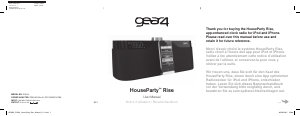
Manual de uso Gear4 HouseParty Rise Docking station

Productos relacionados

Categorias relacionadas

×
Download