Manual de uso Karlsson KA6124GR Reloj

¿Necesita un manual para su Karlsson KA6124GR Reloj? A continuación puedes ver y descargar el manual en PDF gratis en español. Este producto actualmente tiene 3 preguntas frecuentes, 0 comentarios y tiene 0 votos. Si este no es el manual que desea, , contáctenos.

¿Su producto tiene algún defecto y el manual no ofrece ninguna solución? Vaya a Repair Café para solicitar un servicio de reparación gratuito.

Manual de uso

Loading…

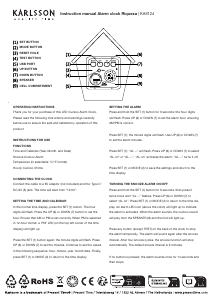
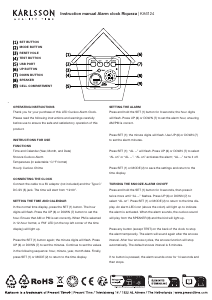
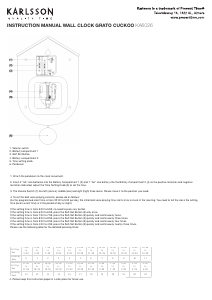
Instruction manual Alarm clock Riqueza | KA6124
To turn off the snooze alarm permanently, press and hold the SET
(1) button for 3 seconds, then press it twice until “AL on” ashes.
Press UP (6) or DOWN (7) to select “AL --”, then press SET (1) or
MODE (2). The alarm LED icon will disappear.
HOURLY CUCKOO CHIME
This clock chimes every hour but remains silent from 10:00 pm to
6:00 am. The rst chime is at 7:00 am, and this start time can be
adjusted.
To set it: In the normal time display, press and hold the UP (6)
button until “HC07” ashes (“HC07” means the chime starts at
7:00 am). Press UP (6) or DOWN (7) to select a start time between
07:00 and 21:00, then press MODE (2) to return to the time display.
To turn the chime sound off: Press and hold UP (6) until “HC07”
ashes. Press SET (1) to display “HC on”. Press UP (6) or DOWN
(7) to select “HC --”. “HC on” means the chime is active; “HC --”
means off. Press SET (1) or MODE (2) to return to the time display.
If the alarm is set for the same time as the chime, the alarm takes
priority. During silent hours, the alarm will still sound at the set
time.
TEMPERATURE DISPLAY
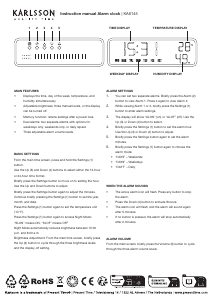
The display alternates between time and temperature. Press the
DOWN (7) button to switch between Celsius and Fahrenheit.
12/24-HOUR FORMAT
In the normal time display, press UP (6) to switch between 12-hour
and 24-hour format. In 12-hour mode, the ‘PM’ LED lights up
during PM hours.
VIEWING THE YEAR, MONTH, DATE AND ALARM TIME
In the normal time display, press MODE (2) repeatedly to cycle
through: year, month, date, alarm time. Press MODE (2) again to
return to the time display.
BRIGHTNESS LEVELS
The brightness adjusts automatically:
07:00–18:59: High
19:00–22:59: Medium
23:00–06:59: Low
SOUND VOLUME LEVELS
There are three sound volume settings: VOL0, VOL1 and VOL2.
VOL0 = mute
VOL1 = low
VOL2 = high (default)
To adjust: In the normal time display, press and hold MODE (2) until
“VOL2” ashes. Press UP (6) or DOWN (7) to select VOL2, VOL1 or
VOL0. Press MODE (2) to conrm.
If “VOL0” is selected, all sounds (alarm, chime, test sound and button
tones) will be muted.
BACK-UP BATTERY
A CR2032 button cell (not included) can be installed to keep the
clock’s time memory during a power cut. It does not power the clock
itself. Open the battery cover and insert the cell into compartment (9),
making sure the “+” (positive) side faces outward. Close the cover
securely.
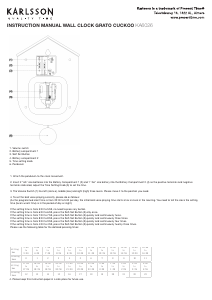
TEST (4) BUTTON
Press this button at any time to hear the cuckoo chime sound
immediately.
14. RESET HOLE (3)
If the clock becomes unresponsive (the display freezes), use a slim,
blunt object (such as a ballpoint pen or a toothpick) to press the
RESET hole. The clock will return to the initial time display.
WARNINGS
Keep this product away from liquids.
Clean the clock with a soft cloth or paper towel.
Do not use corrosive cleaners or chemical solutions.
Keep these instructions for future reference.
This product is not a toy. Keep it out of reach of children and animals.
Descargue el manual en Español (PDF, 3.29 MB)
(Piense en el medioambiente y solo imprima este manual si es de verdad necesario)

Loading…

Puntuación

Dé su opinión de la Karlsson KA6124GR Reloj calificando el producto. ¿Quiere compartir su experiencia con este producto o hacer una pregunta? Deje un comentario en la parte inferior de la página.
¿Estás satisfecho con elKarlsson KA6124GR Reloj?
No
Sea el primero en calificar este producto
0 votos

Únase a la conversación sobre este producto

Aquí puedes compartir lo que piensas sobre Karlsson KA6124GR Reloj. Si tiene alguna pregunta, primero lea atentamente el manual. Puede solicitar un manual utilizando nuestro formulario de contacto.

Más sobre este manual

Entendemos que es bueno tener un manual en papel para tus Karlsson KA6124GR Reloj. Siempre puedes descargar el manual desde nuestro sitio web e imprimirlo tú mismo. Si deseas tener un manual original te recomendamos contactar con Karlsson. Es posible que puedan proporcionar un manual original. ¿Estás buscando el manual de tu Karlsson KA6124GR Reloj en otro idioma? Elija su idioma preferido en nuestra página de inicio y busque el número de modelo para ver si lo tenemos disponible.

Especificaciones

Marca Karlsson
Modelo KA6124GR
Categoría Relojes
Tipo de archivo PDF
Tamaño del archivo 3.29 MB

Todos los manuales para Karlsson Relojes
Más manuales de Relojes

Preguntas frecuentes sobre Karlsson KA6124GR Reloj

Nuestro equipo de atención al cliente busca información útil sobre los productos y responde a las preguntas frecuentes. Si encuentra inexactitudes en las preguntas frecuentes, indíquenoslo usando nuestro formulario de contacto.

¿Qué es el movimiento de cuarzo? Verificado

Los relojes con movimiento de cuarzo son alimentados por una batería. Esta envía una corriente eléctrica a través de cristales de cuarzo, que vibrarán. Estas vibraciones se transmiten al movimiento. Como las vibraciones tienen una frecuencia fija, los relojes con movimiento de cuarzo son extremadamente precisos.

Ha sido de gran ayuda (94) Leer más

¿Qué significan las siglas GMT? Verificado

GMT son las siglas en inglés del tiempo medio de Greenwich (a veces llamado UTC, que significa tiempo universal coordinado). Es la hora en el meridano cero, que pasa por Greenwich cerca de Londres.

Ha sido de gran ayuda (80) Leer más

¿Qué es un cronógrafo? Verificado

Un cronógrafo es literalmente un “escritor del tiempo”. El término se utiliza para describir los relojes que indican la hora del día, además de medir un cierto intervalo de tiempo, como un cronómetro.

Ha sido de gran ayuda (59) Leer más
Manual de uso Karlsson KA6124GR Reloj

Productos relacionados

Categorias relacionadas

×
Download