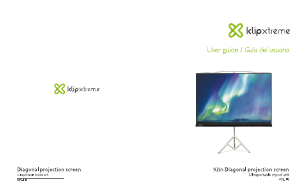
Manual de uso Klip Xtreme KPS-102B Pantalla proyector

¿Necesita un manual para su Klip Xtreme KPS-102B Pantalla proyector? A continuación puedes ver y descargar el manual en PDF gratis en español. Este producto actualmente tiene 0 preguntas frecuentes, 0 comentarios y tiene 0 votos. Si este no es el manual que desea, , contáctenos.

¿Su producto tiene algún defecto y el manual no ofrece ninguna solución? Vaya a Repair Café para solicitar un servicio de reparación gratuito.

Manual de uso

Loading…

III. Assembly instructions
Dimensions
Specifications
Additional information
MPN KPS-102 KPS-103
51.18x67.72x.02in 59.06x78.74x.02inScreen dimensions
(HxWxD)
Maximum screen size
(Diagonal)
Viewing area height
Viewing area width
Aspect ratio
Weight
Operation type
Mount type
Color
Screen material
Gain
Viewing angle
Fire retardant
Manual
Tripod
White
Outside PVC layers, internal cloth layer
1.1
100°
Yes
Warranty One year
86in 100in 72in
4:3
86in 100in 120in120in
48.03in 55.91in 68.90in 40.16in 48.03in 68.90in55.91in
65.75in 76.77in 94.09in 55.12in 65.75in 94.09in76.77in
16.98lb 19.18lb 22.71lb 12.9lb 16.98lb 22.71lb19.18lb
KPS-104
72.05x96.03x.02in
KPS-101B
43.31x57.09x.02in
KPS-102B
51.18x67.72x.02in
KPS-103B
59.06x78.74x.02in
KPS-104B
72.05x96.03x.02in
Carefully unpack screen from carton box. Remove any protective foam or tape from case
before operation.
Grasp the screen handle or pole with one hand and open the three support feet to position
the tripod on the floor.
With the other hand, release the lever and position the handle at the level you want the
screen to be fully extended.
Next, lock the lever and make sure the assembly is stable.
Hold the screen case at right angle to the stand with the wire handle facing up.
Extend the telescopic rod to the desired height and fasten the ring.
Pull the wire holder and attach the screen surface to the hanger hook.
Choose the bar slot that will provide the best angle for your audience.
1.
2.
3.
4.
5.
6.
7.
8.
IV. Packing away
Remove the wire handle from the hook and retract the screen slowly into the case.
Swivel the case until aligned with the stand.
If the telescopic pole is fully extended, release the lever and ring mechanisms to put the pole
back to its fully retracted position.
One end of the case can be locked to the top of the tripod for ease of carrying.
1.
2.
3.
4.
V. Technical specifications
Descargue el manual en Español (PDF, 0.31 MB)
(Piense en el medioambiente y solo imprima este manual si es de verdad necesario)

Loading…

Puntuación

Dé su opinión de la Klip Xtreme KPS-102B Pantalla proyector calificando el producto. ¿Quiere compartir su experiencia con este producto o hacer una pregunta? Deje un comentario en la parte inferior de la página.
¿Estás satisfecho con elKlip Xtreme KPS-102B Pantalla proyector?
No
Sea el primero en calificar este producto
0 votos

Únase a la conversación sobre este producto

Aquí puedes compartir lo que piensas sobre Klip Xtreme KPS-102B Pantalla proyector. Si tiene alguna pregunta, primero lea atentamente el manual. Puede solicitar un manual utilizando nuestro formulario de contacto.

Más sobre este manual

Entendemos que es bueno tener un manual en papel para tus Klip Xtreme KPS-102B Pantalla proyector. Siempre puedes descargar el manual desde nuestro sitio web e imprimirlo tú mismo. Si deseas tener un manual original te recomendamos contactar con Klip Xtreme. Es posible que puedan proporcionar un manual original. ¿Estás buscando el manual de tu Klip Xtreme KPS-102B Pantalla proyector en otro idioma? Elija su idioma preferido en nuestra página de inicio y busque el número de modelo para ver si lo tenemos disponible.

Especificaciones

Marca Klip Xtreme
Modelo KPS-102B
Categoría Pantallas proyector
Tipo de archivo PDF
Tamaño del archivo 0.31 MB

Todos los manuales para Klip Xtreme Pantallas proyector
Más manuales de Pantallas proyector
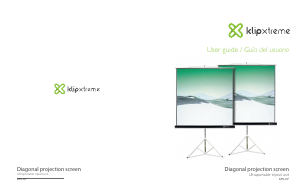
Manual de uso Klip Xtreme KPS-102B Pantalla proyector

Productos relacionados

Categorias relacionadas

×
Download