
1. Wstęp
Przełącznik / Switch HDMI pozwala na podłączenie wielu urządzeń HDMI do jednego urządzenia odbiorczego. Został
wyposażony w funkcję automatycznego przełączania między urządzeniami, oprócz tego pozwala również na zmianę aktualnie
wyświetlanego urządzenia za pomocą pilota lub przycisku na obudowie. Odbiornik podczerwieni został wyposażony w długi
kabel, dzięki czemu możemy wygodnie ustawić przełącznik tam gdzie będzie najbardziej potrzebny, nie tracąc jednocześnie
możliwości ręcznego zmieniania kanału.
1.1 Funkcja automatycznego przełączania pomiędzy urządzeniami
1) Należy podłączyć wszystkie urządzenia wyjściowe do przełącznika.
2) Gdy któreś z urządzeń wejściowych zostanie uruchomione przełącznik automatycznie wybierze to urządzenie. Jeżeli więcej
niż jedno urządzenie będzie zasilone w tym samym momencie, zostaną wybrane zgodnie z następującym schematem: Input 1 >
Input 2 > Input 3.
3) W momencie wyłączenia zasilania na aktualnie używanym urządzeniu, przełącznik automatycznie przełączy na kolejne
zasilone urządzenie jeżeli takie będą dostępne.
*Jeżeli podłączone urządzenia wejściowe przechodzą w tryb czuwania może to zakłócać pracę funkcji automatycznego
przełączania. W celu zapewnienia prawidłowej pracy tej funkcji należy wyłączać całkowicie nieużywane urządzenia.
*Do prawidłowej pracy tej funkcji należy zapewnić przełącznikowi zasilanie za pomocą dołączonego kabla Micro USB.
1.2 Cechy produktu
• Standard HDMI 2.0b
• Maksymalna rozdzielczość do 4K – 3840 x 2160 przy 60Hz
• Wsparcie dla HDCP 1.0 / 1.1 / 1.2 / 1.4 / 2.2
• Obsługuje transmisje nieskompresowanego dźwięku (np. LPCM)
• Obsługuje transmisje skompresowanego dźwięku (np. Dolby Digital, DTS Digital)
2. Specyfikacja
•
Złącza:
SWV-HDMI-0003: wejście: 1 port HDMI 2.0b, wyjście: 3 porty HDMI 2.0b
SWV-HDMI-0005: wejście: 1 port HDMI 2.0b, wyjście: 5 portów HDMI 2.0b
•
Maksymalna rozdzielczość: 3840 x 2160 @ 60Hz
•
Maksymalna wspierana prędkość transmisji: 18,5 Gb/s
•
Wymiary: 81x58x18 mm
•
Waga: SWV-HDMI-0003 – 44 g / SWV-HDMI-0005 – 48 g
•
Warunki pracy: Temperatura: od 0 do 70°C, wilgotność: 5% do 90% (bez kondensacji)
•
Zużycie mocy: SWV-HDMI-0003 – 0.2 A / SWV-HDMI-0005 – 0.3 A
•
Zasilanie: Port Micro USB, 5V/1A (kabel dołączony w zestawie)
3. Zawartość opakowania
• Przełącznik HDMI
• Odbiornik na podczerwień na kablu
• Pilot zdalnego sterowania
• Instrukcja obsługi
• Kabel Micro USB – USB-A służący do zasilania
4. Opis produktu
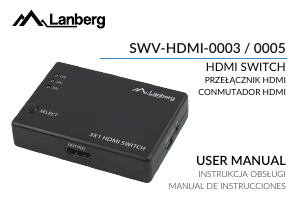
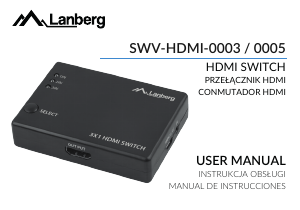
1. Port wejściowy 2. Porty wyjściowe 3. Przycisk do wyboru aktualnego portu
5. Instrukcja obsługi
1) Podłącz urządzenia wejściowe (nadawcze) do portów HDMI oznaczonych jako porty wejściowe (Input) np. Konsola, PC,
Odtwarzacz Blu-Ray itp.
2) Podłącz urządzenie wyjściowe do portu HDMI oznaczonego jako port wyjściowy (Output) np. Telewizor, monitor, projektor
itp.
3) Podłącz zasilanie do przełącznika za pomocą kabla micro USB. Końcówkę USB-A należy podłączyć do wolnego portu
USB-A w ładowarce sieciowej/komputerze/konsoli.
4) Uruchomić urządzenie nadawcze, z którego aktualnie chcemy korzystać i uruchomić urządzenie odbiorcze.
6. Instrukcje dotyczące bezpieczeństwa
1) Podczas podłączania i odłączania kabli HDMI rób to powoli i delikatnie, zbyt gwałtowne wyciągnie bądź wciskanie kabla
może spowodować uszkodzenie urządzenia i/lub kabla.
2) Do pracy z urządzeniem zaleca się korzystanie z kabli HDMI wspierających Standard HDMI 2.0b, są to kable w wersji –
Premium High Speed HDMI Cable. Korzystanie z kabli o niższym standardzie może wiązać się z obniżeniem jakości sygnału.
3) Należy unikać kontaktu urządzenia z wilgocią.
4) Urządzenie jest przeznaczone wyłącznie do użytku wewnątrz budynków
5) Nie wystawiać urządzenia na oddziaływanie promieni słonecznych
6) Nie należy samodzielnie otwierać, naprawiać lub w jakikolwiek inny sposób ingerować w urządzenie.
7) Jakiekolwiek niewłaściwe użycie produktu lub uszkodzenia spowodowane z winy użytkownika, lub osób trzecich nie są
objęte gwarancją.
7. Schemat połączeń
Wejście do 3 m
Wyjście do 3 m
1. Introducon
This device is a high-performance mini HDMI amplifier/splier. This type of compact switch not only has the funcon of signal
switching with a simple press of a key (buon) but also possesses an infrared remote control and intelligent management feature.
What this means is, as soon as the source power source is plugged in, the device will react automacally. Also, the product is
equipped with a standard infrared receiver: making it safe and convenient.
This type of switch routes the high definion video (in many available resoluons up to 1080p) and digital audio from any of
several sources to properly display them. All inputs support connecons of Full HD video sources simultaneously and are
compable with devices such as: HD-DVD, SKY-STB, PS3, PS4 PRO Xbox 360, etc. The output sends high definion audio-video
signals to the HD monitors, TVs or other displays.
1.1 Inter-device auto-switching feature
1) Make sure to connect all output devices to the switch.
2) When one of the input devices is acvated, the switch will automacally select this device. If more than one device will be powered at
the same me, they will be selected according to the following scheme:
Input 1> Input 2> Input 3.
3) When the power is turned off on the currently used device, the switch will automacally switch to the next powered device if available.
*If connected input devices go into standby mode, this may interfere with the inter-device auto-switching feature. To ensure it
works properly, make sure to turn off devices, which are not being used at a given me.
*For this funcon to work properly, ensure that switch is power via the included Micro USB cable.
1.2 Cechy produktu
• HDMI version 2.0b
• Max. video resoluon up to 4K UHD – 3840 x 2160 @ 60Hz
• HDCP 1.0 / 1.1 / 1.2 / 1.4 / 2.2 compable
• Uncompressed audio transmission support (e.g. LPCM format)
• Compressed audio transmission support (e.g. Dolby Digital, DTS Digital format)
2. Product specificaon
• Connectors:
SWV-HDMI-0003: Input: 1 x HDMI 2.0b port, Output: 3 x HDMI 2.0b ports
SWV-HDMI-0005: Input: 1 x HDMI 2.0b port, Output: 5 x HDMI 2.0b ports
•
Max. resoluon: 3840 x 2160 @ 60Hz
•
Max. supported data transmission: 18,5 Gb/s
•
Dimensions: 81x58x18 cm
•
Weight: SWV-HDMI-0003 – 44 g / SWV-HDMI-0005 – 48 g
•
Operang condions: Temperature: from 0 to 70°C, Humidity: 5% do 90% (without condensaon)
•
Power consumpon: SWV-HDMI-0003 – 0.2 A / SWV-HDMI-0005 – 0.3 A
•
Power: Micro USB port, 5V/1A (power cable included)
3. What’s in the box?
• HDMI switch
• Wired IR receiver
• Remote control
• Manual
• Micro USB-A power cable
4. Product descripon
1. Input ports 2. Output port 3. Port selecon buon
5. Installaon guide
1) Plug in the input (transming) devices to the HDMI ports labeled as Input ports (e.g. console, PC, Blu-ray player etc.).
2) Connect the output device to the HDMI port labeled as output (e.g. TV, monitor, projector etc.).
3) Aach the power supply to the switch via micro USB cable. USB-A connector must be connected to a free USB-A port on a
wall charger / PC / console.
4) Turn on the transming device that you currently want to use and then switch on the receiving device.
6. General safety precauons
1) When connecng and disconnecng HDMI cables, it is advised to do it slowly and gently. Pulling out or pushing in the
connectors too hard may damage the device(s) and / or the cable itself.
2) When using the device, it is recommended to use HDMI cables that support HDMI 2.0b standard, as they are the Premium
High-Speed HDMI cables version. Use of cables compable with the lower standard may result in worse audio-video
quality.
3) Avoid installing the HDMI switch in places where the device may encounter moisture.
4) Device is made for indoor use only
5) Do not expose the device to direct sunlight
6) Do not open, repair or in any other way interfere with the device by yourself.
7) Any improper use or man-made damage is not covered by the product warranty.
7. Connecon scheme
Input up to 3 m
Output up to 3 m
EN



Únase a la conversación sobre este producto
Aquí puedes compartir lo que piensas sobre Lanberg SWV-HDMI-003 Conmutador HDMI. Si tiene alguna pregunta, primero lea atentamente el manual. Puede solicitar un manual utilizando nuestro formulario de contacto.