GB
3
Important Safety Instructions
When used in the directed manner, this unit has been designed and manufactured to ensure
your personal safety. However, improper use can result in potential electrical shock or fire
hazards. Please read all safety and operating instructions carefully before installation and use,
and keep these instructions handy for future reference. Take special note of all warnings listed in
these instructions and on the unit.
1. Wate
and Moisture
The unit should not be used nea
water. Fo
example: nea
a bathtub, washbowl, kitchen sink,
laundr
tub, swimmin
pool o
in a set basement.
2. Ventilation
The unit should be situated so that its location o
position does not interfere with its prope
ventilation. Fo
example, it should no
be situated on a bed, sofa, rug o
simila
surface that
ma
block the ventilation openin
s. The ventilation should not be impeded b
coverin
the
ventilation openings with items, such as newspapers, table-cloths, curtains, etc. Also, it
should no
be placed in a built-in installation, such as a bookcase o
cabinet, which ma
impede the flow of ai
throu
h the ventilation openin
s.
3. Heat & Flame
The unit should be situated awa
from heat sources such as radiators, heat re
isters, stoves
o
othe
appliances
includin
amplifiers
that produce heat.
No naked flame sources, such as lighted candles, should be placed on the apparatus.
4. Powe
Source
The unit should be connected to a powe
suppl
onl
of the t
pe described in the operatin
instructions o
as marked on the appliance.
Where the powe
adapto
is used as the disconnect device, the disconnect device shall
remain readil
operable.
5. Powe
Cord Protection
Powe
supply cords should be routed so tha
the
are not likely to be walked on o
pinched b
items placed upon o
a
ainst them. It is alwa
s best to have a clea
area from where the cord
exits the unit to where it is plugged into an AC outlet.
6. Cleaning
The unit should be cleaned onl
as recommended. See the section "Care and Maintenance"
of this manual fo
cleaning instructions.
7. Object and Liquid Entr
Care should be taken so that ob
ects do not fall and liquids are not spilled into an
openin
s
o
vents located on the unit. It shall not be exposed to dripping o
splashing and tha
no
ob
ects filled with liquids, such as vases, shall be placed on the apparatus.
8. Attachments
Do not use attachments no recommended b
the product manufacturer.
9. Li
htnin
and Powe
Sur
e Protection
Unplu
the unit from the wall outlet and disconnec
the periods of time. This will prevent
damage to the product due to lightning and power-line surges.
10. Overloadin
Do not overload wall outlets, extension cords, o
inte
ral convenience receptacles as this can
result in a risk of fire of electric shock.
11. Dama
eRequirin
Service
This unit should be serviced b
qualified service personnel when:
A. The powe
suppl
cord o
plug has been damaged.
B. Ob
ects have fallen into o
liquid has been spilled into the enclosure.
C. The unit has been exposed to rain.
D. The unit has been dropped o
the enclosure damaged.
E. The unit exhibits a marked chan
e in performance o
does not operate normall
.
12. Periods of Nonuse
Iftheunitistobeleftunusedfo
an extended period of time, such as a month o
longer, the
powe
cord should be unplugged from the unit to prevent damage o
corrosion.
13. Servicin
The use
should not attempt to service the unit beyond those methods described in the user's
operating instructions. Service methods not covered in the operating instructions should be
referred to qualified service personnel.
ES
8
También se puede ajustar el reloj de forma manual desde el control remoto.
1. Pulse una vez el botón CONFIGURACIÓN DE HORA y los dígitos del reloj comenzarán a parpadear.
2. Pulse el botón HR para ajustar las horas.
3. Pulse el botón MIN para ajustar los minutos.
4. Pulse el botón CONFIGURACIÓN DE HORA o espere unos segundos para salir del modo configuración.
Ajustar el formato 12/24 horas
1. Pulse el botón 12/24 desde el control remoto para alternar entre los formatos de visualización
de 12/24 horas.
2. Una vez seleccionado el formato 12/24 horas deseado, espere unos segundos antes de salir
del modo configuración.
.
Función temporizador
Esta función le permite quedarse dormido con el iPod/iPad encendido durante un período de hasta
90 minutos. El aparato se apagará automáticamente transcurrido este tiempo.
1. Pulse el botón STANDBY para encender el aparato.
2. Reproduzca música desde su iPod/Phone
3. Para que el temporizador apague el aparato después de 15, 30, 45, 60 o 90 minutos, pulse
repetidamente el botón SUSPENSIÓN desde el control remoto. El aparato reproducirá música
durante el tiempo seleccionado y después se apagará automáticamente.
4. Para ver el tiempo restante del temporizador, pulse una vez el botón SUSPENSIÓN.
5. Para apagar el aparato antes de que el temporizador llegue a cero, pulse el botón STANDBY
en cualquier momento.
Notas:
Si se está quedando dormido con música procedente de un dispositivo externo conectado a la entrada
AUX, el temporizador apagará y desconectará este sistema pero sin apagar el dispositivo externo.
Cuidado y mantenimiento
No someta la unidad a fuerza,
olpes o polvo excesivos ni a temperaturas extremas.
No interfiera con los componentes internos de la unidad.
Limpie su unidad con un paño húmedo
nunca mo
ado
. Nunca debe
áusa
disolvente ni deter
ente.
Evite de
a
su unidad directamente ba
o la luz del sol o en lu
ares calientes, húmedos o polvorientos.
Manten
alaunidadale
ada de aparatos de calefacción
de fuentes de ruido eléctrico como
lámparas fluorescentes y motores.
Reiniciar el aparato
Si el aparato sufre una subida de tensión o una descarga eléctrica, es posible que el
microcontrolador interno se bloquee y el aparato no responda a las órdenes del panel de control.
1. Si sucediera esto, desenchufe y vuelva a conectar el adaptador de CA-CC a la toma de
corriente de pared.
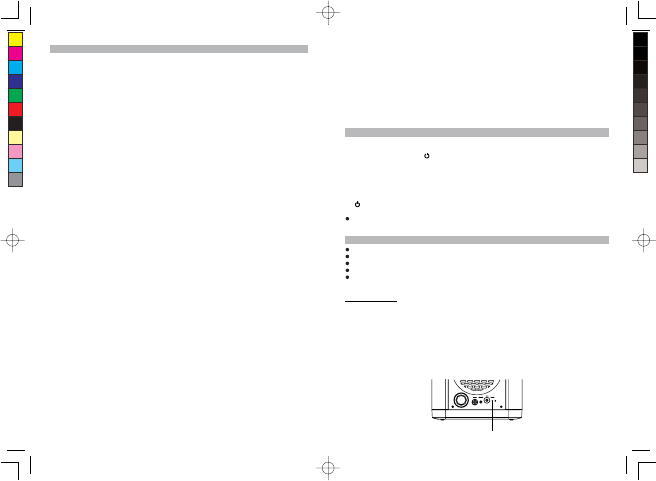
2. Utilice un clip para papel desdoblado, un mondadientes o similar para pulsar el botón REINICIAR
que se encuentra en la parte posterior del dispositivo principal (ver el dibujo abajo). La operación
de reinicio borra la memoria del sistema así como todas sus configuraciones anteriores.
PRECAUCIÓN: NO UTILICE OBJETOS CORTANTES NI PUNTIAGUDOS PARA PULSAR EL
BOTÓN DE REINICIO, YA QUE PODRÍA DAÑAR EL INTERRUPTOR DE REINICIO QUE SE
ENCUENTRA DENTRO DEL APARATO.
RESET Button
18V
IPD4303 5L IB.indd4 26 - 449 2012-1-4 16:55
size:105x146mm,80gms book paper,BK+BK


Únase a la conversación sobre este producto
Aquí puedes compartir lo que piensas sobre Lenco IPD-4303 Docking station. Si tiene alguna pregunta, primero lea atentamente el manual. Puede solicitar un manual utilizando nuestro formulario de contacto.