Manual de uso Manhattan 153539 Conmutador HDMI

¿Necesita un manual para su Manhattan 153539 Conmutador HDMI? A continuación puedes ver y descargar el manual en PDF gratis en español. Este producto actualmente tiene 1 pregunta frecuente, 0 comentarios y tiene 0 votos. Si este no es el manual que desea, , contáctenos.

¿Su producto tiene algún defecto y el manual no ofrece ninguna solución? Vaya a Repair Café para solicitar un servicio de reparación gratuito.

Manual de uso

Loading…
4
2
1 3
7
5 8
2
Setup
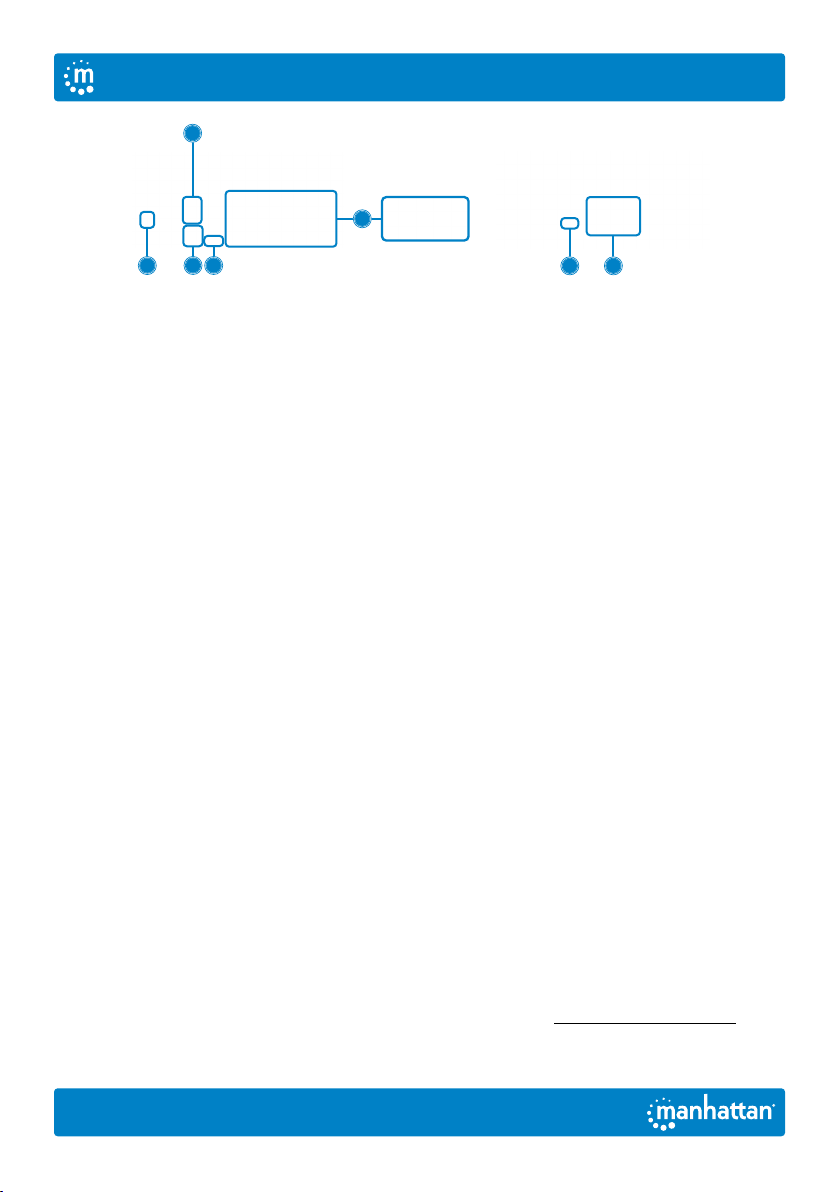
1 Connect a keyboard and a
mouse to the USB ports.
2 Connect display(s) to the HDMI output(s).
3 (Optional) Connect a mic, a speaker
or both to the KVM outputs.
4 Use the included combo cables to connect the
appropriate ports on your computers (HDMI,
USB-A, mic and speaker cables) to the KVM
inputs (HDMI, USB-B and combo audio cable).
5 (Optional) Plug in a USB device to the USB
hub port on the front of the KVM switch.
6 Turn on your connected
computers and equipment.
7 This KVM switch is USB powered. If more
power is needed, connect an appropriate
power supply (9.0 V / 0.3 A) to the power input.
8 Switch between your computers via the
buttons on the front of the KVM switch
(a buzzer sounds to indicate success) or
use the hotkeys described below.
LEDS: Red = computer is online;
Green = computer is selected
NOTE: If it is necessary to turn off the power to the switch, you
must do the following before turning it back on:
1 Unplug the data cables from all the
computers connected to the switch.
2 Unplug the power adapter cable from
the switch if one is connected.
3 Wait 10 seconds. If a power adapter
was connected, plug the power
adapter cable back into the switch.
4 Connect the computer data cables
and turn on the computers.
Hotkeys
Hotkeys let you use the keyboard to perform switch functions such as selecting a different computer,
turning the buzzer on or off, and more. This switch provides four hotkey combination modes you can
choose from:CTL+SHIFT,SCROLL+SCROLL,NUM+NUMandCAPS+CAPS.
The following table shows hotkey combinations that use the primary hotkey inputsCTL+SHIFT
and how to switch to the other modes. If you switch to a new hotkey combination mode, the key
combinations to complete a function are the same after you press the new the primary inputs (for
example, if you change the hotkey combination mode toNUM+NUM, NUM+NUM+B
turns the buzzer on or off). The default hotkey combination to switch to the next online computer
port in any mode is (left)CTL+CTL. Be sure to press the hotkey combinations quickly; each key
times out after five seconds. For the complete list of commands, go to manhattanproducts.com.
English
User Manual
Descargue el manual en Español (PDF, 1.92 MB)
(Piense en el medioambiente y solo imprima este manual si es de verdad necesario)

Loading…

Puntuación

Dé su opinión de la Manhattan 153539 Conmutador HDMI calificando el producto. ¿Quiere compartir su experiencia con este producto o hacer una pregunta? Deje un comentario en la parte inferior de la página.
¿Estás satisfecho con elManhattan 153539 Conmutador HDMI?
No
Sea el primero en calificar este producto
0 votos

Únase a la conversación sobre este producto

Aquí puedes compartir lo que piensas sobre Manhattan 153539 Conmutador HDMI. Si tiene alguna pregunta, primero lea atentamente el manual. Puede solicitar un manual utilizando nuestro formulario de contacto.

Más sobre este manual

Entendemos que es bueno tener un manual en papel para tus Manhattan 153539 Conmutador HDMI. Siempre puedes descargar el manual desde nuestro sitio web e imprimirlo tú mismo. Si deseas tener un manual original te recomendamos contactar con Manhattan. Es posible que puedan proporcionar un manual original. ¿Estás buscando el manual de tu Manhattan 153539 Conmutador HDMI en otro idioma? Elija su idioma preferido en nuestra página de inicio y busque el número de modelo para ver si lo tenemos disponible.

Especificaciones

Marca Manhattan
Modelo 153539
Categoría Conmutadores HDMI
Tipo de archivo PDF
Tamaño del archivo 1.92 MB

Todos los manuales para Manhattan Conmutadores HDMI
Más manuales de Conmutadores HDMI

Preguntas frecuentes sobre Manhattan 153539 Conmutador HDMI

Nuestro equipo de atención al cliente busca información útil sobre los productos y responde a las preguntas frecuentes. Si encuentra inexactitudes en las preguntas frecuentes, indíquenoslo usando nuestro formulario de contacto.

¿Qué significa HDMI? Verificado

HDMI son las siglas de High-Definition Multimedia Interface. HDMI es una conexión para enviar video y audio de alta calidad de un dispositivo a otro.

Ha sido de gran ayuda (8) Leer más
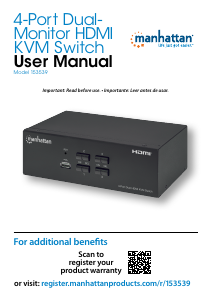
Manual de uso Manhattan 153539 Conmutador HDMI

Productos relacionados

Categorias relacionadas

×
Download