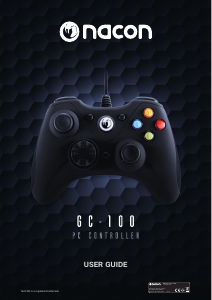
Manual de uso Nacon GC-100XF Mando

¿Necesita un manual para su Nacon GC-100XF Mando? A continuación puedes ver y descargar el manual en PDF gratis en español. Este producto actualmente tiene 2 preguntas frecuentes, 1 comentario y tiene 6 votos con una calificación promedio de producto de 33/100. Si este no es el manual que desea, , contáctenos.

¿Su producto tiene algún defecto y el manual no ofrece ninguna solución? Vaya a Repair Café para solicitar un servicio de reparación gratuito.

Manual de uso

Loading…
EN
n
GC-100XF
First-time connection with the PC
The NACON GC-100XF is a so-called Plug´n´Play device. This means that the necessary driver software should be
installed automatically if you connect it to your computer for the rst time. Here are the steps in detail:
• Turn on your computer, wait for it to boot and log in to your Windows desktop.
• Look for an unused USB slot on your PC and plug in the USB cable of your NACON GC-100XF controller.
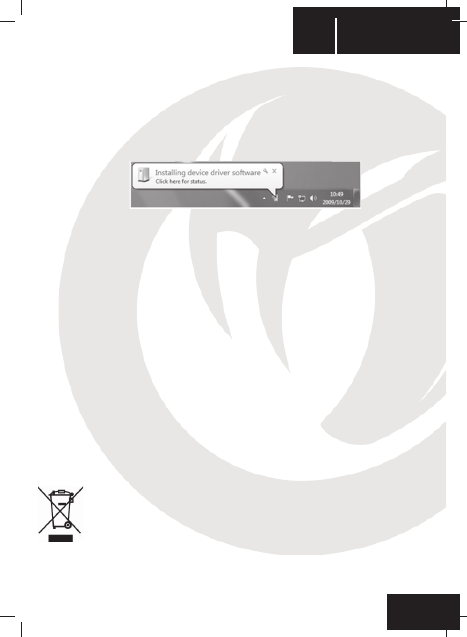
• Windows will detect the new device and after a few seconds it will start the installation process
for the appropriate drivers. This is shown by a small icon in the taskbar.
• The installation might take a while depending on the speed of your system. Once the installation is complete,
you will be presented with the according message. You can now use your GC-100XF.
D/X button
There are di erent ways for modern computer games to communicate with your controller and vice versa. Your
GC-100XF supports the two most commonly used ones: DirectInput8 and XInput.
Sometimes a game only supports one of these two protocols. Since both can´t be run simultaneously, your GC-
100XF features the D/X button (10) to switch between these two protocols, to make sure it works with all games.
The blue LED’s around the MODE button (9) indicate the current status:
• All LED’s lit (full circle) indicates XInput to be used
• Partially lit LED’s indicate that the DirectInput8 protocol is active
Remark: After changing the protocol, the controller needs some short time to switch, indicated by the lights
turning o . Once lit again, it´s fully functional with the selected protocol.
Mode button
The MODE button (9) is used in DirectInput mode to switch between two possible con gurations:
If the left half of the LED circle is lit, then the controller works in analog mode, which is default. The left stick (1) will
be used for analogue input, which means for example the more you push it to the right, the more your car will turn
to the right in a racing game. The digital pad (3) will simply function as it is supposed to.
If the right half circle is lit, the controller uses the digital mode. The left stick (1) and the directional pad (3) will be
swapped in their functions then. This may feel more appropriate depending on the game you want to play with
your GC.100XF.
Recycling
This product should not be disposed of in normal household rubbish. Please take it to a nominated
collection point. Recycling is important and will help to protect our environment from reduced land ll
waste.
Descargue el manual en Español (PDF, 1.27 MB)
(Piense en el medioambiente y solo imprima este manual si es de verdad necesario)

Loading…

Puntuación

Dé su opinión de la Nacon GC-100XF Mando calificando el producto. ¿Quiere compartir su experiencia con este producto o hacer una pregunta? Deje un comentario en la parte inferior de la página.
¿Estás satisfecho con elNacon GC-100XF Mando?
No
33%
67%
6 votos

Únase a la conversación sobre este producto

Aquí puedes compartir lo que piensas sobre Nacon GC-100XF Mando. Si tiene alguna pregunta, primero lea atentamente el manual. Puede solicitar un manual utilizando nuestro formulario de contacto.

Barbara Neji 10-06-2021
¿Este controlador también es compatible con SAMSUNG HANDY? Juego PUBG MOBILE ... Ya lo probé, ningún colega dice SÍ, ¿no me funciona?

responder | Ha sido de gran ayuda (0) (Traducido por Google)

Más sobre este manual

Entendemos que es bueno tener un manual en papel para tus Nacon GC-100XF Mando. Siempre puedes descargar el manual desde nuestro sitio web e imprimirlo tú mismo. Si deseas tener un manual original te recomendamos contactar con Nacon. Es posible que puedan proporcionar un manual original. ¿Estás buscando el manual de tu Nacon GC-100XF Mando en otro idioma? Elija su idioma preferido en nuestra página de inicio y busque el número de modelo para ver si lo tenemos disponible.

Especificaciones

Marca Nacon
Modelo GC-100XF
Categoría Mandos
Tipo de archivo PDF
Tamaño del archivo 1.27 MB

Todos los manuales para Nacon Mandos
Más manuales de Mandos

Preguntas frecuentes sobre Nacon GC-100XF Mando

Nuestro equipo de atención al cliente busca información útil sobre los productos y responde a las preguntas frecuentes. Si encuentra inexactitudes en las preguntas frecuentes, indíquenoslo usando nuestro formulario de contacto.

Una batería de mi dispositivo está oxidada, ¿puedo seguir utilizándola de forma segura? Verificado

Sí, el dispositivo todavía se puede utilizar de forma segura. En primer lugar, retire la batería oxidada. Nunca use las manos desnudas para hacer esto. Luego, limpie el compartimiento de la batería con un hisopo de algodón humedecido en vinagre o jugo de limón. Déjelo secar e inserte pilas nuevas.

Ha sido de gran ayuda (194) Leer más

¿Puedo enrollar el cable alrededor del dispositivo después de su uso? Verificado

Es mejor no hacer esto, porque puede dañar el cable. Lo mejor que puede hacer es enrollar el cable tal como estaba cuando se empacó el producto.

Ha sido de gran ayuda (174) Leer más
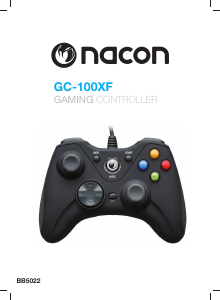
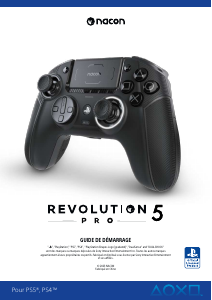
Manual de uso Nacon GC-100XF Mando

Productos relacionados

Categorias relacionadas

×
Download