Manual de uso Philips GC2860 Plancha

¿Necesita un manual para su Philips GC2860 Plancha? A continuación puedes ver y descargar el manual en PDF gratis en español. Este producto actualmente tiene 5 preguntas frecuentes, 0 comentarios y tiene 0 votos. Si este no es el manual que desea, , contáctenos.

¿Su producto tiene algún defecto y el manual no ofrece ninguna solución? Vaya a Repair Café para solicitar un servicio de reparación gratuito.

Manual de uso

Loading…
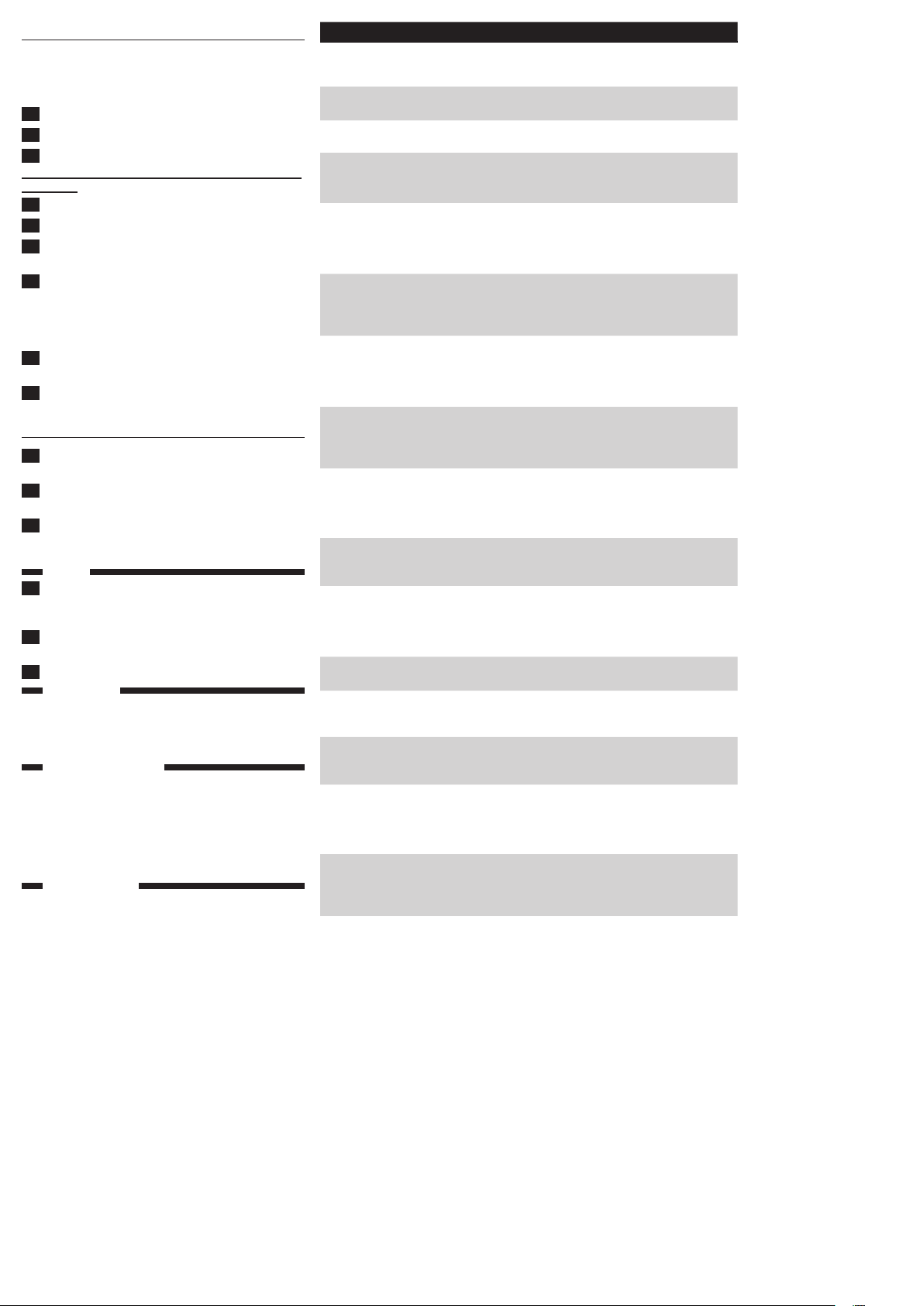
Problem Cause Solution
The iron is plugged
in, but the soleplate
is cold.
There is a connection
problem.
Check the mains cord, the plug and the
wall socket.
The temperature dial is set
to MIN.
Set the temperature dial to the required
position.
The iron does not
produce any steam.
There is not enough water
in the water tank.
Fill the water tank (see chapter ‘Preparing
for use’, section ‘Filling the water tank’).
The steam control is set to
position 0.
Set the steam position to $ or &
(see chapter ‘Using the appliance’, section
‘Steam ironing’).
The iron is not hot
enough and/or the drip-
stop function has been
activated.
Set an ironing temperature that is suitable
for steam ironing (
2 to MAX). Put
the iron on its heel and wait until the
temperature light goes out before you
start ironing.
The steam
boost function
does not work
properly.
You have used the steam
boost function too often
within a very short period.
Continue ironing in horizontal position
and wait a while before you use the
steam boost function again.
The iron is not hot enough. Set an ironing temperature at which the
steam boost function can be used (
3
to MAX). Put the iron on its heel and
wait until the temperature light goes out
before you use the steam boost function.
Flakes and
impurities come
out of the soleplate
during ironing.
Hard water forms akes
inside the soleplate.
Use the Calc-Clean function one or
more times (see chapter ‘Cleaning
and maintenance’, section ‘Calc-Clean
function’).
The light on the
handle ashes
(GC2860 only).
The automatic shut-off
function has been activated
(see chapter ‘Features’,
section ‘Automatic shut-
off’).
Pick the iron up or move it slightly to
deactivate the automatic shut-off function.
The automatic shut-off light goes out.
Water droplets
drip on the fabric
during ironing.
You have not closed the
cap of the lling opening
properly.
Press the cap until you hear a click.
The set temperature is too
low for steam ironing.
Set an ironing temperature that is suitable
for steam ironing (
2 to MAX). Put
the iron on its heel and wait until the
temperature light goes out before you
start ironing.
You have put an additive in
the water tank.
Rinse the water tank and do not put any
additive in the water tank.
You have used the steam
boost function at a setting
below
3.
Set the temperature dial to a setting
between
3 and MAX.
You have used the steam
boost function too often
within a short period.
Continue ironing in horizontal position
and wait a while before you use the
steam boost function again.
Water drips from
the soleplate after
the iron has cooled
down or has been
stored.
You have put the iron in
horizontal position while
there was still water in the
water tank.
Empty the water tank and set the steam
control to position 0 after use. Store the
iron on its heel.
Water spots
appear on the
garment during
ironing.
These wet spots may
be caused by steam that
has condensed onto the
ironing board.
Iron wet spots without steam from time
to time to dry them.
If the underside of the
ironing board is wet, wipe
it dry with a piece of dry
cloth.
To prevent steam from condensing onto
the ironing board, use an ironing board
with wire mesh top.
Calc-Clean function
Use the Calc-Clean function once every two weeks. If
the water in your area is very hard (i.e. when akes come
out of the soleplate during ironing), use the Calc-Clean
function more frequently.
1 Make sure the appliance is unplugged.
2 Set the steam control to position 0.
3 Fill the water tank to the maximum level.
Do not pour vinegar or other descaling agents into the
water tank.
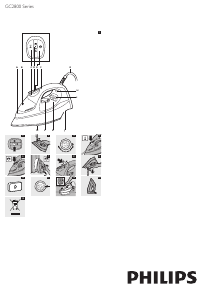
4 Set the temperature dial to MAX (Fig. 11).
5 Put the mains plug in an earthed wall socket.
6 Unplug the iron when the temperature light goes
out.
7 Hold the iron over the sink. Push the steam control
to the Calc-Clean position and hold it. Gently shake
the iron to and fro (Fig. 12).
, Steam and boiling water come out of the soleplate.
Impuritiesandakes(ifany)areushedout.
8 Release the steam control as soon as all the water
in the tank has been used up.
9 Repeat the Calc-Clean process if the iron still
contains a lot of impurities.
After the Calc-Clean process
1 Put the plug back into the wall socket and let the
iron heat up to let the soleplate dry.
2 Unplug the iron when the temperature light goes
out.
3 Move the iron gently over a piece of used cloth to
remove any water stains that may have formed on
the soleplate.
Storage
1 Set the steam control to position 0, remove the
plug from the wall socket and let the iron cool
down.
2 Wind the mains cord round the cord storage
facility (Fig. 13).
3 Store the iron on its heel in a safe and dry place.
Environment
- Do not throw away the appliance with the normal
household waste at the end of its life, but hand it in
at an ofcial collection point for recycling. By doing
this, you help to preserve the environment (Fig. 14).
Guarantee & service
If you need service or information or if you have a
problem, please visit the Philips website at www.philips.
com or contact the Philips Consumer Care Centre
in your country (you nd its phone number in the
worldwide guarantee leaet). If there is no Consumer
Care Centre in your country, go to your local Philips
dealer.
Troubleshooting
This chapter summarises the most common problems
you could encounter with the appliance. If you are unable
to solve the problem with the information below, contact
the Consumer Care Centre in your country.
2
4239.000.7162.2
Descargue el manual en Español (PDF, 1.01 MB)
(Piense en el medioambiente y solo imprima este manual si es de verdad necesario)

Loading…

Puntuación

Dé su opinión de la Philips GC2860 Plancha calificando el producto. ¿Quiere compartir su experiencia con este producto o hacer una pregunta? Deje un comentario en la parte inferior de la página.
¿Estás satisfecho con elPhilips GC2860 Plancha?
No
Sea el primero en calificar este producto
0 votos

Únase a la conversación sobre este producto

Aquí puedes compartir lo que piensas sobre Philips GC2860 Plancha. Si tiene alguna pregunta, primero lea atentamente el manual. Puede solicitar un manual utilizando nuestro formulario de contacto.

Más sobre este manual

Entendemos que es bueno tener un manual en papel para tus Philips GC2860 Plancha. Siempre puedes descargar el manual desde nuestro sitio web e imprimirlo tú mismo. Si deseas tener un manual original te recomendamos contactar con Philips. Es posible que puedan proporcionar un manual original. ¿Estás buscando el manual de tu Philips GC2860 Plancha en otro idioma? Elija su idioma preferido en nuestra página de inicio y busque el número de modelo para ver si lo tenemos disponible.

Especificaciones

Marca Philips
Modelo GC2860
Categoría Planchas
Tipo de archivo PDF
Tamaño del archivo 1.01 MB

Todos los manuales para Philips Planchas
Más manuales de Planchas

Preguntas frecuentes sobre Philips GC2860 Plancha

Nuestro equipo de atención al cliente busca información útil sobre los productos y responde a las preguntas frecuentes. Si encuentra inexactitudes en las preguntas frecuentes, indíquenoslo usando nuestro formulario de contacto.

¿Puedo limpiar la suela de mi plancha con un estropajo? Verificado

No, porque esto podría dañar la suela. Use un paño húmedo o una esponja suave para limpiarla.

Ha sido de gran ayuda (429) Leer más

¿Cuál es la diferencia entre una plancha de vapor y una plancha normal? Verificado

La mayor ventaja de una plancha de vapor es que elimina las arrugas más fácilmente debido al uso del vapor. Por el contrario, una plancha normal es mucho más ligera y a menudo más barata.

Ha sido de gran ayuda (351) Leer más

La suela de mi plancha se ha descolorido. ¿Puedo seguir planchando con ella? Verificado

Es posible planchar, pero existe la posibilidad de que se pegue a la ropa de color claro.

Ha sido de gran ayuda (291) Leer más

¿Puedo planchar los botones? Verificado

No, porque dañará la suela de la plancha impidiendo que ésta funcione correctamente. Nunca planche los botones, las cremalleras u otros objetos duros.

Ha sido de gran ayuda (243) Leer más

Hay arañazos en la parte inferior de mi plancha Philips. ¿Puedo seguir usándola? Verificado

Sí, esto no es un problema. La parte inferior está formada por varias capas y soporta los pequeños arañazos. La plancha seguirá funcionando debidamente.

Ha sido de gran ayuda (67) Leer más
Manual de uso Philips GC2860 Plancha

Productos relacionados

Categorias relacionadas

×
Download