Manual de uso Philips PTA517 Gafas 3D

¿Necesita un manual para su Philips PTA517 Gafas 3D? A continuación puedes ver y descargar el manual en PDF gratis en español. Este producto actualmente tiene 0 preguntas frecuentes, 0 comentarios y tiene 1 voto con una calificación promedio de producto de 100/100. Si este no es el manual que desea, , contáctenos.

¿Su producto tiene algún defecto y el manual no ofrece ninguna solución? Vaya a Repair Café para solicitar un servicio de reparación gratuito.

Manual de uso

Loading…
4
English
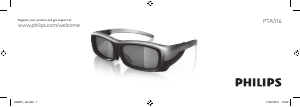
Rechargeable active 3D glasses
With these 3D Max glasses you can watch
full HD 3D on your Philips 3D TV.
What’s in the box
- 3D Max active glasses
- Micro USB charger cable
- Microber pouch
- Manual
See illustration A.
1 - On / Off switch
2 - LED indicator
3 - Player 1 or 2 selection
4 - Battery charger connection (Micro USB
connection)
5 - Receiver lens
Watch 3D
Switch on your Philips TV and start a 3D
program. Press the O switch on the 3D
Max glasses and put them on. The glasses
need some seconds to adjust to the 3D
signal from the 3D transmitter on the TV. At
rst use, this may take up to 15 seconds.
Make sure the receiver lens in the centre of
the glasses can receive the 3D signals.
See illustration B.
When the 3D glasses do not receive 3D
signals for 2 minutes, the glasses switch off
automatically.
Battery level
You can check the battery level when you
switch on the 3D glasses.
During the rst 5 seconds the LED indica-
tor blinks . . .
- Red - if there is less than 1 hour of 3D
viewing remaining
- Orange - 1 to 3 hours remaining
- Green - more than 3 hours remaining.
Charging the 3D glasses
See illustration C.
To charge the glasses, plug in the micro USB
plug and connect the standard USB plug to
the TV, PC or USB hub. The TV or PC must
be switched on to charge.
When charging, the LED indicator is on
and is . . .
- Red - charging
- Green - fully charged.
Charging the empty battery may take up to
3 hours. A fully charged battery allows 20
hours of 3D watching.
Two-player gaming
You can use these glasses to play two-player
games. Two players can watch the same
TV but see two different screens to play
a game.
310431578231_PTA517_man_acc_12.indd 4 24-02-2012 09:31
Descargue el manual en Español (PDF, 2.99 MB)
(Piense en el medioambiente y solo imprima este manual si es de verdad necesario)

Loading…

Puntuación

Dé su opinión de la Philips PTA517 Gafas 3D calificando el producto. ¿Quiere compartir su experiencia con este producto o hacer una pregunta? Deje un comentario en la parte inferior de la página.
¿Estás satisfecho con elPhilips PTA517 Gafas 3D?
No
100%
0%
1 voto

Únase a la conversación sobre este producto

Aquí puedes compartir lo que piensas sobre Philips PTA517 Gafas 3D. Si tiene alguna pregunta, primero lea atentamente el manual. Puede solicitar un manual utilizando nuestro formulario de contacto.

Más sobre este manual

Entendemos que es bueno tener un manual en papel para tus Philips PTA517 Gafas 3D. Siempre puedes descargar el manual desde nuestro sitio web e imprimirlo tú mismo. Si deseas tener un manual original te recomendamos contactar con Philips. Es posible que puedan proporcionar un manual original. ¿Estás buscando el manual de tu Philips PTA517 Gafas 3D en otro idioma? Elija su idioma preferido en nuestra página de inicio y busque el número de modelo para ver si lo tenemos disponible.

Especificaciones

Marca Philips
Modelo PTA517
Categoría Gafas 3D
Tipo de archivo PDF
Tamaño del archivo 2.99 MB

Todos los manuales para Philips Gafas 3D
Más manuales de Gafas 3D
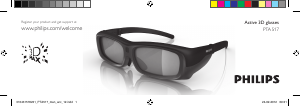
Manual de uso Philips PTA517 Gafas 3D

Productos relacionados

Categorias relacionadas

×
Download