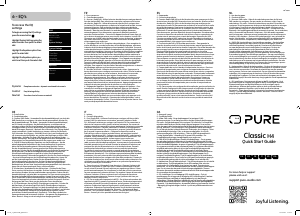
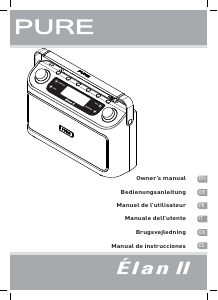
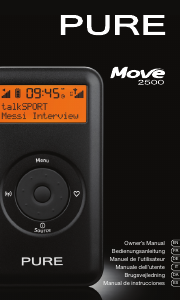
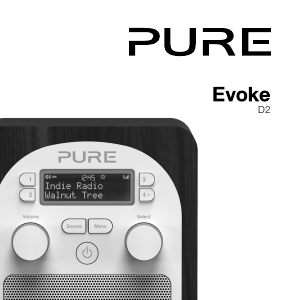
Manual de uso Pure Classic H4 Radio

¿Necesita un manual para su Pure Classic H4 Radio? A continuación puedes ver y descargar el manual en PDF gratis en español. Este producto actualmente tiene 2 preguntas frecuentes, 3 comentarios y tiene 6 votos con una calificación promedio de producto de 33/100. Si este no es el manual que desea, , contáctenos.

¿Su producto tiene algún defecto y el manual no ofrece ninguna solución? Vaya a Repair Café para solicitar un servicio de reparación gratuito.

Manual de uso

Loading…
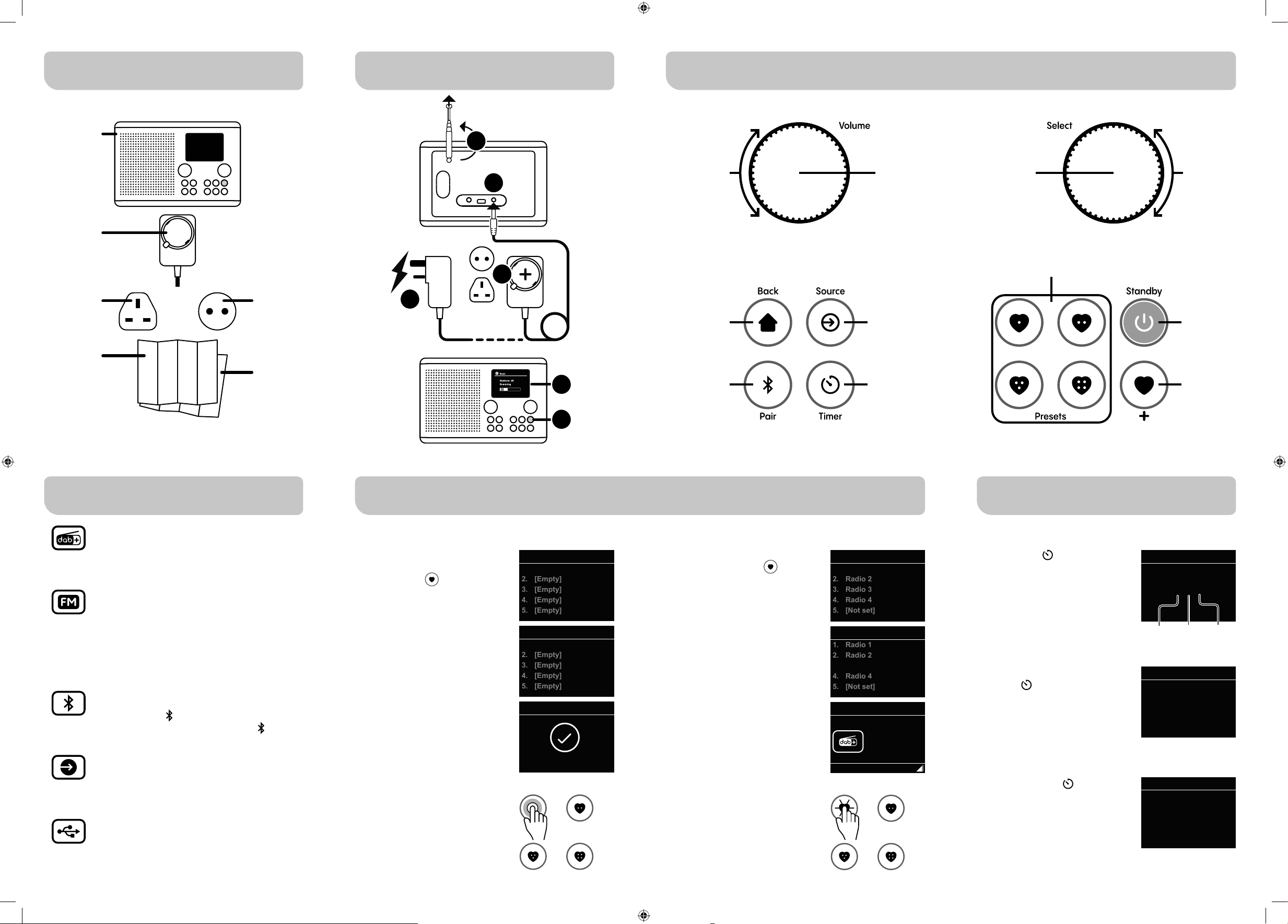
3 - Sources
2 - Product controls
Menu
/ back
Bluetooth
Switch to Bluetooth . Pairing mode will start
automatically. To disconnect, press Bluetooth
for 2sec.
Auxiliary input
Connect a line level audio device, such as an external
music player, to listen through the receiver.
FM Radio
Use the select dial to navigate FM stations.
To increase or decrease the radio frequency turn the dial
slowly.
To scan for the next or previous station turn the select dial
quickly in either direction.
DAB Radio
Use the select dial to navigate the DAB station list.
To select a station push the select dial.
4 - DAB & FM Presets
Save to Preset
1.
2.
3.
4.
5.
[Empty]
[Empty]
[Empty]
[Empty]
[Empty]
Saving presets
To save the current playing radio
station to the preset list hold the
preset list button
for 2 seconds.
Turn the select dial to navigate to the
preset slot you would like to save to.
Push the select dial to save the
station to the highlighted slot.
Save to Preset
1.
2.
3.
4.
5.
Radio 1
[Empty]
[Empty]
[Empty]
[Empty]
Recall from Preset
1.
2.
3.
4.
5.
Radio 1
Radio 2
Radio 3
Radio 4
[Not set]
Recalling presets
To recall a preset from the preset list
tap the preset list button
.
Turn the select dial to navigate the
preset list.
Push the select dial to tune in to the
highlighted radio station.
2s
Volume Select
LeftRight
Right Left
=
A B
On Off
On Off
1-4
8
3 15
4 2
6
7
8
To save the current playing radio
station to one of the quick preset
buttons hold the preset button you
would like to save the station on for
2 seconds.
To recall one of the saved radio
stations saved to a preset button,
tap the button to tune in.
5 - Kitchen timer
Using the kitchen timer
Press the timer button to
configure a kitchen timer.
Push the select dial to toggle
through hours, minutes and seconds
Turn select dial to adjust each value.
The timer will start automatically.
To view a running kitchen timer, tap
the timer button again.
To adjust the running time use the
select dial.
The timer will continue with its
updated running time automatically.
Long press the timer button to
cancel the running timer.
Timer
00:00:00
Timer
00:03:25
In the box
Evoke H4
Power
adaptor
EU plugUK plug
Quick Start
Guide
1 - Getting started...
Safety and
information
sheet
USB Playback
Connect a USB memory stick*, select ‘Music Player’ mode
and listen to stored MP3 music files.
*For compatibility information visit support.pure-audio.com
Kitchen
timer
Quick access
presets
Standby
On/Off
Preset
list
Select
source
Bluetooth
pair
/ unpair
Volume
up / down
Menu
navigation
Station
selection
Push to
select
Timer
Timer cancelled
Save to Preset
Preset 1 stored
Recall from Preset
1.
2.
3.
4.
5.
Radio 1
Radio 2
Radio 3
Radio 4
[Not set]
DAB
10:30
Radio 3
Now
playing...
Volume Select
LeftRight
Right Left
=
A B
On Off
On Off
1-4
8
3 15
4 2
6
7
8
Push to
Mute
4
3
1
5
6
2
Hours Minutes Seconds
110AS_04_ClassicH4_QSG.indd 2110AS_04_ClassicH4_QSG.indd 2 15/12/2023 09:27:0115/12/2023 09:27:01
Descargue el manual en Español (PDF, 2.61 MB)
(Piense en el medioambiente y solo imprima este manual si es de verdad necesario)

Loading…

Puntuación

Dé su opinión de la Pure Classic H4 Radio calificando el producto. ¿Quiere compartir su experiencia con este producto o hacer una pregunta? Deje un comentario en la parte inferior de la página.
¿Estás satisfecho con elPure Classic H4 Radio?
No
33%
67%
6 votos

Únase a la conversación sobre este producto

Aquí puedes compartir lo que piensas sobre Pure Classic H4 Radio. Si tiene alguna pregunta, primero lea atentamente el manual. Puede solicitar un manual utilizando nuestro formulario de contacto.

Jean Slusarczyk 17-11-2025
Acabo de comprar una radio PURE classic H4 de BOULANGER y el manual no está en francés????

responder | Ha sido de gran ayuda (0) (Traducido por Google)
Bacquet Edith 11-02-2026
manual de usuario transcrito muy literalmente, un codificador de seleccion, es cierto que es frances actual?????

responder | Ha sido de gran ayuda (0) (Traducido por Google)
Marc Lambrechts 20-04-2026
¡¡¡La gran indicación horaria de nuestro Pure classic H4 (la hora) y la información sobre el programa y la música desaparecieron repentinamente!!!

responder | Ha sido de gran ayuda (0) (Traducido por Google)

Más sobre este manual

Entendemos que es bueno tener un manual en papel para tus Pure Classic H4 Radio. Siempre puedes descargar el manual desde nuestro sitio web e imprimirlo tú mismo. Si deseas tener un manual original te recomendamos contactar con Pure. Es posible que puedan proporcionar un manual original. ¿Estás buscando el manual de tu Pure Classic H4 Radio en otro idioma? Elija su idioma preferido en nuestra página de inicio y busque el número de modelo para ver si lo tenemos disponible.

Especificaciones

Marca Pure
Modelo Classic H4
Categoría Radio
Tipo de archivo PDF
Tamaño del archivo 2.61 MB

Todos los manuales para Pure Radio
Más manuales de Radio

Preguntas frecuentes sobre Pure Classic H4 Radio

Nuestro equipo de atención al cliente busca información útil sobre los productos y responde a las preguntas frecuentes. Si encuentra inexactitudes en las preguntas frecuentes, indíquenoslo usando nuestro formulario de contacto.

¿Qué es DAB+? Verificado

DAB+ es el sucesor de la señal de FM y significa radiodifusión de audio digital por sus siglas en inglés. Es una señal digital que permite un mayor número de canales dentro del mismo ancho de banda y permite cambiar más fácilmente de un canal a otro.

Ha sido de gran ayuda (301) Leer más

¿Cuál es la diferencia entre FM y AM? Verificado

Tanto FM como AM son formas de modulación utilizadas para transmitir una señal. FM significa modulación de frecuencia y AM significa modulación de amplitud. AM es la forma de modulación más antigua. La mayor diferencia es que la señal de FM es mucho más fuerte que la de AM.

Ha sido de gran ayuda (242) Leer más
Manual de uso Pure Classic H4 Radio

Productos relacionados

Categorias relacionadas

×
Download