3
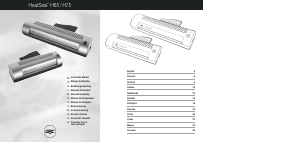
1 Power indicator
2 Ready indicator
3 Power switch
4 Laminator entry
5 Guide plate
6 Reverse button
PLEASE REAd THE INSTRucTION bEFORE uSING
THE uNIT.
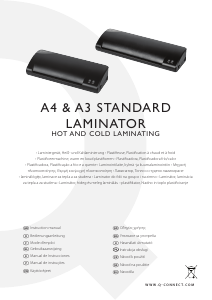
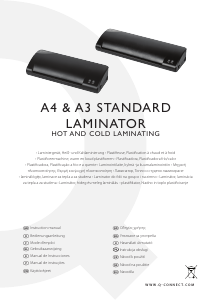
INTROducTION
Congratulations on the purchase of your laminator. Now you
can protect your favorite documents up to A3 size such as
photographs, certicates, ID cards, letters etc. in a water resistant,
airtight seal. Follow the instructions for proper use and keep this
manual for future reference.
IMPORTANT SAFEGuARdS
When using electrical appliances, basic safety precautions should
always be observed including the following:
1. Read all instructions.
2. Do not touch hot surfaces.
3. To protect against rick of electrical hazards, do not immerse
cord, plugs or the appliance in water or other liquid.
4. Close supervision is necessary when the appliance is used
near children.
5. Unplug from the outlet when not in use and before cleaning.
Allow to cool before cleaning the appliance.
6. Do not operate any appliance with a damaged cord or plug or
after the appliance malfunctions, or has been damaged in any
manner.
7. Do not use outdoors.
8. Do not use the appliance for anything other than the
intended use.
9. Ensure the laminator is turned o when you have nished
laminating.
10. The mains socket should be near the equipment and be easily
accessible.
11. Do not laminate sheets containing metal or conductive
materials.
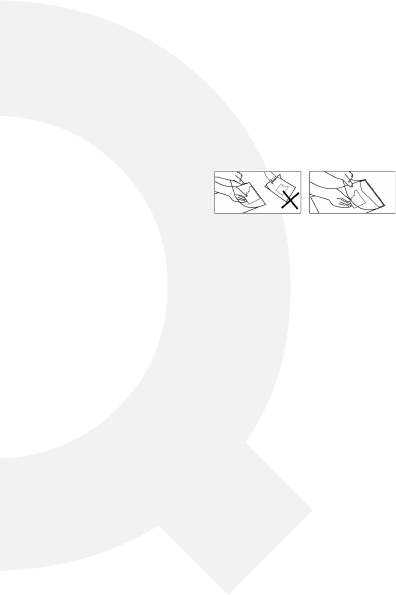
12. If you are laminating a small or irregular shape, please insert a
2cm/3cm strip of paper against the closed end of the pouch
as shown in the diagram, to prevent jamming.
HOW TO uSE
1. Insert the mains plug into an electric socket and slide the
power switch to the left based on the pouch you use. The
POWER indicator will light up.
2. Wait 5-8 minutes for the machine to warm up. Once it has
reached laminating temperature, the READY indicator will light
up.
3. Place the item to be laminated into the laminating pouch, and
centre it within the pouch. Please ensure that your document
or picture is positioned as close to the sealed edge as possible
ensuring there is a margin of 3-9mm left between the items to
be laminated the edge of the pouch.
A short power cord may be provided with this appliance to
reduce hazards resulting from becoming entangled in or tripping
over a longer cord. Extension cords may be used if care is
exercised in their use. If an extension cord is used, the following
must apply:
The marked electrical rating should be at least as great as the •
electrical rating of the appliance.
The extension cord should not drop over the counter top or •
tabletop where it can be pulled on by children or tripped over
accidentally.
POucH SPEcIFIcATIONS
1. Please make sure that enough margin (3-9 mm) is left
between the item to be laminated and the edge of the pouch.
2. Do not trim the pouch prior to laminating.
3. Please ensure that good quality pouches of the specied
thickness (stated above) are used, as this will reduce the risk of
jamming and prolong the life of the laminator.
The laminator can laminate lm between the thicknesses of •
80 and 150 microns.
The laminator works with most types of heat-sealing •
laminating pouches. For optimal result we recommend using
Q-CONNECT laminating pouches.
4. Insert the sealed edge of the laminating pouch directly into
the laminator opening until it is caught and drawn in (no
carrier is required), take care to ensure that the document is
straight and centrally positioned.
5. Remove the pouch from the rear of the machine after it has
stopped moving.
t


Únase a la conversación sobre este producto
Aquí puedes compartir lo que piensas sobre Q-CONNECT KF17005 Plastificadora. Si tiene alguna pregunta, primero lea atentamente el manual. Puede solicitar un manual utilizando nuestro formulario de contacto.