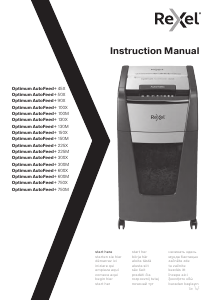
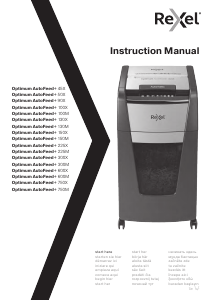
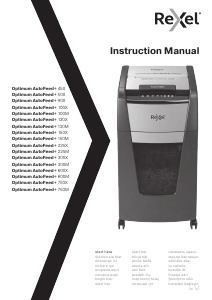
Manual de uso Rexel Optimum AutoFeed+ 130X Destructora

¿Necesita un manual para su Rexel Optimum AutoFeed+ 130X Destructora? A continuación puedes ver y descargar el manual en PDF gratis en español. Este producto actualmente tiene 2 preguntas frecuentes, 1 comentario y tiene 0 votos. Si este no es el manual que desea, , contáctenos.

¿Su producto tiene algún defecto y el manual no ofrece ninguna solución? Vaya a Repair Café para solicitar un servicio de reparación gratuito.

Manual de uso

Loading…
555
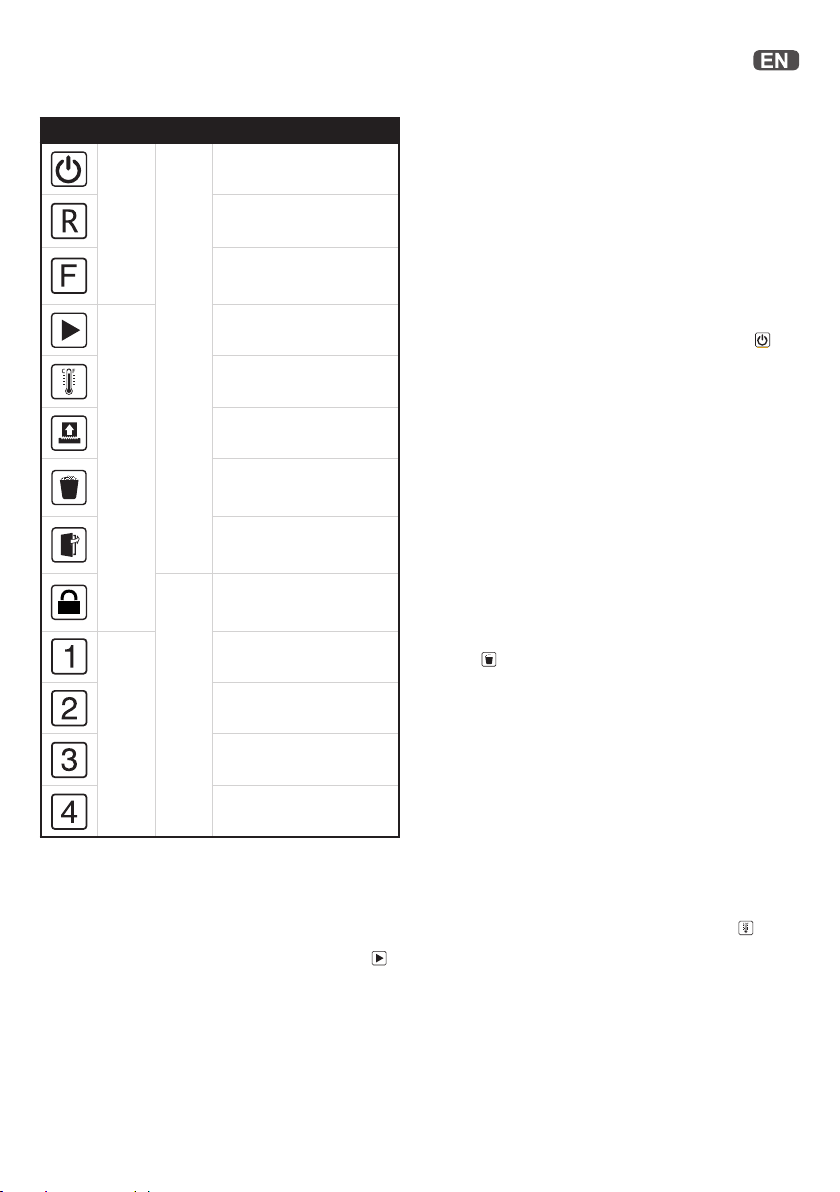
Icon Type Models Button / indication & action
Auto-start and stand-by button
(press one time)
Manual reverse button
(hold down)
Manual forward run button
(hold down)
Ready indication
Over heating indication
(Allow to cool)
Overloaded / Jam indication
(Reduce sheet / remove jam)
Bin full indication
(open door (45X lift o head)
and empty the bin)
Door open or shredder head
removed indication (close door
firmly or replace head on bin)
Hopper locked indication
(unlock by entering 4 digit
combination)
Hopper locking security
combination button 1
Hopper locking security
combination button 2
Hopper locking security
combination button 3
Hopper locking security
combination button 4
Operation
1. Unpack the product.
2. Connect the shredder to mains supply.
3. Ensure the ON/OFF button on the back of the machine is in the
ON position, which will illuminate the blue standby symbol
.
4. To load the shredder, simply lift the loading door handle to
open the loading door and insert documents. You can open the
door further to 90 degrees for easier access if required. Load
up to MAX sheets at a time into the feed chamber. Do not fill
above the MAX level, this could damage the shredder.
5. The shredder will start the shredding cycle automatically ONLY
after closing the loading door.
If there is still paper in the AutoFeed chamber after first
attempt, open and re-close the paper loading door a second
time.
Over heating
If the AutoFeed shredder is used continuously without pausing, it
may overheat and the cool down indicator will flash red
. Please
allow the shredder to cool down. When the shredder is ready
to be used the thermometer symbol will no longer illuminate. If
the shredder needs to cool down while shredding, no action is
needed. The shredder will automatically restart shredding paper
once it has cooled down after periods of continuous use. All you
need to do is ensure paper is loaded into the chamber and the bin
is empty when the machine is cooling down.
Locking the paper loading door
For additional security the paper loading door can be locked
during the shredding of confidential material.
To lock shredder:
1. Place documents in tray. Close paper loading door.
2. Press any 4 digits. REMEMBER YOUR CODE!
Shredder unlocks automatically when:
• 4 digit code is re-entered.
• Shredding is complete.
Shredder is inactive for 30 minutes (but documents remain in
tray)
Control ButtonsStatus Indicators
Hooper Locking
combination buttons
All Models300 sheets upwards
Attention: If required you can now lock the loading door by
entering a 4 digit code (see Locking the Paper Loading Door
section).
6. If you only have a few sheets to shred, you can use the manual
feed slot, provided the auto feed chamber is empty.
7. I nsert paper to be shredded into the feed area. The shredder
will detect the paper and start automatically.
8. I f the shredder is left in auto mode for more than 2 minutes
without being used, the shredder will automatically turn back
to sleep mode in order to save power.
9. The shredder will automatically ‘wake up’ from sleep mode
when paper is inserted into the shred mouth or you open the
loading door. There is no need to press the Auto button
.
Bin full
The shredder will not function when the bin is full and the bin full
symbol
is illuminated.
You should empty the bin.
Pull open the bin slowly to empty.
Push the empty bin back into place and press the auto button to
resume shredding.
In the 45X the shredder head will be lifted o when the bin is full
and this will stop the shredder. Remove the head, empty the bin
and place the head back on ensuring it is the correct way around
to continue.
The 600 or 750 sheet machines can be used with plastic bags
(2020175B)
Descargue el manual en Español (PDF, 20.46 MB)
(Piense en el medioambiente y solo imprima este manual si es de verdad necesario)

Loading…

Puntuación

Dé su opinión de la Rexel Optimum AutoFeed+ 130X Destructora calificando el producto. ¿Quiere compartir su experiencia con este producto o hacer una pregunta? Deje un comentario en la parte inferior de la página.
¿Estás satisfecho con elRexel Optimum AutoFeed+ 130X Destructora?
No
Sea el primero en calificar este producto
0 votos

Únase a la conversación sobre este producto

Aquí puedes compartir lo que piensas sobre Rexel Optimum AutoFeed+ 130X Destructora. Si tiene alguna pregunta, primero lea atentamente el manual. Puede solicitar un manual utilizando nuestro formulario de contacto.

Elena von Mühlenen 19-08-2025
Desafortunadamente, nuestra nueva máquina ya no se tritura y la cubierta (R) no se puede abrir. Es como en la operación continua, pero no hay papel insertado ...
Desafortunadamente, nuestra nueva máquina ya no se tritura y la cubierta (R) no se puede abrir.
Es ...

responder | Ha sido de gran ayuda (1) (Traducido por Google)
×
Desafortunadamente, nuestra nueva máquina ya no se tritura y la cubierta (R) no se puede abrir.
Es ...

Más sobre este manual

Entendemos que es bueno tener un manual en papel para tus Rexel Optimum AutoFeed+ 130X Destructora. Siempre puedes descargar el manual desde nuestro sitio web e imprimirlo tú mismo. Si deseas tener un manual original te recomendamos contactar con Rexel. Es posible que puedan proporcionar un manual original. ¿Estás buscando el manual de tu Rexel Optimum AutoFeed+ 130X Destructora en otro idioma? Elija su idioma preferido en nuestra página de inicio y busque el número de modelo para ver si lo tenemos disponible.

Especificaciones

Marca Rexel
Modelo Optimum AutoFeed+ 130X
Categoría Destructoras
Tipo de archivo PDF
Tamaño del archivo 20.46 MB

Todos los manuales para Rexel Destructoras
Más manuales de Destructoras

Preguntas frecuentes sobre Rexel Optimum AutoFeed+ 130X Destructora

Nuestro equipo de atención al cliente busca información útil sobre los productos y responde a las preguntas frecuentes. Si encuentra inexactitudes en las preguntas frecuentes, indíquenoslo usando nuestro formulario de contacto.

¿Por qué se detiene mi trituradora de papel después de cierto tiempo? Verificado

Las trituradoras de papel necesitan enfriarse después de un rato, para evitar el sobrecalentamiento. El tiempo de funcionamiento del dispositivo antes de que necesite enfriarse, varía entre las diferentes marcas y modelos.

Ha sido de gran ayuda (911) Leer más

¿Con qué frecuencia debo engrasar mi trituradora de papel? Verificado

Con un uso ocasional, es suficiente engrasar la trituradora de papel una vez cada dos meses. Con un uso (muy) regular, es posible que observe que la máquina tiene dificultades para triturar o que el papel se atasca fácilmente. Estos son signos de que la máquina debe engrasarse.

Ha sido de gran ayuda (568) Leer más
Manual de uso Rexel Optimum AutoFeed+ 130X Destructora

Productos relacionados

Categorias relacionadas

×
Download