Manual de uso Saitek X52 Mando

¿Necesita un manual para su Saitek X52 Mando? A continuación puedes ver y descargar el manual en PDF gratis en español. Este producto actualmente tiene 2 preguntas frecuentes, 0 comentarios y tiene 0 votos. Si este no es el manual que desea, , contáctenos.

¿Su producto tiene algún defecto y el manual no ofrece ninguna solución? Vaya a Repair Café para solicitar un servicio de reparación gratuito.

Manual de uso

Loading…
5
ENGLISH
4
GETTING STARTED
In order for this product to function correctly please install the drivers on the
CD supplied with this product.
INSTALLATION FOR USERS OF WINDOWS¨ XP
A) Drivers Only For Typical Users
1 With your computer switched on, close down any programs that are currently running and insert the Saitek Smart
Technology CD into your CD-ROM drive.
2 When the Introduction Screen appears, click Install Software to continue. If the CD does not run automatically,
select Start from the Windows¨ Taskbar, then Run and type D:\Setup.exe and click OK - where D:\ is the letter of
your CD-ROM drive.
3 When the Welcome screen appears, click Next to continue.
4 After reading the Disclaimer, select the I accept the terms of the Disclaimer option and click Next to continue.
5 At the Driver Setup screen, if you havenÕt already done so, plug in your controller and click on Next.
6 At the Driver Setup screen, click Next to test your controller.
7 When the Saitek Controller screen appears, try out all your controllerÕs buttons and controls to show that it is
working properly. When you have finished, click OK. For more information on the use of the control panel, please
see the Maintaining your Controller Settings section of this manual.
8 At the Software Setup screen, select Do not install the SST Programming Software and click Next. The
Programming Software can be installed at a later date by following instruction (B). below
9 At the Registration screen, select Check this box to register now and follow the on-screen instructions, or you
can choose to select this option later.
10 Click on Finish to complete the installation.
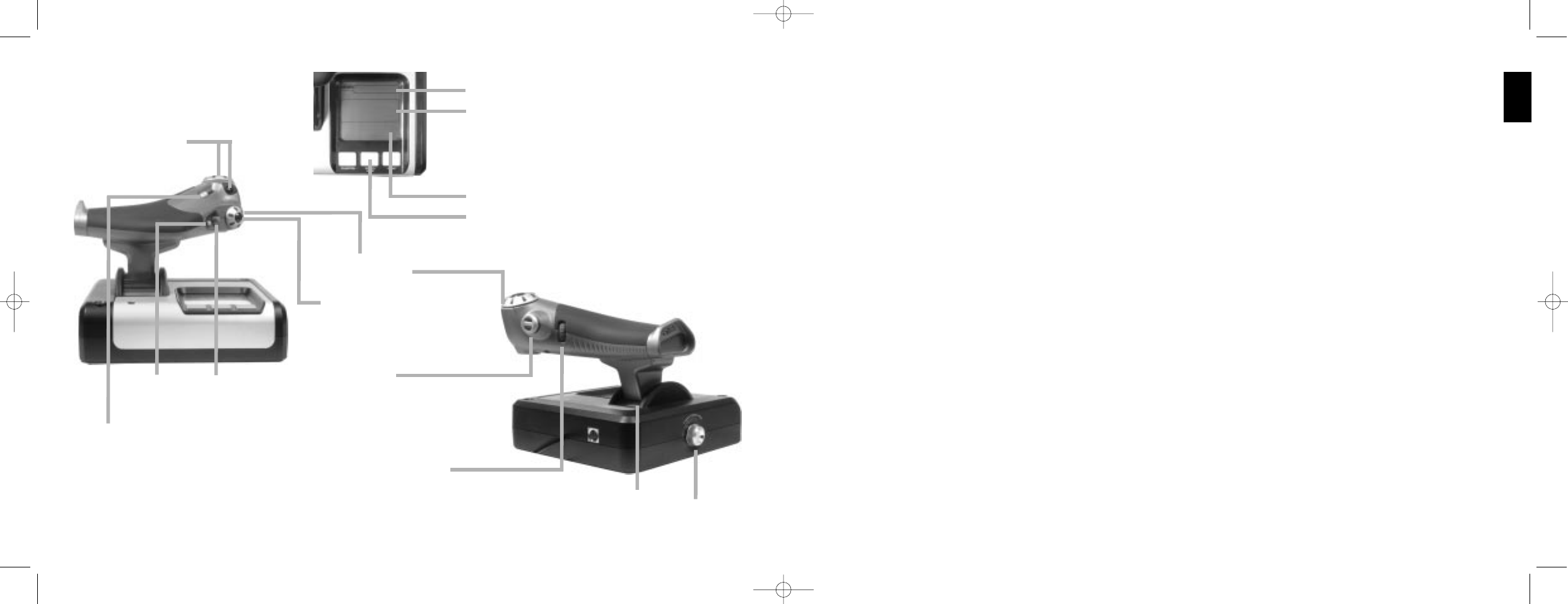
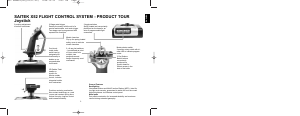
Multi-Function Display (MFD) screen indicates:
Mode and shift state
Mode state is determined by mode selector on the head of the stick.
User defined Text area
- indicates name of command assigned to button when activated.
- supplies name of profile in use and enables on-the-fly profile
selection. Profile can also be changed during gameplay by pressing
clutch button and scrolling though available profiles moving the point-
of-view hat switch up and down. Move the same button left to clear
current profile or right to activate profile.
Multi Time Displays
Time zone (set origin and destination local times in control panel)
Formattable date/month/time
Stopwatch for flight time
Throttle
2 Fire Buttons
Conveniently positioned on
throttle head for instant
access in the heat of the battle.
Progressive throttle control
Super smooth action with metal tension
adjustment and detents for programming idle
(0-20%) and afterburner (80-100%) settings.
Mouse controller,
which can also
function as a hat
switch.
8-way hat switch:
Select from multiple view
perspectives and assign
frequently used commands.
Two rotaries provide axes
for pitch, trim and yaw
settings.
Clutch (I) Button
Initiates 'safe mode' to allow
on-the-fly profile selection,
or to display button
functionality on MFD without
activating commands.
Smooth-action
thumb slider
provides axes for
pitch, trim and
yaw settings or
zoom in/out view.
Scroll wheel positioned on rear
of throttle for index finger
activation; includes built-in
button.
Left mouse button.
X52 manual(ok)(24/11/04) 2004.12.22 9:05 PM Page 4
Descargue el manual en Español (PDF, 1.25 MB)
(Piense en el medioambiente y solo imprima este manual si es de verdad necesario)

Loading…

Puntuación

Dé su opinión de la Saitek X52 Mando calificando el producto. ¿Quiere compartir su experiencia con este producto o hacer una pregunta? Deje un comentario en la parte inferior de la página.
¿Estás satisfecho con elSaitek X52 Mando?
No
Sea el primero en calificar este producto
0 votos

Únase a la conversación sobre este producto

Aquí puedes compartir lo que piensas sobre Saitek X52 Mando. Si tiene alguna pregunta, primero lea atentamente el manual. Puede solicitar un manual utilizando nuestro formulario de contacto.

Más sobre este manual

Entendemos que es bueno tener un manual en papel para tus Saitek X52 Mando. Siempre puedes descargar el manual desde nuestro sitio web e imprimirlo tú mismo. Si deseas tener un manual original te recomendamos contactar con Saitek. Es posible que puedan proporcionar un manual original. ¿Estás buscando el manual de tu Saitek X52 Mando en otro idioma? Elija su idioma preferido en nuestra página de inicio y busque el número de modelo para ver si lo tenemos disponible.

Especificaciones

Marca Saitek
Modelo X52
Categoría Mandos
Tipo de archivo PDF
Tamaño del archivo 1.25 MB

Todos los manuales para Saitek Mandos
Más manuales de Mandos

Preguntas frecuentes sobre Saitek X52 Mando

Nuestro equipo de atención al cliente busca información útil sobre los productos y responde a las preguntas frecuentes. Si encuentra inexactitudes en las preguntas frecuentes, indíquenoslo usando nuestro formulario de contacto.

Una batería de mi dispositivo está oxidada, ¿puedo seguir utilizándola de forma segura? Verificado

Sí, el dispositivo todavía se puede utilizar de forma segura. En primer lugar, retire la batería oxidada. Nunca use las manos desnudas para hacer esto. Luego, limpie el compartimiento de la batería con un hisopo de algodón humedecido en vinagre o jugo de limón. Déjelo secar e inserte pilas nuevas.

Ha sido de gran ayuda (194) Leer más

¿Puedo enrollar el cable alrededor del dispositivo después de su uso? Verificado

Es mejor no hacer esto, porque puede dañar el cable. Lo mejor que puede hacer es enrollar el cable tal como estaba cuando se empacó el producto.

Ha sido de gran ayuda (173) Leer más

Manual de uso Saitek X52 Mando

Productos relacionados

Categorias relacionadas

×
Download