Manual de uso Samsung BD-J5900 Reproductor de blu-ray

¿Necesita un manual para su Samsung BD-J5900 Reproductor de blu-ray? A continuación puedes ver y descargar el manual en PDF gratis en español. Este producto actualmente tiene 3 preguntas frecuentes, 0 comentarios y tiene 0 votos. Si este no es el manual que desea, , contáctenos.

¿Su producto tiene algún defecto y el manual no ofrece ninguna solución? Vaya a Repair Café para solicitar un servicio de reparación gratuito.

Manual de uso

Loading…

Contents
SAFETY INFORMATION
Warning ..................................................... 2
Precautions ............................................... 3
Using the 3D function ................................ 4
GETTING STARTED
Before using the User Manual .................... 5
Logos of Discs the player can play ............ 5
Accessories ............................................... 7
Front Panel ................................................ 7
Rear Panel ................................................. 7
Remote Control ......................................... 8
CONNECTIONS
Connecting to a TV .................................... 8
Connecting to an Audio System ................ 9
Connecting to a Network Router ............... 9
SETTINGS
The Setup Procedure ............................... 10
Menu Navigation ...................................... 10
Accessing the Settings Menu .................. 11
Picture Settings ....................................... 11
Sound Settings ........................................ 12
Network Settings ..................................... 13
System Settings ...................................... 16
Language Settings ................................... 17
Security Settings...................................... 17
General Settings ...................................... 17
Support Settings ..................................... 18
MEDIA PLAY
Playing a Commercially Recorded Disc .... 19
Playing Files on a USB Device ................. 19
Playing a Disc with User Recorded
Content ................................................... 19
Using DLNA ............................................. 20
Controlling Video Playback ...................... 20
Controlling Music Playback ...................... 21
Playing Photo Contents ........................... 22
APPENDIX
Troubleshooting ....................................... 23
Specifications .......................................... 24
4
Using the 3D function
IMPORTANT HEALTH AND SAFETY
INFORMATION FOR 3D PICTURES.
Read and understand the following safety
information before using the 3D function.
• Some viewers may experience discomfort
while viewing 3D TV such as dizziness,
nausea, and headaches.
If you experience any such symptom,
stop viewing 3D TV, remove the 3D Active
Glasses, and rest.
• Watching 3D images for an extended
period of time may cause eye strain. If
you feel eye strain, stop viewing 3D TV,
remove your 3D Active Glasses, and rest.
• A responsible adult should frequently
check on children who are using the 3D
function.
If there are any reports of tired eyes,
headaches, dizziness, or nausea, have
the child stop viewing 3D TV and rest.
• Do not use the 3D Active Glasses
for other purposes (Such as general
eyeglasses, sunglasses, protective
goggles, etc.).
• Do not use the 3D function or 3D Active
Glasses while walking or moving around.
Using the 3D function or 3D Active
Glasses while moving around may cause
you to bump into objects, trip, and/or fall,
and cause serious injury.
• If you want to enjoy 3D content, connect
a 3D device (3D compliant AV receiver or
TV) to the player's HDMI OUT port using
a high-speed HDMI cable. Put on 3D
glasses before playing the 3D content.
• The player outputs 3D signals only
through HDMI cable connected to the
HDMI OUT port.
• As the video resolution in 3D play mode
is fixed according to the resolution of the
original 3D video, you can not change the
resolution to your preference.
• Some functions such as BD Wise,
screen size adjustment, and resolution
adjustment may not operate properly in
3D play mode.
• You must use a high-speed HDMI cable
for proper output of the 3D signal.
• Stay at least three times the width of the
screen from the TV when watching 3D
images. For example, if you have a 46-
inch screen, stay 138 inches (11.5 feet)
from the screen.
• Place the 3D video screen at eye level for
the best 3D picture.
• When the player is connected to some 3D
devices, the 3D effect may not function
properly.
• This player does not convert 2D content
into 3D.
• "Blu-ray 3D" and "Blu-ray 3D" logo
are trademarks of the Blu-ray Disc
Association.
Descargue el manual en Español (PDF, 6.53 MB)
(Piense en el medioambiente y solo imprima este manual si es de verdad necesario)

Loading…

Puntuación

Dé su opinión de la Samsung BD-J5900 Reproductor de blu-ray calificando el producto. ¿Quiere compartir su experiencia con este producto o hacer una pregunta? Deje un comentario en la parte inferior de la página.
¿Estás satisfecho con elSamsung BD-J5900 Reproductor de blu-ray?
No
Sea el primero en calificar este producto
0 votos

Únase a la conversación sobre este producto

Aquí puedes compartir lo que piensas sobre Samsung BD-J5900 Reproductor de blu-ray. Si tiene alguna pregunta, primero lea atentamente el manual. Puede solicitar un manual utilizando nuestro formulario de contacto.

Más sobre este manual

Entendemos que es bueno tener un manual en papel para tus Samsung BD-J5900 Reproductor de blu-ray. Siempre puedes descargar el manual desde nuestro sitio web e imprimirlo tú mismo. Si deseas tener un manual original te recomendamos contactar con Samsung. Es posible que puedan proporcionar un manual original. ¿Estás buscando el manual de tu Samsung BD-J5900 Reproductor de blu-ray en otro idioma? Elija su idioma preferido en nuestra página de inicio y busque el número de modelo para ver si lo tenemos disponible.

Especificaciones

Marca Samsung
Modelo BD-J5900
Categoría Reproductores de blu-ray
Tipo de archivo PDF
Tamaño del archivo 6.53 MB

Todos los manuales para Samsung Reproductores de blu-ray
Más manuales de Reproductores de blu-ray

Preguntas frecuentes sobre Samsung BD-J5900 Reproductor de blu-ray

Nuestro equipo de atención al cliente busca información útil sobre los productos y responde a las preguntas frecuentes. Si encuentra inexactitudes en las preguntas frecuentes, indíquenoslo usando nuestro formulario de contacto.

¿Puede un reproductor de Blu-ray también reproducir discos DVD? Verificado

Sí, casi todos los reproductores de Blu-ray son aptos para reproducir discos DVD.

Ha sido de gran ayuda (138) Leer más

¿Importa a qué puerto HDMI conecto mi reproductor Blu-ray? Verificado

Por norma general, puede conectar un reproductor Blu-ray a cualquier puerto HDMI. A continuación debe seleccionar el canal HDMI correspondiente en su televisor para usar el dispositivo.

Ha sido de gran ayuda (95) Leer más

¿Puedo reparar yo mismo los arañazos en un Blu-ray? Verificado

Los rayones impiden que el láser lea el disco correctamente. Cuando los rayones son solo superficiales, es posible repararlos usted mismo puliendo el disco con un compuesto ligeramente abrasivo. Lo ideal es utilizar un compuesto abrasivo profesional, pero también es posible utilizar pasta de dientes normal. Después de pulir el disco, es necesario lavarlo y dejarlo secar. Hay empresas especializadas que pueden hacer esto.

Ha sido de gran ayuda (37) Leer más
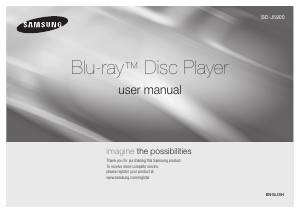
Manual de uso Samsung BD-J5900 Reproductor de blu-ray

Productos relacionados

Categorias relacionadas

×
Download