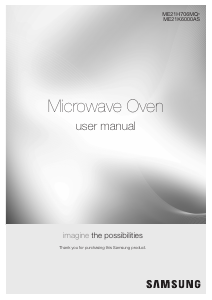
Manual de uso Samsung ME21H706MQS/AC Microondas

¿Necesita un manual para su Samsung ME21H706MQS/AC Microondas? A continuación puedes ver y descargar el manual en PDF gratis en español. Este producto actualmente tiene 7 preguntas frecuentes, 0 comentarios y tiene 0 votos. Si este no es el manual que desea, , contáctenos.

¿Su producto tiene algún defecto y el manual no ofrece ninguna solución? Vaya a Repair Café para solicitar un servicio de reparación gratuito.

Manual de uso

Loading…

English - 10
SETTING THE TIME
Your microwave oven is equipped with a built-in clock.
Set the clock when first installing your microwave oven
and after a power failure. The time is displayed whenever
the microwave oven is not being used.
1. Press the Clock button.
2. Use the number buttons to enter the current time.
You need to press at least three numbers to set
the clock. For example, if the current time is 5:00,
press 5, 0, 0. The display will show: 500.
3. Press the Clock button.
4. Use the Clock button to select AM / PM.
5. Press the ENTER/START button.
6. A colon appears indicating that the time is set.
To check the time while cooking, press the Clock
button.
CHILD LOCK
The Child Lock function allows you to lock the buttons so
that the microwave oven cannot be operated accidentally.
The oven can be locked at any time.
Activating/Deactivating
If you want to activate or deactivate the child lock
function, press the STOP/CLEAR button for 3 seconds.
The display will show ON or OFF when the oven is locked
or unlocked, and then re-displays the time.
OPTIONS
You can customize your new microwave oven to suit your
preferences. To customize:
1. Press the Options button.
2. Press the number button that corresponds to the
function you want to customize.
3. Press the number that corresponds to the option you
want to set.
4. Press the ENTER/START button to set the option.
The functions, options, and corresponding number buttons
are listed in the table below.
No. Function Options
OP-1 Weight mode selected
1
2
Lbs.
Kg. (Gram)
OP-2 Clock display control
1
2
12HR
24HR
OP-3 Sound on/o control
1
2
Sound ON
Sound OFF
OP-4 Remind end signal
1
2
ON
OFF
OP-5 Daylight Saving time
1
2
ON
OFF
OP-6 Demo mode
1
2
ON
OFF
OP-7 Filter Reminder
1
2
ON
OFF
Filter Reminder
The filter should be cleaned or replaced once every four
months. When it is time to clean or replace the filter, the
microwave displays the “Filter” message to remind you to
clean or replace the filter. To remove the message, touch
the number 0 when the microwave is in standby mode, or
access Options.
using your
microwave oven
Cooking has never been easier than with your
new Samsung microwave oven.
The following section describes everything you
need to know about using your microwave oven.
KITCHEN TIMER BUTTON
Use the Kitchen Timer for timing up to 99 minutes,
99seconds.
1. Press the Kitchen Timer button.
2. Use the number buttons to set the length of time
you want the timer to run.
3. Press the ENTER/START button
4. The display counts down and beeps when the time
has elapsed.
5. To cancel the timer setting: Press the STOP/
CLEAR button once.
ADD 30 SEC BUTTON
This simplified control saves you time, letting you quickly
start cooking at 100 % power.
1. Press the Add 30 sec button for each 30 seconds
you want food to cook. For example, press it
twice to cook for one minute, and then press the
ENTER/START button to start cooking.
2. Add 30 sec to a cooking program already in
progress by pressing the Add 30 sec button for
every additional 30 seconds you want to add.
VENT BUTTONS
(4 SPEED & ON/OFF)
The vent removes steam and other vapors from the
cooking surface. You can manually select the vent setting.
1. Press the Vent 4 Speed button to set the speed
level.
2. Press the Vent On/O button to turn the vent on.
3. Press the Vent On/O button again to turn the
vent o.
The exhaust fan’s speed will reduce when the
oven’s cooking function is activated.
VENT DELAY OFF BUTTON
Press the Delay O button once to turn the fan o after
a certain number of minutes. The number of minutes
depends on how many times you press the button.
Press (times) 1 2 3 4 5
Delay o (min) 1 3 5 10 30
LIGHT HI/LO/OFF BUTTON
The Light button allows you to select a light setting for
your microwave.
Press (times) 1 2 3
Light High Low O
Descargue el manual en Español (PDF, 10.54 MB)
(Piense en el medioambiente y solo imprima este manual si es de verdad necesario)

Loading…

Puntuación

Dé su opinión de la Samsung ME21H706MQS/AC Microondas calificando el producto. ¿Quiere compartir su experiencia con este producto o hacer una pregunta? Deje un comentario en la parte inferior de la página.
¿Estás satisfecho con elSamsung ME21H706MQS/AC Microondas?
No
Sea el primero en calificar este producto
0 votos

Únase a la conversación sobre este producto

Aquí puedes compartir lo que piensas sobre Samsung ME21H706MQS/AC Microondas. Si tiene alguna pregunta, primero lea atentamente el manual. Puede solicitar un manual utilizando nuestro formulario de contacto.

Más sobre este manual

Entendemos que es bueno tener un manual en papel para tus Samsung ME21H706MQS/AC Microondas. Siempre puedes descargar el manual desde nuestro sitio web e imprimirlo tú mismo. Si deseas tener un manual original te recomendamos contactar con Samsung. Es posible que puedan proporcionar un manual original. ¿Estás buscando el manual de tu Samsung ME21H706MQS/AC Microondas en otro idioma? Elija su idioma preferido en nuestra página de inicio y busque el número de modelo para ver si lo tenemos disponible.

Especificaciones

Marca Samsung
Modelo ME21H706MQS/AC
Categoría Microondas
Tipo de archivo PDF
Tamaño del archivo 10.54 MB

Todos los manuales para Samsung Microondas
Más manuales de Microondas

Preguntas frecuentes sobre Samsung ME21H706MQS/AC Microondas

Nuestro equipo de atención al cliente busca información útil sobre los productos y responde a las preguntas frecuentes. Si encuentra inexactitudes en las preguntas frecuentes, indíquenoslo usando nuestro formulario de contacto.

Mi microondas no arranca cuando aprieto el botón de inicio, ¿qué puedo hacer? Verificado

En muchos casos no se ha cerrado la puerta correctamente. Abra y cierre la puerta e inténtelo de nuevo.

Ha sido de gran ayuda (3585) Leer más

¿Puedo usar el microondas cuando el plato giratorio no funciona? Verificado

El plato giratorio asegura que el calor se distribuya de manera uniforme. Cuando no funciona, el microondas no se puede usar correctamente. Repárelo.

Ha sido de gran ayuda (2129) Leer más

El microondas está encendido pero no funciona. ¿Porqué es eso? Verificado

Es posible que la puerta no cierre correctamente. Para garantizar la seguridad, un microondas no funcionará hasta que la puerta esté completamente cerrada. A veces, esto se puede solucionar ajustando la bisagra de la puerta.

Ha sido de gran ayuda (1586) Leer más

La placa de mica/cartón dentro del microondas se ha desprendido. ¿Podré seguir utilizando el microondas? Verificado

En absoluto. La placa de mica/cartón es la guía de ondas que distribuye las microondas. Vuelva a colocarla o consiga un reemplazo.

Ha sido de gran ayuda (1394) Leer más

Mi microondas sigue haciendo ruido, incluso después de haber terminado. ¿Es normal? Verificado

Sí, esto es un ruido normal. El ventilador enfría el microondas después de su uso. La duración depende del tiempo de funcionamiento del microondas.

Ha sido de gran ayuda (1173) Leer más

¿Puedo hervir agua en el microondas? Verificado

No absolutamente no. El agua puede sobrecalentarse. Esto significa que el agua puede alcanzar una temperatura superior a 100 ℃ sin hervir. Cuando esta agua toca cualquier objeto, puede hervir y salpicar instantáneamente, provocando quemaduras.

Ha sido de gran ayuda (901) Leer más

¿Por qué no puedo poner metal en mi microondas? Verificado

El metal no deja pasar las microondas sino que las rechaza. Cuando estas microondas rebotan en el mismo lugar, puede causar chispas.

Ha sido de gran ayuda (897) Leer más
Manual de uso Samsung ME21H706MQS/AC Microondas

Productos relacionados

Categorias relacionadas

×
Download