
Manual de uso Sandberg Multi 2.5 Disco duro
¿Necesita un manual para su Sandberg Multi 2.5 Disco duro? A continuación puedes ver y descargar el manual en PDF gratis en español. Este producto actualmente tiene 3 preguntas frecuentes, 0 comentarios y tiene 0 votos. Si este no es el manual que desea, , contáctenos.
¿Su producto tiene algún defecto y el manual no ofrece ninguna solución? Vaya a Repair Café para solicitar un servicio de reparación gratuito.
Manual de uso
Loading…


Loading…
Puntuación
Dé su opinión de la Sandberg Multi 2.5 Disco duro calificando el producto. ¿Quiere compartir su experiencia con este producto o hacer una pregunta? Deje un comentario en la parte inferior de la página.Más sobre este manual
Entendemos que es bueno tener un manual en papel para tus Sandberg Multi 2.5 Disco duro. Siempre puedes descargar el manual desde nuestro sitio web e imprimirlo tú mismo. Si deseas tener un manual original te recomendamos contactar con Sandberg. Es posible que puedan proporcionar un manual original. ¿Estás buscando el manual de tu Sandberg Multi 2.5 Disco duro en otro idioma? Elija su idioma preferido en nuestra página de inicio y busque el número de modelo para ver si lo tenemos disponible.
Especificaciones
| Marca | Sandberg |
| Modelo | Multi 2.5 |
| Categoría | Discos duros |
| Tipo de archivo | |
| Tamaño del archivo | 0.16 MB |
Todos los manuales para Sandberg Discos duros
Más manuales de Discos duros
Preguntas frecuentes sobre Sandberg Multi 2.5 Disco duro
Nuestro equipo de atención al cliente busca información útil sobre los productos y responde a las preguntas frecuentes. Si encuentra inexactitudes en las preguntas frecuentes, indíquenoslo usando nuestro formulario de contacto.
No puedo copiar archivos grandes a mi disco duro. ¿Por qué? Verificado
Es posible que la unidad de disco duro utilice el sistema de archivos FAT32. Esto limita el tamaño de los archivos a unos 4 GB, aunque ya puede causar problemas con los archivos de 2 GB en adelante. Para poder utilizar archivos más grandes, la unidad de disco duro debe ser formateada a un sistema de archivos diferente como NFTS, por ejemplo. ¡Ojo! Al formatear la unidad de disco duro, ¡todos los archivos de esa unidad se perderán!
Ha sido de gran ayuda (48) Leer más¿Cuál es la diferencia entre un disco duro y un SSD? Verificado
Un disco duro se compone de múltiples discos que se mueven. Permite almacenar grandes cantidades de datos, pero utiliza mucha potencia y es vulnerable. Un SSD no tiene partes móviles, sino que usa chips al igual que una memoria USB. Es rápido y ligero, pero su capacidad para almacenar datos es menor.
Ha sido de gran ayuda (13) Leer más¿De cuántos bytes se componen un kilobyte, megabyte, gigabyte y terabyte? Verificado
Un kilobyte (KB) consta de 1000 bytes. 1 megabyte (MB) = 1000 kilobytes. 1 gigabyte (GB) = 1000 megabytes. 1 terabyte (TB) = 1000 gigabytes.
Ha sido de gran ayuda (8) Leer más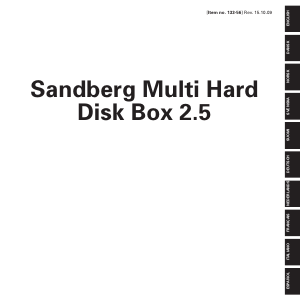
Únase a la conversación sobre este producto
Aquí puedes compartir lo que piensas sobre Sandberg Multi 2.5 Disco duro. Si tiene alguna pregunta, primero lea atentamente el manual. Puede solicitar un manual utilizando nuestro formulario de contacto.