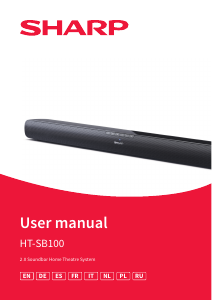
Manual de uso Sharp HT-SB100K Altavoz

¿Necesita un manual para su Sharp HT-SB100K Altavoz? A continuación puedes ver y descargar el manual en PDF gratis en español. Este producto actualmente tiene 5 preguntas frecuentes, 0 comentarios y tiene 0 votos. Si este no es el manual que desea, , contáctenos.

¿Su producto tiene algún defecto y el manual no ofrece ninguna solución? Vaya a Repair Café para solicitar un servicio de reparación gratuito.

Manual de uso

Loading…

5
Accessories
Remote control (inc. batteries)
Power cable
Wall mount brackets
Wall mount xings (screws and plugs)
Silicone rubber feet
User documentation
Controls
(Refer to 1 on page 1).
1.
button
Switch the unit between ON and STANDBY mode.
2.
button
Select the source of audio (e.g. HDMI, USB, optical, etc)
3.
button
Select Bluetooth mode. Press and hold to activate the
pairing function in Bluetooth mode or disconnect
the existing paired Bluetooth device.
4.
button
Mute or resume the sound.
5. +/– buttons
Increase/decrease the volume level.
6. Remote Control Sensor
7. LED Indicator
Red: STANDBY
Green: AUX
Blue: Bluetooth
Yellow: Optical
Cyan: HDMI ARC
Purple: USB
8. Wall bracket screws
Inputs/outputs
(Refer to 2 on page 1).
1. OPTICAL
Opticial input jack.
2. HDMI ARC
Connect to a TV via HDMI cable (HDMI version 1.4 or higher).
3. USB
Insert USB ash drive to play music.
4. AUX
Connect to an external audio device.
5. AC~
Connect power cord.
Remote control
(Refer to 3 on page 1).
1.
Switch the unit between ON and STANDBY mode.
2.
Select Bluetooth mode.
Press and hold to activate the pairing function in Bluetooth mode
or disconnect the existing paired Bluetooth device.
3.
Press repeatedly to select a signal source AUX, BT (Bluetooth),
OPT (Optical), ARC (HDMI) and USB mode.
4. +/– Increase/decrease the volume level.
5.
/ Skip to previous/next track in Bluetooth or USB mode.
6.
Play/pause/resume playback in Bluetooth or USB mode.
7.
Mute or resume the sound.
8. BASS +/– Adjust bass level. This only changes CUST EQ settings.
9. TRE +/– Adjust treble level. This only changes CUST EQ settings.
10. EQ Press repeatedly to switch between movie, music, voice, and
custom equaliser modes.
Remote control operation
The provided remote control allows the unit to be operated from a
distance.
Even if the remote control is operated within the eective range
of 6m, remote control operation may be impossible if there are
obstacles between the unit and the remote control.
If the remote control is operated near other products which
generate infrared rays, or if other remote control devices using
infra-red rays are used near the unit, it may operate incorrectly.
Conversely, the other products may operate incorrectly.
Battery installation
(Refer to 4 on page 1).
1. Press the battery compartment cover release clip in the direction
of the arrow and then pull the cover away from the remote.
2. Insert two AAA size batteries (included). Make sure the (+) and (–)
ends of the batteries match the (+) and (–) ends indicated in the
battery compartment.
3. Close the battery compartment cover ensuring the release clip is
secured.
First time installation
Placement and mounting
(Refer to 5 on page 1).
A: Normal placement (place Soundbar on level surface in front of the
TV). Attach the silicone feet to the bottom of the soundbar.
B: Wall mounting
Wall mounting
NOTE:
ū Installation must be carried out by qualied personnel only.
Incorrect assembly can result in severe personal injury and property
damage (if you intend to install this product yourself, you must
check for installations such as electrical wiring and plumbing that
may be buried inside the wall). It is the installer’s responsibility to
verify that the wall will safely support the total load of the unit and
wall brackets.
ū Additional tools (not included) are required for the installation.
ū Do not overtighten screws.
ū Keep this instruction manual for future reference.
ū Use an electronic stud nder to check the wall type before drilling
and mounting.
(Refer to
6 on page 1).
1. Drill 4 parallel holes (Ø 5.5~6 mm each according to wall type) in
the wall. The distance between the holes should be 708 mm.
Firmly x 1 plug into each hole in the wall.
2. Tighten the wall mount brackets on the wall with screws and
screwdriver (not included). Make sure the they are securely
installed.
3. Loosen the screws at the back of the unit for 2~3 mm.
4. Lift the unit onto the wall mount brackets and slot into place.
Connections
HDMI ARC input
(Refer to 7 on page 2).
The ARC (Audio Return Channel) function allows you to send audio
from your ARC- compliant TV to your sound bar through a single HDMI
connection. To enjoy the ARC function, please ensure your TV is both
HDMI-CEC and ARC compliant and set up accordingly. When correctly
set up, you can use your TV remote control to adjust the volume
output (+/– and
) of the sound bar.
Descargue el manual en Español (PDF, 1.79 MB)
(Piense en el medioambiente y solo imprima este manual si es de verdad necesario)

Loading…

Puntuación

Dé su opinión de la Sharp HT-SB100K Altavoz calificando el producto. ¿Quiere compartir su experiencia con este producto o hacer una pregunta? Deje un comentario en la parte inferior de la página.
¿Estás satisfecho con elSharp HT-SB100K Altavoz?
No
Sea el primero en calificar este producto
0 votos

Únase a la conversación sobre este producto

Aquí puedes compartir lo que piensas sobre Sharp HT-SB100K Altavoz. Si tiene alguna pregunta, primero lea atentamente el manual. Puede solicitar un manual utilizando nuestro formulario de contacto.

Más sobre este manual

Entendemos que es bueno tener un manual en papel para tus Sharp HT-SB100K Altavoz. Siempre puedes descargar el manual desde nuestro sitio web e imprimirlo tú mismo. Si deseas tener un manual original te recomendamos contactar con Sharp. Es posible que puedan proporcionar un manual original. ¿Estás buscando el manual de tu Sharp HT-SB100K Altavoz en otro idioma? Elija su idioma preferido en nuestra página de inicio y busque el número de modelo para ver si lo tenemos disponible.

Especificaciones

Marca Sharp
Modelo HT-SB100K
Categoría Altavoces
Tipo de archivo PDF
Tamaño del archivo 1.79 MB

Todos los manuales para Sharp Altavoces
Más manuales de Altavoces

Preguntas frecuentes sobre Sharp HT-SB100K Altavoz

Nuestro equipo de atención al cliente busca información útil sobre los productos y responde a las preguntas frecuentes. Si encuentra inexactitudes en las preguntas frecuentes, indíquenoslo usando nuestro formulario de contacto.

Quiero conectar un altavoz a mi televisor con HDMI. ¿Qué puerto debo usar? Verificado

Debe usar el puerto HDMI-ARC, que está hecho específicamente para conectar equipos de audio.

Ha sido de gran ayuda (1488) Leer más

¿Qué indican las frecuencias sobre mi altavoz? Verificado

Indican el rango de frecuencias que el altavoz puede producir. Una gama más amplia de frecuencias proporcionará una mayor variación en el sonido y producirá un sonido de mayor calidad.

Ha sido de gran ayuda (795) Leer más

¿Cuándo está la música demasiado alta? Verificado

El sonido por encima de los 80 decibelios (dB) puede causar daños en la audición. Los sonidos por encima de 120 dB dañan la audición de forma inmediata. La gravedad de los daños depende de la frecuencia y la duración del sonido.

Ha sido de gran ayuda (477) Leer más

¿El bluetooth funciona a través de paredes y techos? Verificado

Una señal bluetooth funcionará a través de paredes y techo, a menos que estén hechos de metal. Dependiendo del grosor y del material de la pared, la señal puede perder fuerza.

Ha sido de gran ayuda (238) Leer más

¿Hasta qué nivel es seguro el ruido para los niños? Verificado

Los niños se dañan los oídos antes que los adultos. Por lo tanto, nunca exponga a los niños a un ruido superior a 85 dB. En el caso de los auriculares hay modelos especiales para niños. Con altavoces u en otras situaciones hay que estar atento para que el ruido no supere ese nivel.

Ha sido de gran ayuda (212) Leer más
Manual de uso Sharp HT-SB100K Altavoz

Productos relacionados

Categorias relacionadas

×
Download