
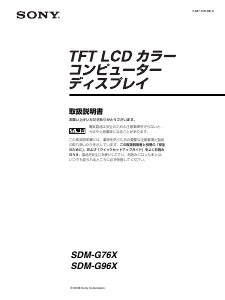
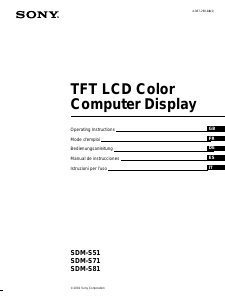
Manual de uso Sony SDM-S51R Monitor de LCD
¿Necesita un manual para su Sony SDM-S51R Monitor de LCD? A continuación puedes ver y descargar el manual en PDF gratis en español. Este producto actualmente tiene 7 preguntas frecuentes, 0 comentarios y tiene 0 votos. Si este no es el manual que desea, , contáctenos.
¿Su producto tiene algún defecto y el manual no ofrece ninguna solución? Vaya a Repair Café para solicitar un servicio de reparación gratuito.
Manual de uso
Loading…

Loading…
Puntuación
Dé su opinión de la Sony SDM-S51R Monitor de LCD calificando el producto. ¿Quiere compartir su experiencia con este producto o hacer una pregunta? Deje un comentario en la parte inferior de la página.Más sobre este manual
Entendemos que es bueno tener un manual en papel para tus Sony SDM-S51R Monitor de LCD. Siempre puedes descargar el manual desde nuestro sitio web e imprimirlo tú mismo. Si deseas tener un manual original te recomendamos contactar con Sony. Es posible que puedan proporcionar un manual original. ¿Estás buscando el manual de tu Sony SDM-S51R Monitor de LCD en otro idioma? Elija su idioma preferido en nuestra página de inicio y busque el número de modelo para ver si lo tenemos disponible.
Especificaciones
| Marca | Sony |
| Modelo | SDM-S51R |
| Categoría | Monitores de LCD |
| Tipo de archivo | |
| Tamaño del archivo | 2.1 MB |
Todos los manuales para Sony Monitores de LCD
Más manuales de Monitores de LCD
Preguntas frecuentes sobre Sony SDM-S51R Monitor de LCD
Nuestro equipo de atención al cliente busca información útil sobre los productos y responde a las preguntas frecuentes. Si encuentra inexactitudes en las preguntas frecuentes, indíquenoslo usando nuestro formulario de contacto.
¿Puedo reparar un píxel muerto yo mismo? Verificado
Hay una diferencia entre un pixel muerto y un pixel atascado. Un píxel atascado todavía está coloreado y puede repararse al aplicar una ligera presión exactamente sobre el píxel hasta que se restaure por sí mismo. Un píxel muerto siempre es blanco o negro y no lo puede reparar usted mismo.
Ha sido de gran ayuda (79) Leer más¿Qué significa HDMI? Verificado
HDMI son las siglas de High-Definition Multimedia Interface. HDMI es una conexión para enviar video y audio de alta calidad de un dispositivo a otro.
Ha sido de gran ayuda (75) Leer más¿Cómo mido las pulgadas de mi monitor LCD? Verificado
Para medir las pulgadas de su monitor LCD, debe medir la diagonal, por ejemplo, entre la esquina superior izquierda y la esquina inferior derecha de la pantalla (no del marco). Una pulgada equivale a 2,54 centímetros, de manera que, cuando mide 99 centímetros, quiere decir que su monitor LCD es de 39 pulgadas.
Ha sido de gran ayuda (39) Leer más¿Qué es la relación de contraste? Verificado
La relación de contraste indica la diferencia entre el blanco más blanco y el negro más negro. De este modo, una relación de contraste de 400:1 significa que el negro más negro de la pantalla es 400 veces más oscuro que el blanco más blanco. Una alta relación de contraste contribuye a la nitidez de la imagen.
Ha sido de gran ayuda (29) Leer más¿Cuál es la diferencia entre LCD y LED? Verificado
Ambas técnicas utilizan una pantalla LCD que no emite luz por sí misma. La diferencia está en la iluminación detrás de la pantalla. En el caso de las pantallas LCD esto se realiza mediante CCFL (lámpara fluorescente de cátodo frío), mientras que con televisores LED se emplean luces led.
Ha sido de gran ayuda (27) Leer más¿Cómo puedo limpiar correctamente mi monitor LCD? Verificado
Apague el televisor y quite el polvo y la suciedad de la pantalla usando un paño de microfibra. No use papel, ya que puede causar rayaduras. No aplique demasiada presión o podría dañar los píxeles. Use un detergente especial o mézclelo usted mismo con una parte de vinagre y otra de agua. Humedezca el paño con el detergente y limpie la pantalla. Asegúrese de que el paño no esté demasiado húmedo. Elimine las manchas haciendo movimientos giratorios. Seque la pantalla con otro paño de microfibra para evitar las rayas.
Ha sido de gran ayuda (25) Leer más¿Qué significa LCD? Verificado
LCD son las siglas en inglés de Pantalla de Cristal Líquido. Es una tecnología con la que los cristales líquidos polarizan la luz para generar colores.
Ha sido de gran ayuda (20) Leer más
Únase a la conversación sobre este producto
Aquí puedes compartir lo que piensas sobre Sony SDM-S51R Monitor de LCD. Si tiene alguna pregunta, primero lea atentamente el manual. Puede solicitar un manual utilizando nuestro formulario de contacto.