Manual de uso Trust 18002 Tableta gráfica

¿Necesita un manual para su Trust 18002 Tableta gráfica? A continuación puedes ver y descargar el manual en PDF gratis en español. Este producto actualmente tiene 0 preguntas frecuentes, 0 comentarios y tiene 0 votos. Si este no es el manual que desea, , contáctenos.

¿Su producto tiene algún defecto y el manual no ofrece ninguna solución? Vaya a Repair Café para solicitar un servicio de reparación gratuito.

Manual de uso

Loading…
Fresco Widescreen Tablet – User’s Manual
2
Package contents (Package contents)
T
ablet:
USB connection
Express keys
Hot cells (programmable)
Working area
Pen:
Upper pen button
Lower pen button
Battery holder
On/Off button
Pen holder:
Pen-tip removal tool
4x Spare pen-tips
USB Cable
Screw the pen open and place the battery in the pen. Power on the pen by pressing the on/off button.
Cleaning: Clean the tablet with a dry cloth. Do not use or spill water on the tablet, or its pen.
Storage: Store the pen so that it does not rest on its tip, preferably in its holder. Do not store the pen on the
tablet.
Install tablet (Install tablet)
It might be necessary to restart your computer at the end of the driver’s installation. It is therefore preferable
that you save and close all opened documents and applications before starting the installation.
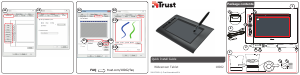
Insert the Trust CD-ROM into your CD drive.
Click “Run Setup.exe – Published by Trust International BV”
Click “Install driver”
Trust Tablet driver installation: To continue, Click “OK”
Trust Tablet driver was successfully installed: Click “OK”
Y
ou must restart your computer: Click “OK” to restart your computer. (If you have unsaved
documents and files, select “Cancel” to restart your computer later)
Once your computer has restarted, the tablet can be connected to a USB port.
After the driver has been successfully installed (this may take some time), and the message “USB input
device ready to use” appears, the tablet can be used.
Descargue el manual en Español (PDF, 6.91 MB)
(Piense en el medioambiente y solo imprima este manual si es de verdad necesario)

Loading…

Puntuación

Dé su opinión de la Trust 18002 Tableta gráfica calificando el producto. ¿Quiere compartir su experiencia con este producto o hacer una pregunta? Deje un comentario en la parte inferior de la página.
¿Estás satisfecho con elTrust 18002 Tableta gráfica?
No
Sea el primero en calificar este producto
0 votos

Únase a la conversación sobre este producto

Aquí puedes compartir lo que piensas sobre Trust 18002 Tableta gráfica. Si tiene alguna pregunta, primero lea atentamente el manual. Puede solicitar un manual utilizando nuestro formulario de contacto.

Más sobre este manual

Entendemos que es bueno tener un manual en papel para tus Trust 18002 Tableta gráfica. Siempre puedes descargar el manual desde nuestro sitio web e imprimirlo tú mismo. Si deseas tener un manual original te recomendamos contactar con Trust. Es posible que puedan proporcionar un manual original. ¿Estás buscando el manual de tu Trust 18002 Tableta gráfica en otro idioma? Elija su idioma preferido en nuestra página de inicio y busque el número de modelo para ver si lo tenemos disponible.

Especificaciones

Marca Trust
Modelo 18002
Categoría Tabletas gráficas
Tipo de archivo PDF
Tamaño del archivo 6.91 MB

Todos los manuales para Trust Tabletas gráficas
Más manuales de Tabletas gráficas
Manual de uso Trust 18002 Tableta gráfica
×
Download