
ENGLISH
ENGLISH
Vorago,S.A.deC.V.
FranciscoVillaNo.3
Col.SanAgustín, C.P.45645
TlajomulcodeZúñiga,
Jalisco, México.
Tel.(33) 3044 6666
Importadora Global Rida S.A. de C.V.
Matilde Márquez No. 68
Colonia Peñón de los Baños C.P. 15520
Alcaldía Venustiano Carranza, CDMX
RFC: IGR1510164C2
Limited product warranty
Vorago equipment and / or accessories are covered by a limited
warranty for the time indicated in the annexed validity table, counting
from the date of acquisition, against any manufacturing and operation
defect, provided they have been used under normal conditions of use
during the warranty period and for which it was manufactured. Vorago
warranty the buyer the absence of anomalies regarding the materials.
Products Validity
PC, tablets, e-mobility, audio, keyboards, mouse, networks and accessories 12 Months
LCD Monitor
* Except in panel (screen display) for which it will only be 12 months.
36 Months*
Computer equipment 3 years including Nanobay 3.
* Except computer equipment where the processor is integrated
36 Months *
on the motherboard it will only be 12 months.
Important warranty policy: Please read and complete this warranty policy and
seal it in the store when purchasing the product.
Product: Wireless Mouse
Model:
MO-415 Dealer stamp
Brand: Vorago
Serial number:
Invoice number:
Delivery date:
Responsibilities
The total responsibility of Vorago will be to repair or replace the product,
including labor and parts, at no cost to the buyer when it is returned to
the point of sale, presenting this warranty policy properly completed and
stamped by the establishment where it was purchased. The product or
copy of the receipt or receipt or invoice, in which data of the product the
date of purchase is specified, to verify the times within the
warranty.
Vorago may use new parts, restored or used in good condition to repair
or replace any product, at no additional cost to the consumer. In the case
of equipment and / or accessories that can not be repaired, the change
will be generated by a similar product or with superior characteristics. This
warranty covers the transportation expenses of the product derived from
its fulfillment; which will be directly attributable to the supplier of the
product. In all replacement products, the original warranty period will be
renewed. Vorago is governed by international standards for the
manufacture of products.
How to obtain warranty support
Warranty claims are processed through the point of sale, during the first 15 days
after the purchase, as long as they meet the requirements. Guarantee claims that
can not be processed through the point of sale and any concerns related to the
product purchased should be sent with the prepaid guide by Vorago to the
address of the Vorago headquarters in Francisco Villa No. 3, Col. San Agustín, CP
45645, Tlajomulco de Zúñiga, Jalisco, Mexico.
Except in situations of force majeure or fortuitous event, the repair time in no
case will be greater than 30 calendar days from the date of receive of the
equipment in Vorago.
Exclusions
This warranty is has valid in the following cases:
a) When the product had been used in conditions other than normal.
b) When the product has not been operated in accordance with the instructions
for use.
c) When the product has been altered or repaired by unauthorized persons by
Vorago.
Vorago does not oer any other express warranty for this product.
To make the warranty valid, as well as the acquisition of parts, components,
consumables and accessories
To validate a warranty, the following information must be sent to the email:
1.- Model and color
2.- Product failure
3.-Ticket or purchase invoice (digitized)
4.-Your address with CP, telephone and full Name.
Available in the establishment where the product was purchased and / or in our
central oces:
Returns
In the case of product return, it will only be the place of purchase by the end
customer. Subject to the return policies established by the same seller
.
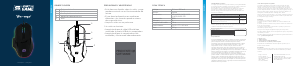
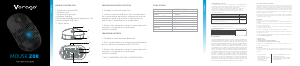
KNOW YOUR DEVICE
1. Right button
2. Left button
3. Scroll wheel
4. Return to the desktop
5. Adjustable DPI
6. LED Indicator
7. USB Type-C charging port
8. Doungle (USB Reciever)
9. Optical sensor
10. Turn on/o
11. Trimode: 2.4G / BT
HOW TO USE
The mouse is made in two parts. First you must
remove the cover from one of the sides, upwards,
the receiver (USB) is magnetically attached to the
mouse, you must connect that receiver to one of the
USB A ports of the computer or computer equipment
to be linked. Then press the power switch.
DATA SHEET
Input
Sensor
Feeding
Connector
Reach
DPI
Battery
Compatibility
Size
Weight
5V
Optical
USB Type-C
2.4G / BT
10 m
800, 1200, 1600
500 mAh
Windows 7, Windows 8.1,
Windows 10, Mac OS
113 x 57 x 25 mm
69 g
Push the power switch atthe bottom of the mouse to
the "ON", and switch the button (10) to 2.4G mode,
the corresponding light is flashing green, and then
the green light o after connecting the device, enter
the normal mode.
BLUETOOTH CONNECTION BT1BT2
1. Push the power switch atthe bottom of the mouse,
click the mouse three modes button (11), the blue
lights corresponding to the BT1/BT2 mode flashes,
and start to enter the code mode.
2. Open the tablet/computer/phone, click the "Bluetooth"
interface in the settings menu,Connect the pairing
mouse (MO-415). After the device is connected, the
blue light goes o, Enter normal mode.
3. Move the mouse or press the left/right button to
use ¡it normally.
THREEMODE SWITCHING METHOD
Ifthe mouse is connected to three devices, you can
press the three-mode switch button (11) to be flexible
among the three devices Switch, the corresponding
light will be on and flicker, then o, the device can
work normally.
CHARGING METHOD
It is recommended to use the computer's USB
interface to charge the mouse, through the front
Type C charging port, using the included cable. The
battery indicator will flash blue below the right
button while charging with the cable, marking the
battery level you have. It can be charged while in use.
Tri-Mode Version: When the mouse is charged, the
battery light atthe front of the (6) cell flashes. The (6)
battery light is always on when fully charged.
2.4GHz Version: When charging, the (8) red light is
constantly on, and the fully charged red light is o.
CHANGE DPIS
Depending on the displacement required, press the
button marked DPI (button 5 in diagram) and move
the cursor to configure the desired precision,
according to the screen size used.
BATTERY WARNING
When the mouse is about to run out of power, the
last bar of the (6) battery light flashes an alarm
prompt.
PRECAUTIONS
1. When the mouse cursor moves slowly, check
whether the battery is low. Suggest timely charging
2. If the mouse cannot be connected, check whether
the power switch at the bottom of the mouse is on
and select a correct connection mode or move the
USB receiver to another USB port.
3. If you do not use the mouse for a long time,
manually turn o the power switch to save power.
4. Ifyou do not use the mouse for a long time, it will
automatically enter the sleep mode, move the
mouse or press any key to wake up the mouse.
5. Please do not remove or try to repair the product,
because doing so may cause damage.
WARNINGS
Improperly replaced batteries may presenta risk
ofleak or explosion and personal injury. Risk of fire or
explosion ifthe battery is replaced by an incorrect
type. Ensure batteries are installed correctly by
following the instructions provided. Mistreated
rechargeable batteries may present a risk ore or
chemical burn. Do not disassemble or expose to
conducting materials, moisture, liquid, or heat above
54*C(130* F)A battery subjected to extremely low air
pressure may resultin an explosionor the leakage of
flammable liquid or gas. Do not use or charge the
battery ifitappears to be leaking, discolored,
deformed, orin any way abnormal. Do not leave your
battery discharged or unused for extended periods.
Do not short circuit, Your device may contain an
internal, rechargeable battery thatis not replaceable.
Battery Iífe aries with usage. Non-operational
batteries should be discarded according to local laws,
Ifno laws or regulations govern, dispose of your
device in a waste bin for electronics. Keep batteries
away from children.
Viewing the laser output with magnifying optical
instruments within a 100mm distance may pose an
eye hazard.
PROPER USE OF YOUR PRODUCT
- Do not open or modify the product.
- Do not disassemble or attempt to service this
product because there isa risk of radiation exposure,
which could injury you.
- Do not direct the infrared/laser beam at anyone>s
eye or a reflective object
-Do not immerse product in any liquid or expose to h
eat or moisture.
- Ifproductis exposed to out-of-range temperature
environments, power o the device until tempera-
ture has stabilized within the specified operating
temperature range.
- Use only provided power supply devices with this
product. Do not modify the power supply. Do not
charge your product during an electrical storm.
- This is not a Children>s Product and is not intended
for use by children under 14 years old.
1
2
3
8
9
10
4
6
5
11
6
7









Únase a la conversación sobre este producto
Aquí puedes compartir lo que piensas sobre Vorago MO-415 Ratón. Si tiene alguna pregunta, primero lea atentamente el manual. Puede solicitar un manual utilizando nuestro formulario de contacto.