
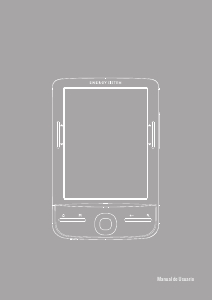
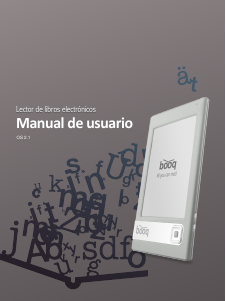
Manual de uso ARCHOS 70d E-reader
¿Necesita un manual para su ARCHOS 70d E-reader? A continuación puedes ver y descargar el manual en PDF gratis en español. Este producto actualmente tiene 2 preguntas frecuentes, 0 comentarios y tiene 0 votos. Si este no es el manual que desea, , contáctenos.
¿Su producto tiene algún defecto y el manual no ofrece ninguna solución? Vaya a Repair Café para solicitar un servicio de reparación gratuito.
Manual de uso
Loading…

Loading…
Puntuación
Dé su opinión de la ARCHOS 70d E-reader calificando el producto. ¿Quiere compartir su experiencia con este producto o hacer una pregunta? Deje un comentario en la parte inferior de la página.Más sobre este manual
Entendemos que es bueno tener un manual en papel para tus ARCHOS 70d E-reader. Siempre puedes descargar el manual desde nuestro sitio web e imprimirlo tú mismo. Si deseas tener un manual original te recomendamos contactar con ARCHOS. Es posible que puedan proporcionar un manual original. ¿Estás buscando el manual de tu ARCHOS 70d E-reader en otro idioma? Elija su idioma preferido en nuestra página de inicio y busque el número de modelo para ver si lo tenemos disponible.
Especificaciones
| Marca | ARCHOS |
| Modelo | 70d |
| Categoría | E-readers |
| Tipo de archivo | |
| Tamaño del archivo | 1.33 MB |
Todos los manuales para ARCHOS E-readers
Más manuales de E-readers
Preguntas frecuentes sobre ARCHOS 70d E-reader
Nuestro equipo de atención al cliente busca información útil sobre los productos y responde a las preguntas frecuentes. Si encuentra inexactitudes en las preguntas frecuentes, indíquenoslo usando nuestro formulario de contacto.
¿Qué es un archivo ePub? Verificado
ePub significa publicación electrónica y es un formato de archivo para libros electrónicos. ePub es el formato de archivo estándar para los libros electrónicos, pero tenga en cuenta que no es compatible con los libros y lectores electrónicos de Amazon.
Ha sido de gran ayuda (72) Leer más¿Los lectores electrónicos son mejores para mis ojos que las pantallas LCD? Verificado
A diferencia de las pantallas de los ordenadores portátiles, smartphones y tablets, los lectores electrónicos son más beneficiosos para la vista. Los lectores electrónicos utilizan tinta electrónica, una tecnología de visualización similar al papel que replica la tinta en una página. Esto da como resultado una fatiga visual significativamente menor en comparación con la lectura en pantallas LCD, ya que no disminuye nuestra frecuencia de parpadeo. Es aconsejable evitar el uso de un lector electrónico demasiado cerca de la hora de acostarse, ya que estos dispositivos emiten luz azul, lo que puede tener efectos adversos en el sueño.
Ha sido de gran ayuda (2) Leer más
Únase a la conversación sobre este producto
Aquí puedes compartir lo que piensas sobre ARCHOS 70d E-reader. Si tiene alguna pregunta, primero lea atentamente el manual. Puede solicitar un manual utilizando nuestro formulario de contacto.