
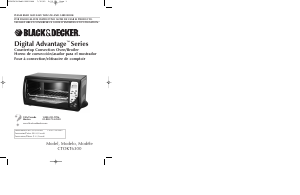
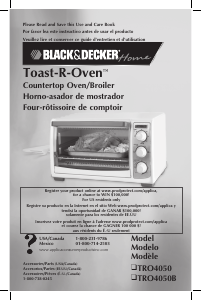
Manual de uso Black and Decker CTO6301 Horno
¿Necesita un manual para su Black and Decker CTO6301 Horno? A continuación puedes ver y descargar el manual en PDF gratis en español. Este producto actualmente tiene 5 preguntas frecuentes, 1 comentario y tiene 0 votos. Si este no es el manual que desea, , contáctenos.
¿Su producto tiene algún defecto y el manual no ofrece ninguna solución? Vaya a Repair Café para solicitar un servicio de reparación gratuito.
Manual de uso
Loading…

Loading…
Puntuación
Dé su opinión de la Black and Decker CTO6301 Horno calificando el producto. ¿Quiere compartir su experiencia con este producto o hacer una pregunta? Deje un comentario en la parte inferior de la página.Más sobre este manual
Entendemos que es bueno tener un manual en papel para tus Black and Decker CTO6301 Horno. Siempre puedes descargar el manual desde nuestro sitio web e imprimirlo tú mismo. Si deseas tener un manual original te recomendamos contactar con Black and Decker. Es posible que puedan proporcionar un manual original. ¿Estás buscando el manual de tu Black and Decker CTO6301 Horno en otro idioma? Elija su idioma preferido en nuestra página de inicio y busque el número de modelo para ver si lo tenemos disponible.
Especificaciones
| Marca | Black and Decker |
| Modelo | CTO6301 |
| Categoría | Hornos |
| Tipo de archivo | |
| Tamaño del archivo | 1.91 MB |
Todos los manuales para Black and Decker Hornos
Más manuales de Hornos
Preguntas frecuentes sobre Black and Decker CTO6301 Horno
Nuestro equipo de atención al cliente busca información útil sobre los productos y responde a las preguntas frecuentes. Si encuentra inexactitudes en las preguntas frecuentes, indíquenoslo usando nuestro formulario de contacto.
Mi horno no se calienta lo suficiente, ¿qué debo hacer? Verificado
El termostato hace que el horno se caliente a la temperatura elegida. Probablemente el termostato está defectuoso. Hágalo reemplazar. En caso de duda, póngase en contacto con el fabricante.
Ha sido de gran ayuda (3183) Leer más¿Qué es la pirólisis? Verificado
Algunos hornos están equipados con una función de pirólisis. Se trata de un sistema de limpieza que quema la suciedad y la grasa en el horno alcanzando temperaturas muy altas. Después de la pirólisis, toda la suciedad se habrá convertido en cenizas por lo que es fácil de eliminar. Si el horno tiene una función de pirólisis, aconsejamos utilizarla de 3 a 4 veces al año para mantenerlo limpio.
Ha sido de gran ayuda (3176) Leer másCuando utilizo el horno, a menudo quedan restos de comida que caen al fondo y provocan humo. ¿Cómo puedo prevenir esto? Verificado
Muchos hornos vienen con una rejilla y una bandeja para hornear. Cuando se preparan alimentos en la parrilla, la bandeja de horno se puede colocar en la parte inferior para evitar que los restos de alimentos se quemen y provoquen humo.
Ha sido de gran ayuda (805) Leer másEl humo se acumula en el horno cuando se calienta. ¿Por qué? Verificado
Probablemente hay restos de comida de un plato anterior en el horno. Los restos de alimentos muy grasientos pueden generar humo cuando se calientan. Limpie el horno a fondo.
Ha sido de gran ayuda (797) Leer más¿Puedo asar varios alimentos simultáneamente si uso más de una bandeja de parrilla? Verificado
Técnicamente, es posible. Sin embargo, según el tipo de alimento es posible que tenga que ajustar el tiempo de cocción o cambiar las bandejas a mitad del tiempo de preparación.
Ha sido de gran ayuda (794) Leer más

Únase a la conversación sobre este producto
Aquí puedes compartir lo que piensas sobre Black and Decker CTO6301 Horno. Si tiene alguna pregunta, primero lea atentamente el manual. Puede solicitar un manual utilizando nuestro formulario de contacto.
responder | Ha sido de gran ayuda (0)