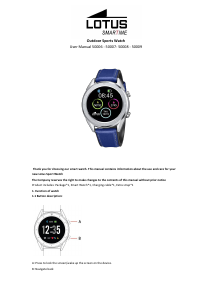
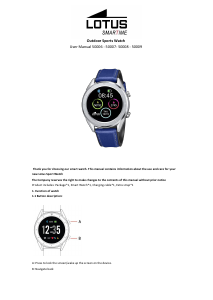
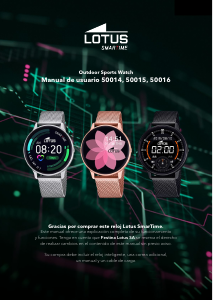
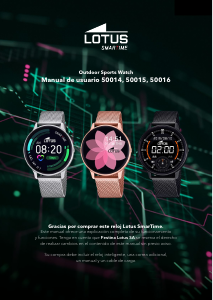
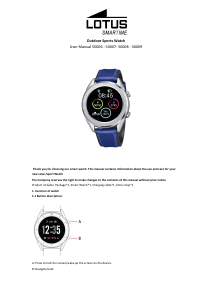
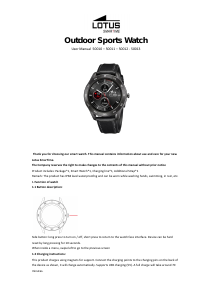
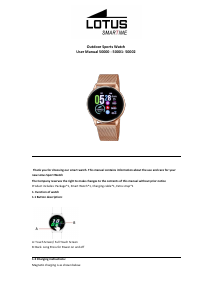
Manual de uso Lotus 50013 Outdoor Smartwatch

¿Necesita un manual para su Lotus 50013 Outdoor Smartwatch? A continuación puedes ver y descargar el manual en PDF gratis en español. Este producto actualmente tiene 0 preguntas frecuentes, 8 comentarios y tiene 9 votos con una calificación promedio de producto de 22/100. Si este no es el manual que desea, , contáctenos.

¿Su producto tiene algún defecto y el manual no ofrece ninguna solución? Vaya a Repair Café para solicitar un servicio de reparación gratuito.

Manual de uso

Loading…
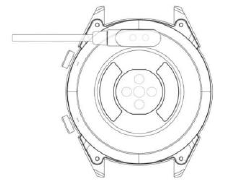
Note: Be careful not to short circuit between the two charging points while charging, it can lead to damage.
1.1 Watch Face in standby mode:
1) Swipe right to view the heart rate screen. Wear the watch on your preferred wrist and tap Start to measure
your heart rate.
2) Swipe up or down to open the drop-down menu to check Bluetooth status, battery life, sound on / off, date
and time.
3) Swipe left to open the main menu.
4) Press and hold the Watch Face while in standby mode to change the watch face type. Select by tapping OK.
1.2 Drop-down menu
Swipe up or down on the Watch Face interface to open the drop-down menu.
1) The left icon shows the Bluetooth connection status. When the watch is connected to a phone, the link icon in
the upper part of the screen will turn green.
2) The battery level is shown in the middle part of the screen.
3) The right icon can be used to turn the sound on and off.
1.3 Messages
Sync all the messages in the phone (not supported on iOS).
1.4 Phonebook
Sync all the contacts on the phone, max 400 contacts.
1.5 Call logs
Displays calls history.
1.6. Dialer
Tap the numbers to dial a phone number to place a call. You can enable the device to support Bluetooth call and
music functions by setting it as follows:
1.6.1. Find the name of the connected watch in the More menu.
1.6.2. To connect, open your Phones Settings and enter the Bluetooth menu. Find your watch below OTHER
DEVICES and tap it to connect.
1.6.3. To disconnect, open your Phone’s Settings and enter the Bluetooth menu. Tap the “i” next to your watch
and select Forget This Device.
1.7 Exercise tracking (walking, running, cycling, hiking, swimming, football, basketball, table tennis, badminton)
1.7.1 Select exercise and tap the screen to start. After a brief countdown, activity tracking will start. Tap the
screen to pause or stop the exercise. You can pause the exercise as needed. In the screen you can track data on
calories, mileage, steps per minute and speed. Swipe up to view heart rate. When the exercise ends, you will
receive a report on the activity of the session.
1.7.2 To view your activity data, open the Lotus SmarTime app and tap the synchronization icon in the top left
corner.
1.8. Pedometer / Steps counter
Shows the steps you have taken during the day, calories burned and the distance covered. Swipe up to enter
options.
1.8.1. Status: turn on or off.
1.8.2. History: shows data on previous days steps, mileage and calories.
Descargue el manual en Español (PDF, 1.44 MB)
(Piense en el medioambiente y solo imprima este manual si es de verdad necesario)

Loading…

Puntuación

Dé su opinión de la Lotus 50013 Outdoor Smartwatch calificando el producto. ¿Quiere compartir su experiencia con este producto o hacer una pregunta? Deje un comentario en la parte inferior de la página.
¿Estás satisfecho con elLotus 50013 Outdoor Smartwatch?
No
22%
78%
9 votos

Únase a la conversación sobre este producto

Aquí puedes compartir lo que piensas sobre Lotus 50013 Outdoor Smartwatch. Si tiene alguna pregunta, primero lea atentamente el manual. Puede solicitar un manual utilizando nuestro formulario de contacto.

Josep 15-10-2021
Solo deja descargar el manual en ingles. ¿ Que pasa con los que no sabemos ingles ?

responder | Ha sido de gran ayuda (5)
Germán 25-09-2021
Me gustaría saber cuanto tiempo durará una carga completa del reloj con todas sus funciones operativas

responder | Ha sido de gran ayuda (1)
ERIC VILCOQ 11-02-2021
¿Cómo conectar el "BT"?

responder | Ha sido de gran ayuda (0) (Traducido por Google)
PINOT 25-10-2021
Cómo evitar la iluminación automática

responder | Ha sido de gran ayuda (0) (Traducido por Google)
Cor 23-10-2022
Muy insatisfecho incluso si todas las funciones adicionales están apagadas pero apenas 2 días en espera.

responder | Ha sido de gran ayuda (0) (Traducido por Google)
De mits juliaan 12-11-2023
Manual en holandés por favor para Lotus 50013. gracias

responder | Ha sido de gran ayuda (0) (Traducido por Google)
Juliendemits @skynet.be 01-12-2023
Por favor, dame la introducción holandesa al Lotus S 9.

responder | Ha sido de gran ayuda (0) (Traducido por Google)
De mits juliaan 23-01-2024
¿Pueden enviarme la introducción holandesa al Lotus 50013 comprado en van Vooren Stationstraat 9950 Lievegem? Gracias De Mits Juliaan stationstraat 123 autobús 102 .9950 Lievegem [email protected]

responder | Ha sido de gran ayuda (0) (Traducido por Google)

Más sobre este manual

Entendemos que es bueno tener un manual en papel para tus Lotus 50013 Outdoor Smartwatch. Siempre puedes descargar el manual desde nuestro sitio web e imprimirlo tú mismo. Si deseas tener un manual original te recomendamos contactar con Lotus. Es posible que puedan proporcionar un manual original. ¿Estás buscando el manual de tu Lotus 50013 Outdoor Smartwatch en otro idioma? Elija su idioma preferido en nuestra página de inicio y busque el número de modelo para ver si lo tenemos disponible.

Especificaciones

Marca Lotus
Modelo 50013 Outdoor
Categoría Smartwatch
Tipo de archivo PDF
Tamaño del archivo 1.44 MB

Todos los manuales para Lotus Smartwatch
Más manuales de Smartwatch
Manual de uso Lotus 50013 Outdoor Smartwatch

Productos relacionados

Categorias relacionadas

×
Download