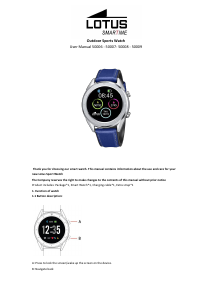
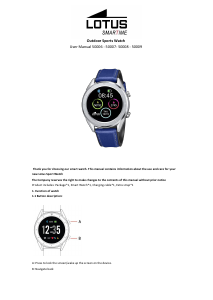
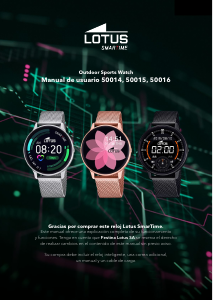
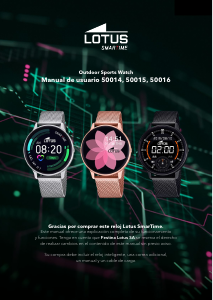
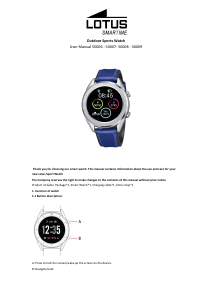
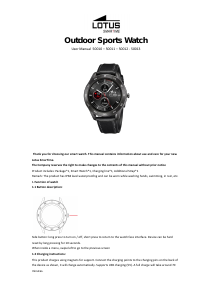
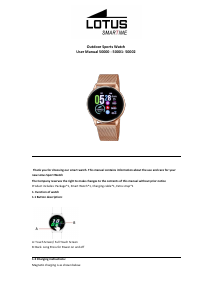
Manual de uso Lotus 50013 Outdoor Smartwatch

¿Necesita un manual para su Lotus 50013 Outdoor Smartwatch? A continuación puedes ver y descargar el manual en PDF gratis en español. Este producto actualmente tiene 0 preguntas frecuentes, 8 comentarios y tiene 9 votos con una calificación promedio de producto de 22/100. Si este no es el manual que desea, , contáctenos.

¿Su producto tiene algún defecto y el manual no ofrece ninguna solución? Vaya a Repair Café para solicitar un servicio de reparación gratuito.

Manual de uso

Loading…

1.8.3. Goals: set a daily steps goal, between 4000 and 20000.
1.8.4. Gender, height and weight: set your personal data to increase accuracy.
Data is saved every midnight and resets.
1.9 Heart rate
Wear the watch on your preferred wrist and enter the heart rate menu for a unique measurement of heart rate.
Results will take around 20 seconds. When the watche is connected to your phone, the heart rate data can be
synchronized to the app in real time.
1.10 Blood pressure
Wear the watch on your preferred wrist and enter the blood pressure menu for single measurement of blood
pressure. Results will take around 50 seconds. When the watch is connected to your phone, the blood pressure
data can be synchronized to the app in real time.
1.11 Sleep
The sleep monitoring time period is from 21:00 to 9:00 the following day. The menu shows the hours of deep and
light sleep. After sleep has been recorded on the device, sleep data is sent to the Lotus SmarTime app. Swipe up
for options:
1.11.1 Status: Turn sleep monitoring on and off.
1.11.2. History: Check data on the previous night’s sleep.
1.12 Sedentary reminder
Let's you know when you’ve been inactive for long spells. Set the frequency of the reminders every 30 minutes
up to 5 hours.
1.13 Notifications
All notifications that arrive on the phone, such as Facebook, e-mail or WhatsApp will be shown in the watch. For
Android users, this can be set up in the Lotus SmarTime app. For iOS users, enter the phone’s Bluetooth settings
menu, choose the watch and press the (i) button and activate “Share System Notifications” to enable them.
1.14 BT Music
Play the music in your watch or control the music in your phone. You can pause or play, skip to the next song and
go back to the previous one, and turn the volume up or down on the watch.
1.15 BT Camera
Open the Lotus SmarTime app, and tap the “Capture” button in your watch. The camera will open automatically.
Tap again to take a picture which is stored in your photos. Permissions must be enabled to use this feature.
1.16 BT
Check what device is connected to the watch and find new devices to connect.
1.17 Motion
The following functions can be launched using hand gestures:
1.17.1 Flip to mute incoming call
1.17.2 Flip to mute alarm
1.17.3 Wake-up gesture
1.17.4 Shake to switch functions in the main menu
1.17.5 Shake to answer incoming call
1.18 Themes
Choose the background theme for the main menu.
1.19 Calendar
This shows today’s date. Tap the calendar icon to switch to a month view; swipe up and down to move along the
months.
1.20 Alarm
Set up to 5 alarms. Choose the time, the repetition, the alarm tone and the alert type (ring only, ring and vibrate
or vibrate only). Long press the button to cancel the alarm. Swipe left to cancel, swipe right to snooze.
Descargue el manual en Español (PDF, 1.44 MB)
(Piense en el medioambiente y solo imprima este manual si es de verdad necesario)

Loading…

Puntuación

Dé su opinión de la Lotus 50013 Outdoor Smartwatch calificando el producto. ¿Quiere compartir su experiencia con este producto o hacer una pregunta? Deje un comentario en la parte inferior de la página.
¿Estás satisfecho con elLotus 50013 Outdoor Smartwatch?
No
22%
78%
9 votos

Únase a la conversación sobre este producto

Aquí puedes compartir lo que piensas sobre Lotus 50013 Outdoor Smartwatch. Si tiene alguna pregunta, primero lea atentamente el manual. Puede solicitar un manual utilizando nuestro formulario de contacto.

Josep 15-10-2021
Solo deja descargar el manual en ingles. ¿ Que pasa con los que no sabemos ingles ?

responder | Ha sido de gran ayuda (5)
Germán 25-09-2021
Me gustaría saber cuanto tiempo durará una carga completa del reloj con todas sus funciones operativas

responder | Ha sido de gran ayuda (1)
ERIC VILCOQ 11-02-2021
¿Cómo conectar el "BT"?

responder | Ha sido de gran ayuda (0) (Traducido por Google)
PINOT 25-10-2021
Cómo evitar la iluminación automática

responder | Ha sido de gran ayuda (0) (Traducido por Google)
Cor 23-10-2022
Muy insatisfecho incluso si todas las funciones adicionales están apagadas pero apenas 2 días en espera.

responder | Ha sido de gran ayuda (0) (Traducido por Google)
De mits juliaan 12-11-2023
Manual en holandés por favor para Lotus 50013. gracias

responder | Ha sido de gran ayuda (0) (Traducido por Google)
Juliendemits @skynet.be 01-12-2023
Por favor, dame la introducción holandesa al Lotus S 9.

responder | Ha sido de gran ayuda (0) (Traducido por Google)
De mits juliaan 23-01-2024
¿Pueden enviarme la introducción holandesa al Lotus 50013 comprado en van Vooren Stationstraat 9950 Lievegem? Gracias De Mits Juliaan stationstraat 123 autobús 102 .9950 Lievegem [email protected]

responder | Ha sido de gran ayuda (0) (Traducido por Google)

Más sobre este manual

Entendemos que es bueno tener un manual en papel para tus Lotus 50013 Outdoor Smartwatch. Siempre puedes descargar el manual desde nuestro sitio web e imprimirlo tú mismo. Si deseas tener un manual original te recomendamos contactar con Lotus. Es posible que puedan proporcionar un manual original. ¿Estás buscando el manual de tu Lotus 50013 Outdoor Smartwatch en otro idioma? Elija su idioma preferido en nuestra página de inicio y busque el número de modelo para ver si lo tenemos disponible.

Especificaciones

Marca Lotus
Modelo 50013 Outdoor
Categoría Smartwatch
Tipo de archivo PDF
Tamaño del archivo 1.44 MB

Todos los manuales para Lotus Smartwatch
Más manuales de Smartwatch
Manual de uso Lotus 50013 Outdoor Smartwatch

Productos relacionados

Categorias relacionadas

×
Download