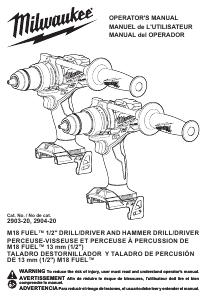
Manual de uso Milwaukee 2701-20 Atornillador taladrador

¿Necesita un manual para su Milwaukee 2701-20 Atornillador taladrador? A continuación puedes ver y descargar el manual en PDF gratis en español. Este producto actualmente tiene 3 preguntas frecuentes, 0 comentarios y tiene 0 votos. Si este no es el manual que desea, , contáctenos.

¿Su producto tiene algún defecto y el manual no ofrece ninguna solución? Vaya a Repair Café para solicitar un servicio de reparación gratuito.

Manual de uso

Loading…
5
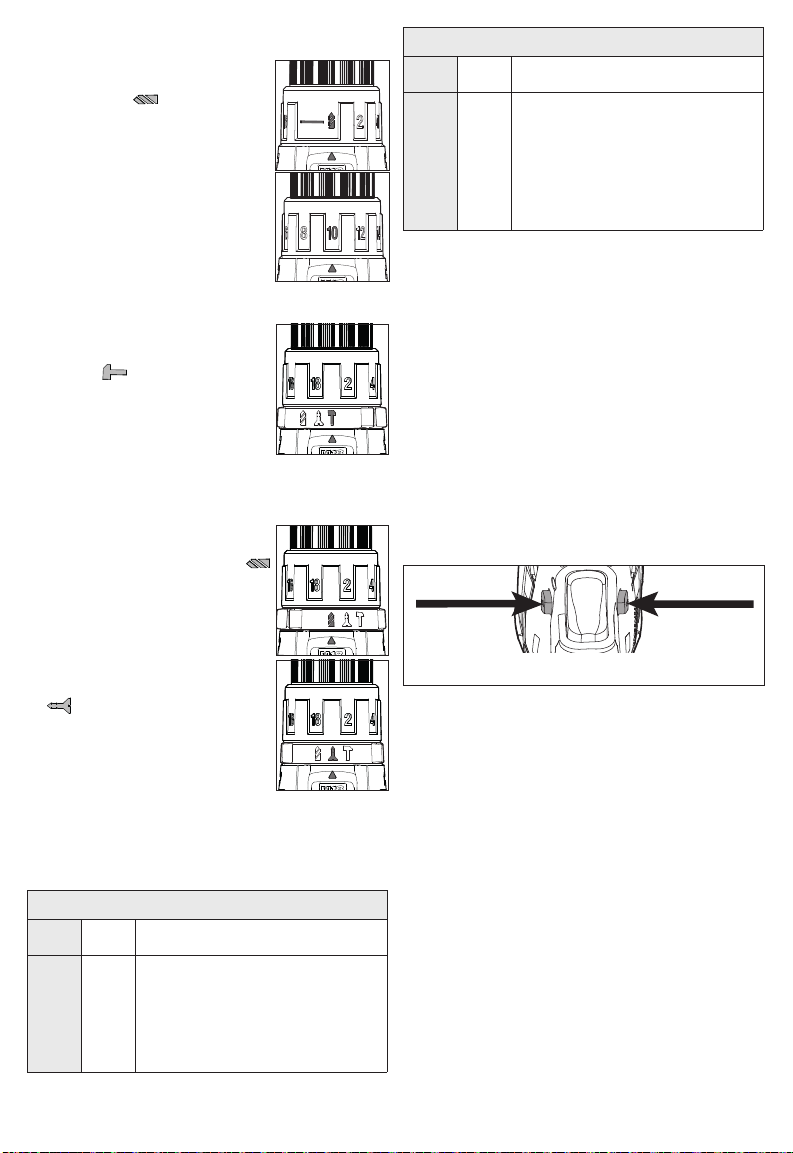
Selecting Drill or Drive Action
(Cat. No. 2701-20)
1. To use the drilling mode, rotate
the torque selector collar until the
drill symbol appears in line
with the arrow.
2. To use the driving mode rotate
the torque selector collar until
the desired clutch setting ap-
pears in line with the arrow.
The adjustable clutch, when
properly adjusted, will slip at a
preset torque to prevent driving
the screw too deep into di󰀨erent
materials and to prevent damage
to the screw or tool.
Selecting Hammer, Drill or Drive Action
(Cat. No. 2702-20)
1. To use the hammer-drilling
mode, rotate the application
selector collar until the hammer
symbol appears in line with
the arrow. Apply pressure to the
bit to engage the hammering
mechanism.
NOTE: The number selected on
the torque selector collar has no
e󰀨ect on operation of the drill in hammer mode.
NOTE: When using carbide bits, do not use water
to settle dust. Do not attempt to drill through steel
reinforcing rods. This will damage the carbide bits.
2. To use the drilling only mode,
rotate the application selector
collar until the drill symbol
appears in line with the arrow.
NOTE: The number selected on
the torque selector collar has no
e󰀨ect on operation of the drill in
drilling mode.
3. To use the driving screws
mode rotate the application se-
lector collar until the drive symbol
appears in line with the ar-
row. Then rotate the torque se-
lector collar until the desired
clutch setting appears in line with
the arrow.
The adjustable clutch, when
properly adjusted, will slip at a preset torque to
prevent driving the screw too deep into di󰀨erent
materials and to prevent damage to the screw or
tool.
The torque specications shown here are approximate
values obtained with a fully charged battery pack.
Cat. No. 2701-20
Clutch
Setting in. lbs Applications
1-3
4-6
7-9
10-13
14-16
25-28
29-34
36-39
40-44
46-50
Small screws in softwood.
Medium screws in softwood or small
screws in hardwood.
Large screws in softwoods. Medium
screws in hardwood or large screws in
hardwood with pilot hole.
Cat. No. 2702-20
Clutch
Setting in. lbs Applications
1-3
4-6
7-9
10-13
14-17
18
25-28
29-34
36-39
40-44
46-51
53
Small screws in softwood.
Medium screws in softwood or small
screws in hardwood.
Large screws in softwoods. Medium
screws in hardwood or large screws in
hardwood with pilot hole.
NOTE: Because the settings shown in the table are
only a guide, use a piece of scrap material to test the
di󰀨erent clutch settings before driving screws into
the workpiece.
Selecting Speed
The speed selector is on top of the motor housing.
Allow the tool to come to a complete stop before
changing speeds. See “Applications” for recom-
mended speeds under various conditions.
1. For Low speed, push the speed selector to display
“1”.
2. For High speed, push the speed selector to display
“2”.
Using the Control Switch
The control switch may be set to three positions:
forward, reverse and lock. Due to a lockout mecha-
nism, the control switch can only be adjusted when
the ON/OFF switch is not pressed. Always allow the
motor to come to a complete stop before using the
control switch.
Lock -
Push to CENTER
Reverse
Forward
For forward (clockwise) rotation, push in the control
switch from the right side of the tool. Check the
direction of rotation before use.
For reverse (counterclockwise) rotation, push in the
control switch from the left side of the tool. Check
direction of rotation before use.
To lock the trigger, push the control switch to the
center position. The trigger will not work while the
control switch is in the center locked position. Always
lock the trigger or remove the battery pack before
performing maintenance, changing accessories,
storing the tool and any time the tool is not in use.
Descargue el manual en Español (PDF, 5.15 MB)
(Piense en el medioambiente y solo imprima este manual si es de verdad necesario)

Loading…

Puntuación

Dé su opinión de la Milwaukee 2701-20 Atornillador taladrador calificando el producto. ¿Quiere compartir su experiencia con este producto o hacer una pregunta? Deje un comentario en la parte inferior de la página.
¿Estás satisfecho con elMilwaukee 2701-20 Atornillador taladrador?
No
Sea el primero en calificar este producto
0 votos

Únase a la conversación sobre este producto

Aquí puedes compartir lo que piensas sobre Milwaukee 2701-20 Atornillador taladrador. Si tiene alguna pregunta, primero lea atentamente el manual. Puede solicitar un manual utilizando nuestro formulario de contacto.

Más sobre este manual

Entendemos que es bueno tener un manual en papel para tus Milwaukee 2701-20 Atornillador taladrador. Siempre puedes descargar el manual desde nuestro sitio web e imprimirlo tú mismo. Si deseas tener un manual original te recomendamos contactar con Milwaukee. Es posible que puedan proporcionar un manual original. ¿Estás buscando el manual de tu Milwaukee 2701-20 Atornillador taladrador en otro idioma? Elija su idioma preferido en nuestra página de inicio y busque el número de modelo para ver si lo tenemos disponible.

Especificaciones

Marca Milwaukee
Modelo 2701-20
Categoría Atornilladores taladrador
Tipo de archivo PDF
Tamaño del archivo 5.15 MB

Todos los manuales para Milwaukee Atornilladores taladrador
Más manuales de Atornilladores taladrador

Preguntas frecuentes sobre Milwaukee 2701-20 Atornillador taladrador

Nuestro equipo de atención al cliente busca información útil sobre los productos y responde a las preguntas frecuentes. Si encuentra inexactitudes en las preguntas frecuentes, indíquenoslo usando nuestro formulario de contacto.

Sigo quitando la cabeza del tornillo cuando uso el destornillador. ¿Porqué es eso? Verificado

La mayoría de los destornilladores pueden configurarse para atornillar más fuerte o más suave. Si la cabeza sigue siendo despojada, el taladro-destornillador probablemente debería colocarse en una configuración diferente. Cuando se trata de un dispositivo inalámbrico, asegúrese siempre de que la batería esté cargada para obtener un resultado óptimo.

Ha sido de gran ayuda (96) Leer más

¿Necesito usar protección auditiva cuando utilizo un taladro? Verificado

Si deberías. Aunque la cantidad de ruido producido por un taladro puede variar entre marcas y modelos, la exposición prolongada a ruidos fuertes puede causar daños auditivos permanentes. Por eso es una buena idea usar protección auditiva.

Ha sido de gran ayuda (37) Leer más

¿Puedo guardar herramientas eléctricas en un cobertizo o garaje? Verificado

En general, las herramientas eléctricas se pueden guardar en un cobertizo o en un garaje, aunque a veces haga frío allí. Sin embargo, para prolongar la vida útil de la herramienta eléctrica, es mejor guardarla en un lugar seco y sin grandes fluctuaciones de temperatura. En un cobertizo o garaje, las diferencias de temperatura pueden provocar la formación de condensación, lo que puede provocar oxidación. Además, las herramientas que funcionan con baterías duran menos y no se cargan tan bien a temperaturas muy bajas. Para estar seguro de cómo debe almacenarse su herramienta eléctrica, lea siempre detenidamente el manual del usuario.

Ha sido de gran ayuda (29) Leer más
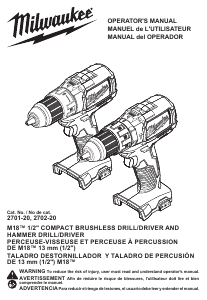
Manual de uso Milwaukee 2701-20 Atornillador taladrador

Productos relacionados

Categorias relacionadas

×
Download