
ENGLISH FRANÇAIS
DEUTSCH
ESPAÑOL
ITALIANO
PORTUGUÊS
SVENSKA
4
QUICK START
1 Connect a twin RCA-to-RCA lead from the L (left) and R (right) Line
Output jacks to the corresponding CD inputs on your amplifier.
2 Plug in the AC power cord.
3 Press the POWER button to turn on the player.
4 Press OPEN to open the disc drawer.
5 Place a CD, label side up, in the tray’s circular recess. Be certain that
the disc is centred within the recess.
6 Press PLAY/PAUSE. The drawer closes automatically, and the disc
begins to play.
7 At any time you may press SKIP or to select different
tracks on the disc.
8 Press PLAY/PAUSE if you want to stop play temporarily while keeping
the pickup at its current position on the disc. Press PLAY/PAUSE again
when you want to resume playback. Press STOP if you want to end
play and reset the pickup to the beginning of the disc.
NOTE ON INSTALLATION
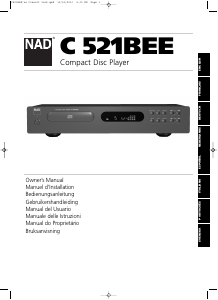
Install the NAD C 521BEE Compact Disc player on a level, vibration-free
surface. (Severe vibration, or operation in a tilted position, may cause
the player to mis-track.) The player may be stacked with other stereo
components, as long as there is adequate ventilation around it. If the
player is placed in close proximity to a radio tuner (AM or FM), a VCR,
or a television set, the operation of its digital circuits may produce static
that would interfere with reception of weak broadcast signals. If this
occurs, move the CD player away from other devices or switch it off
when viewing or listening to broadcasts.
REAR PANEL CONNECTIONS
1. LINE OUTPUT
Connect a cable from these jacks to your amplifier. Plug one end of a
twin RCA-to-RCA lead into the L (upper) and R (lower) output jacks.
Connect the other end of the cable to your stereo amplifier’s CD input,
or to any other “line-level” input jacks (such as the AUXiliary inputs). Do
NOT connect this cable to the amplifier’s PHONO input jacks. The RCA
sockets on your NAD C 521BEE are colour coded for convenience. Red
and White are Right and Left audio respectively, and yellow for Digital
Out. Ensure that leads and sockets are not damaged in any way and all
sockets are firmly pushed home.
2. DIGITAL OUTPUT
The digital playback signal is available at this output jack. The serial data
output is taken after the error correction but before the digital-to-
analogue conversion and filtering. The output is transformer-isolated
from the built-in D-to-A circuits. It may be connected to any digital
signal processor that conforms to the Sony/Philips (SPDIF) standard.
To use the digital output, connect a cable from this jack to the “CD
Digital” or equivalent input on a digital processor or recorder. For best
results, the cable should be a 75 ohm coaxial cable of the type used for
video signals, with an RCA phono plug at each end. (To distinguish them
from similar phono-plug cables used for analogue audio signals, video
and digital signal cables often are colour-coded with yellow plugs.)
3. AC LINE CORD
Connect this power cord to an AC mains wall outlet or to an AC
convenience outlet at the rear of your amplifier.
FRONT PANEL CONTROLS
1. POWER ON/OFF
Press this button to switch on the power to the disc player. Press again
and release to switch the power off. The display will light up to indicate
the unit is switched on and ready for use.
2. DISC DRAWER
To play a disc, press the OPEN button to open the disc drawer. Place the
CD within the large circular recess in the drawer, with its transparent
playing surface facing down. The label must face UP. CD-3 discs (3-inch
CD “singles”) can be played without the aid of an adapter. Place the disc
in the drawer, centered in the smaller circular recess, with its label facing
UP.
NOTE: This player was not designed to accommodate a “damping disc”
placed on a CD, nor two CDs stacked together. It plays audio CDs and
CD-RW, but not discs identified as CD-V, DVD, CD-I, CD-ROM, or
PHOTO CD. Refer also to chapter “A note on CD-R and CD-RW audio
discs”
3. DISPLAY
The display provides information about playback status and about the
optical pickup’s location on the disc. The displayed track/time information
is obtained by reading inaudible “sub-codes” in the disc.
TRACK NUMBER Each disc is segmented into numbered tracks when
the recording is made; typically each numbered track will correspond to
a different song, symphonic movement, etc. These track numbers are
identified on the CD package and are encoded in the disc by its
manufacturer. In some CDs, at the manufacturer’s option, tracks may be
sub-divided into sections identified by Index numbers. This player does
not display Index numbers.
TIME Normally this display shows the time elapsed since the beginning
of the current track. Using the TIME button you can switch the display
to show the remaining number of tracks and playing time to the end of
the disc. When you load a different disc and use the OPEN button
(No. 4) to close the disc drawer, the display shows the number of tracks
and the total playing time of all the tracks on the disc.
REMAIN REMAIN lights up in the lower-left corner of the display if you
have pressed the TIME button to show the remaining number of tracks
and time of the disc.
REPEAT 1 “REPEAT” and “1” light up respectively in the centre and
upper-left corner during repeat-play of a single track. “REPEAT” and
“ALL” light up during repeat-play of the entire program or disc
RANDOM When the C 521BEE’s random mode has been selected,
“RANDOM” will be shown in the Display Panel.
CALENDAR DISPLAY TRACK LISTING Displays a list of tracks available
on the disc. As each track is played its number is blanked out on the
Track Listing, giving a simple indication of how much of the disc has
been played and how much remains. The number for the current track
being played blinks. The display shows up to 16 numbered tracks.
MEMORY During Program Play or programming for Program Play,
MEMORY will light up.
STATUS A right-pointing arrowhead , located near the left edge of
the time display, lights up during PLAY. Two vertical bars indicate
that the player is in PAUSE. In STOP mode the display reverts to showing
the total number of tracks and playing time of the disc.
no dISC When no disc is present or when you load a disc that cannot
be read (because it is dirty or is upside-down) “no dISC” lights up in the
display.
C521BEE no transit lock.qxd 10/12/2006 5:03 PM Page 4


Únase a la conversación sobre este producto
Aquí puedes compartir lo que piensas sobre NAD C 521BEE Reproductor de CD. Si tiene alguna pregunta, primero lea atentamente el manual. Puede solicitar un manual utilizando nuestro formulario de contacto.