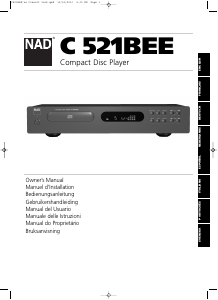
Manual de uso NAD C 521BEE Reproductor de CD

¿Necesita un manual para su NAD C 521BEE Reproductor de CD? A continuación puedes ver y descargar el manual en PDF gratis en español. Este producto actualmente tiene 1 pregunta frecuente, 0 comentarios y tiene 0 votos. Si este no es el manual que desea, , contáctenos.

¿Su producto tiene algún defecto y el manual no ofrece ninguna solución? Vaya a Repair Café para solicitar un servicio de reparación gratuito.

Manual de uso

Loading…
ENGLISH FRANÇAIS
DEUTSCH
ESPAÑOL
ITALIANO
PORTUGUÊS
SVENSKA
6
11. SKIP
During playback, press the SKIP button once to skip back to the
beginning of the current track. Press SKIP twice in rapid succession
to skip back to the previous track or previous programmed track in
Program Play mode, once to reach the beginning of the current track
and again to jump to the previous track. When pressing continuously,
the player will skip to previous tracks repeatedly, concluding at the
beginning of the disc (Track 1) or the first track programmed in Program
Play mode.
During playback, press the SKIP once to skip to the beginning of
the next track on the disc or next programmed track in Program Play
mode. Thus, to sample each song, press PLAY and then tap SKIP after
you’ve heard a few seconds of each track. From Stop, press the SKIP
button until you’ve reached the track from where you want to
start playback. Press Play to start playback.
12. STAND-BY INDICATOR
The stand-by indicator turns on in green when the unit is switched on,
and changes to amber when switched to stand-by mode.
REMOTE CONTROL
A wireless remote control is provided with your compact disc player,
enabling you to operate play-back functions from the comfort of your
chair or from virtually anywhere in the room. For reliable operation there
should be a clear line-of-sight path from the remote control to the front
of the CD player. If the player does not respond to remote commands,
it may be that this line-of-sight path is obstructed by clothing, paper, or
furnishings.
Most of the buttons on the remote control handset have the same
effect as the corresponding buttons on the front panel of the disc player.
In addition the handset is equipped with some extra buttons and
functions, such as the numeric keypad and Program functions.
POWER ON
Press the Green button to swith on the power to the disc player from
stand-by mode. The LED will change from amber to green, and the
display will illuminate.
POWER OFF
Press this red button to switch to stand-by mode from power on mode.
The LED will change from green to amber and the display will go dark.
NUMERIC KEYPAD
Using the direct-entry numeric keypad (1 to 10; +10) causes the player
to jump directly to the beginning of a numbered track and commence
play. Thus to play Track 5, simply press 5. To play Track 20, press: +10,
10. To play Track 36, press: +10, +10, +10, 6.
PROGRAM
The C 521BEE CD player allows for programmed playback of up to 20
tracks in any desired order. To engage Program Play with your desired
track sequence in the memory:
1 Press PROGRAM. The “MEMORY” indicator will light up. The display
indicates “Pr p:01”, meaning that the player is awaiting the first
Program entry.
2 Use the SKIP or the Direct-Entry Numeric keypad buttons to select
the first track in your planned sequence. The selected track number
will blink in the display.
3 Press PROGRAM to store the selected track number in memory. The
display will revert to show Program-Entry mode and advance to “Pr
p:02”, showing that the player is ready for your second entry.
4 Repeat Steps 2 and 3 to select and store other track numbers in
memory, up to a maximum of 20 entries. The display will show
“FULL” when 20 tracks have been entered.
5 If you want to review or edit your program entries, press PROGRAM
repeatedly to cycle the display through them. When the highest
program number is displayed, you can enter additional tracks in the
memory by repeating Steps 2 and 3.
6 To play the stored program, press PLAY. “MEMORY” will appear in
the display, indicating that a stored program is being played. During
Program Play the SKIP buttons will access only the tracks in the
program list. So if you want to play only a portion of a stored
program, initiate play and press SKIP to jump over the
programmed tracks that you don’t want to hear.
7 To terminate program play, press STOP. However the stored track list
remains in memory; if you want to play the program again, simply
press PLAY again. If you want to edit the program, press PROGRAM
repeatedly to review the list and change. To add tracks, press the
PROGRAM button until the highest program number is displayed.
8 To clear the program memory, press STOP, OPEN/CLOSE to open the
drawer, or switch off the POWER.
The following example presents a step-by-step illustration of how to
program and start Program Play to play tracks 5, 23, 9, 16, and 1.
While the CD player is stopped:
Press on remote control Display shows
PROGRAM Pr p:01
5 5 p:01
PROGRAM Pr p:02
+10, +10, 3 23 p:02
PROGRAM Pr p:03
9 9 p:03
PROGRAM Pr p:04
+10, 6 16 p:04
PROGRAM Pr p:05
1 1 p:05
PROGRAM Pr p:06
PLAY
C521BEE no transit lock.qxd 10/12/2006 5:03 PM Page 6
Descargue el manual en Español (PDF, 0.62 MB)
(Piense en el medioambiente y solo imprima este manual si es de verdad necesario)

Loading…

Puntuación

Dé su opinión de la NAD C 521BEE Reproductor de CD calificando el producto. ¿Quiere compartir su experiencia con este producto o hacer una pregunta? Deje un comentario en la parte inferior de la página.
¿Estás satisfecho con elNAD C 521BEE Reproductor de CD?
No
Sea el primero en calificar este producto
0 votos

Únase a la conversación sobre este producto

Aquí puedes compartir lo que piensas sobre NAD C 521BEE Reproductor de CD. Si tiene alguna pregunta, primero lea atentamente el manual. Puede solicitar un manual utilizando nuestro formulario de contacto.

Más sobre este manual

Entendemos que es bueno tener un manual en papel para tus NAD C 521BEE Reproductor de CD. Siempre puedes descargar el manual desde nuestro sitio web e imprimirlo tú mismo. Si deseas tener un manual original te recomendamos contactar con NAD. Es posible que puedan proporcionar un manual original. ¿Estás buscando el manual de tu NAD C 521BEE Reproductor de CD en otro idioma? Elija su idioma preferido en nuestra página de inicio y busque el número de modelo para ver si lo tenemos disponible.

Especificaciones

Marca NAD
Modelo C 521BEE
Categoría Reproductores de CD
Tipo de archivo PDF
Tamaño del archivo 0.62 MB

Todos los manuales para NAD Reproductores de CD
Más manuales de Reproductores de CD

Preguntas frecuentes sobre NAD C 521BEE Reproductor de CD

Nuestro equipo de atención al cliente busca información útil sobre los productos y responde a las preguntas frecuentes. Si encuentra inexactitudes en las preguntas frecuentes, indíquenoslo usando nuestro formulario de contacto.

¿Puedo reparar yo mismo los arañazos en un CD? Verificado

Los rayones impiden que el láser lea el disco correctamente. Cuando los rayones son solo superficiales, es posible repararlos usted mismo puliendo el disco con un compuesto ligeramente abrasivo. Lo ideal es utilizar un compuesto abrasivo profesional, pero también es posible utilizar pasta de dientes normal. Después de pulir el disco, es necesario lavarlo y dejarlo secar. Hay empresas especializadas que pueden hacer esto.

Ha sido de gran ayuda (42) Leer más
Manual de uso NAD C 521BEE Reproductor de CD

Productos relacionados

Categorias relacionadas

×
Download