Manual de uso Sherwood CDC-5506 Reproductor de CD

¿Necesita un manual para su Sherwood CDC-5506 Reproductor de CD? A continuación puedes ver y descargar el manual en PDF gratis en español. Este producto actualmente tiene 1 pregunta frecuente, 0 comentarios y tiene 2 votos con una calificación promedio de producto de 100/100. Si este no es el manual que desea, , contáctenos.

¿Su producto tiene algún defecto y el manual no ofrece ninguna solución? Vaya a Repair Café para solicitar un servicio de reparación gratuito.

Manual de uso

Loading…
7
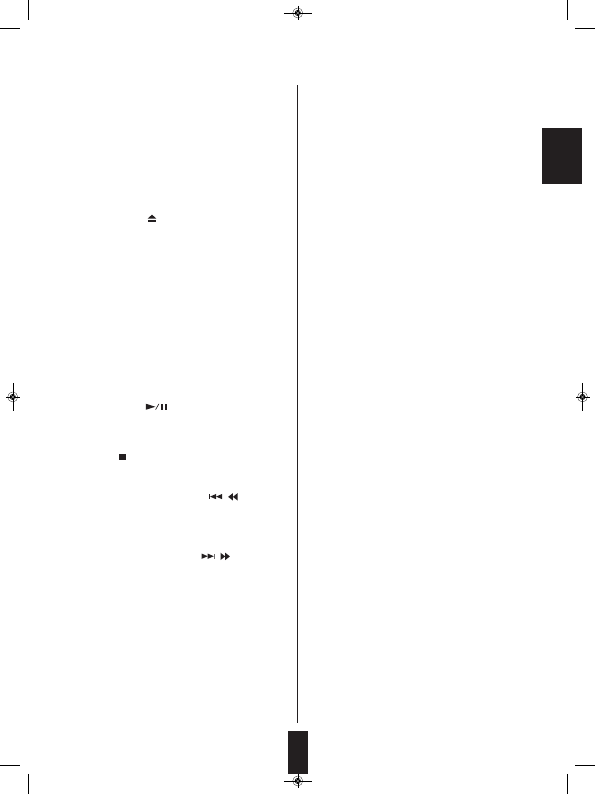
16. PROGRAM BUTTON
Press this button to program your favorite tracks/files or
to review the programmed tracks/files.
17. INTROSCAN BUTTON
Press this button to play the first 10 seconds of each
track/file.
18. TIME BUTTON
Press this button to display the different time
information on the Audio CD.
19. DIMMER BUTTON
Press this button to select the brightness of the
fluorescent display as desired.
20. CD/USB SELECTOR BUTTON
Press this button to select the disc or the USB memory
device as playback source.
21. NUMERIC(0~9) BUTTONS
Press the corresponding buttons to select a track/file
for play or programming.
22. FOLDER UP/DOWN (+/-) BUTTONS
Press these buttons to select the desired folder.
23. REMOTE SENSOR
This receives the signals from the remote control unit.
24. FLUORESCENT DISPLAY
For details, see next page.
25. USB CONNECTOR
For details, see next page.
DIGILINK SYSTEM REMOTE CONTROL
This unit can be remotely conrolled with Sherwood
DIGILINK III amplifier or receiver.
• For avaliable functions, refer to the compatible
unit’s operating instructions.
• To listen to a CD by DIGILINK system, first
make DIGILINK connection between this unit
and the Sherwood compatible amplifier or
receiver.
1. POWER SWITCH
Push this switch to enter the standby mode.
To switch the power off, push this switch again.
2. POWER ON/STANDBY button
In the standby mode, press this button to turn the power
on and to enter the operating mode.
In the operating mode, press this button again to turn
the power off and to enter the standby mode.
3. DISC TRAY
Load a disc on the disc tray.
4. OPEN/CLOSE ( ) BUTTON
Press this button to open or close the disc tray.
5. DISC SELECTOR BUTTONS
Use these buttons to select the disc to be played.
6. DISC BUTTON
When selecting a disc with this button, press this first
and then the desired disc number(1~5) on the numeric
buttons within 2 seconds.
7. DISC SKIP BUTTON
For loading or unloading discs, press this button to
rotate clockwise to the next disc position.
8. HEADPHONE JACK
Stereo headphones can be plugged into this jack for
private listening.
9. PLAY/PAUSE ( ) BUTTON
ⓐPress this button to start play in the stop or pause
mode.
ⓑPress this button to interrupt play temporarily.
10. STOP ( ) button
Press this button to stop play or clear the programmed
tracks/files.
11. BACKWARD SKIP/SEARCH( / ) BUTTON
ⓒPress this button to replay from the beginning of the
current track/file or return to a previous track/file.
ⓓPress and hold down this button to search for a
specific passage in fast backward.
12. FORWARD SKIP/SEARCH( / ) BUTTON
ⓔPress this button to play from the beginning of a
next track/file.
ⓕPress and hold down this button to search for a
specific passage in fast forward.
13. RANDOM PLAY BUTTON
Press this button to play tracks/files in random order.
14. REPEAT (1/F/ALL) BUTTON
Press this button to play a track/file, a folder, or all
tracks/ files repeatedly.
15. REPEAT AB BUTTON
Press this button to play a specific passage repeatedly.
ENGLISH
CDC-5506 (G)_ENG_110817:CDC-5506(E)_ENG 2011-08-17 오 5:36 페이지 7
Descargue el manual en Español (PDF, 8.35 MB)
(Piense en el medioambiente y solo imprima este manual si es de verdad necesario)

Loading…

Puntuación

Dé su opinión de la Sherwood CDC-5506 Reproductor de CD calificando el producto. ¿Quiere compartir su experiencia con este producto o hacer una pregunta? Deje un comentario en la parte inferior de la página.
¿Estás satisfecho con elSherwood CDC-5506 Reproductor de CD?
No
100%
0%
2 votos

Únase a la conversación sobre este producto

Aquí puedes compartir lo que piensas sobre Sherwood CDC-5506 Reproductor de CD. Si tiene alguna pregunta, primero lea atentamente el manual. Puede solicitar un manual utilizando nuestro formulario de contacto.

Más sobre este manual

Entendemos que es bueno tener un manual en papel para tus Sherwood CDC-5506 Reproductor de CD. Siempre puedes descargar el manual desde nuestro sitio web e imprimirlo tú mismo. Si deseas tener un manual original te recomendamos contactar con Sherwood. Es posible que puedan proporcionar un manual original. ¿Estás buscando el manual de tu Sherwood CDC-5506 Reproductor de CD en otro idioma? Elija su idioma preferido en nuestra página de inicio y busque el número de modelo para ver si lo tenemos disponible.

Especificaciones

Marca Sherwood
Modelo CDC-5506
Categoría Reproductores de CD
Tipo de archivo PDF
Tamaño del archivo 8.35 MB

Todos los manuales para Sherwood Reproductores de CD
Más manuales de Reproductores de CD

Preguntas frecuentes sobre Sherwood CDC-5506 Reproductor de CD

Nuestro equipo de atención al cliente busca información útil sobre los productos y responde a las preguntas frecuentes. Si encuentra inexactitudes en las preguntas frecuentes, indíquenoslo usando nuestro formulario de contacto.

¿Puedo reparar yo mismo los arañazos en un CD? Verificado

Los rayones impiden que el láser lea el disco correctamente. Cuando los rayones son solo superficiales, es posible repararlos usted mismo puliendo el disco con un compuesto ligeramente abrasivo. Lo ideal es utilizar un compuesto abrasivo profesional, pero también es posible utilizar pasta de dientes normal. Después de pulir el disco, es necesario lavarlo y dejarlo secar. Hay empresas especializadas que pueden hacer esto.

Ha sido de gran ayuda (42) Leer más
Manual de uso Sherwood CDC-5506 Reproductor de CD

Productos relacionados

Categorias relacionadas

×
Download