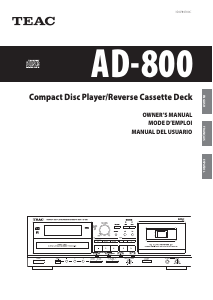
Manual de uso TEAC AD-500 Reproductor de CD

¿Necesita un manual para su TEAC AD-500 Reproductor de CD? A continuación puedes ver y descargar el manual en PDF gratis en español. Este producto actualmente tiene 1 pregunta frecuente, 0 comentarios y tiene 0 votos. Si este no es el manual que desea, , contáctenos.

¿Su producto tiene algún defecto y el manual no ofrece ninguna solución? Vaya a Repair Café para solicitar un servicio de reparación gratuito.

Manual de uso

Loading…
_
4
_
Before Use
O Choose the installation location of your
unit carefully. Avoid placing it in direct
sunlight or close to a source of heat.
Also avoid locations subject to
vibrations and excessive dust, heat,
cold or moisture. Keep away from such
sources that hum, such as transformers
or motors.
O Do not open the cabinet as this might
result in damage to the circuitry or
electrical shock. If a foreign object
should get into the set, contact your
dealer.
O When removing the power plug from
the wall outlet, always pull directly on
the plug, never yank the cord.
O Be sure not to handle discs with dirty
fingers. Never insert a disc which has a
crack on the surface.
O Do not attempt to clean the unit with
chemical solvents as this might damage
the finish. Use a clean, dry cloth.
O Keep this manual in a safe place for
future reference.
This unit has been designed specifically for
reproduction of compact discs bearing the
"˛" mark. No other discs can be
reproduced.
O Always place the compact disc in the
disc tray with the label facing upward.
(Compact discs can be played only on
one side.)
O To remove a disc from its storage case,
press down on the center of the case
and lift the disc out, holding it carefully
by the edges.
How to remove the disc
How to hold the disc
O Fingerprints and dust should be
carefully wiped off the disc's recorded
surface with a soft cloth.
Wipe radially
O Do not use thinner, benzine or alcohol
as they damage the surface of the
disc's plastic surface.
O Discs should be returned to their cases
after use to avoid serious scratches
that could cause the laser pickup to
"skip."
O Do not expose discs to direct sunlight or
high humidity and temperature for
extended periods.
Long exposure to high temperatures
can warp the disc.
O Do not stick paper or write anything
with a ballpoint pen on the surface of
the label side.
Read This Before Operating
Handling the Tapes
Cassette Tape
Handling the Discs
Remote control unit
Do not store tapes in the following places:
On top of heaters, exposed to direct
sunlight or in any other places with high
temperatures.
O Near speakers, on TV sets or amplifiers
or where they would be exposed to
strong magnetic fields.
O Where humidity is high and in dirty,
dusty places.
O Avoid dropping or subjecting cassettes
to excessive shocks.
O As C-120 tapes are physically weak and
could become entangled in the
transport mechanism, do not use them.
Tape Selection:
For the automatic tape select function to
work properly, metal and chrome (cobalt)
tapes must have identification holes.
*Dolby noise reduction manufactered under
license from Dolby Laboratories Licensing
Corporation.
“DOLBY” and the double-D symbol
are trademarks of Dolby Laboratories
Licensing Corporation.
When operating the remote control unit,
point it towards the remote sensor on the
front panel of the unit.
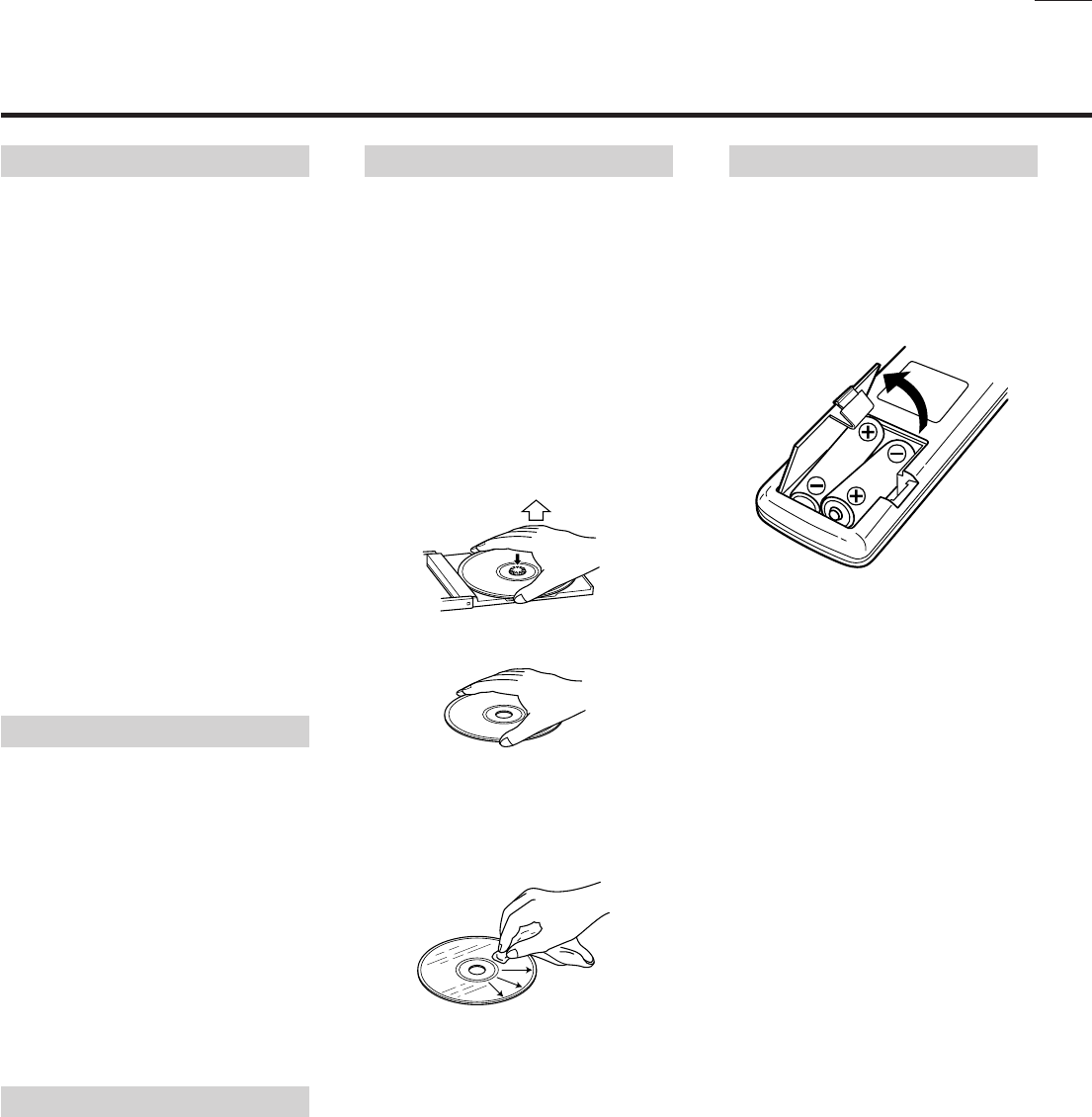
ª Battery Installation
1. Remove the battery compartment
cover.
2. Insert two “AA” (R6, SUM-3) dry
batteries.
Make sure that the batteries are
inserted with their positive
and
negative
poles positioned correctly.
3. Close the cover until it clicks.
Battery Replacement.
If you notice that the distance between
the remote control unit and the unit for
correct operation becomes shorter, it
indicates that the batteries are exhaust-
ed. In this case replace the batteries with
new ones.
Precautions concerning batteries
O Be sure to insert the batteries with
correct positive
and negative
polarities.
O Use batteries of the same type. Never
use different types of batteries
together.
O Rechargeable and non-rechargeable
batteries can be used. Refer to the
precautions on their labels.
O When the remote control unit is not to
be used for a long time (more than a
month), remove the batteries from the
remote control unit to prevent them
from leaking. If they leak, wipe away
the liquid inside the battery
compartment and replace the batteries
with new ones.
O Do not heat or disassemble batteries
and never dispose of old batteries by
throwing them in fire.
Descargue el manual en Español (PDF, 3.32 MB)
(Piense en el medioambiente y solo imprima este manual si es de verdad necesario)

Loading…

Puntuación

Dé su opinión de la TEAC AD-500 Reproductor de CD calificando el producto. ¿Quiere compartir su experiencia con este producto o hacer una pregunta? Deje un comentario en la parte inferior de la página.
¿Estás satisfecho con elTEAC AD-500 Reproductor de CD?
No
Sea el primero en calificar este producto
0 votos

Únase a la conversación sobre este producto

Aquí puedes compartir lo que piensas sobre TEAC AD-500 Reproductor de CD. Si tiene alguna pregunta, primero lea atentamente el manual. Puede solicitar un manual utilizando nuestro formulario de contacto.

Más sobre este manual

Entendemos que es bueno tener un manual en papel para tus TEAC AD-500 Reproductor de CD. Siempre puedes descargar el manual desde nuestro sitio web e imprimirlo tú mismo. Si deseas tener un manual original te recomendamos contactar con TEAC. Es posible que puedan proporcionar un manual original. ¿Estás buscando el manual de tu TEAC AD-500 Reproductor de CD en otro idioma? Elija su idioma preferido en nuestra página de inicio y busque el número de modelo para ver si lo tenemos disponible.

Especificaciones

Marca TEAC
Modelo AD-500
Categoría Reproductores de CD
Tipo de archivo PDF
Tamaño del archivo 3.32 MB

Todos los manuales para TEAC Reproductores de CD
Más manuales de Reproductores de CD

Preguntas frecuentes sobre TEAC AD-500 Reproductor de CD

Nuestro equipo de atención al cliente busca información útil sobre los productos y responde a las preguntas frecuentes. Si encuentra inexactitudes en las preguntas frecuentes, indíquenoslo usando nuestro formulario de contacto.

¿Puedo reparar yo mismo los arañazos en un CD? Verificado

Los rayones impiden que el láser lea el disco correctamente. Cuando los rayones son solo superficiales, es posible repararlos usted mismo puliendo el disco con un compuesto ligeramente abrasivo. Lo ideal es utilizar un compuesto abrasivo profesional, pero también es posible utilizar pasta de dientes normal. Después de pulir el disco, es necesario lavarlo y dejarlo secar. Hay empresas especializadas que pueden hacer esto.

Ha sido de gran ayuda (42) Leer más
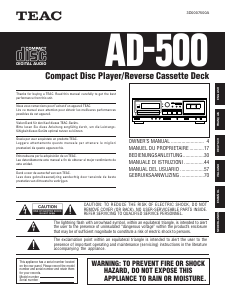
Manual de uso TEAC AD-500 Reproductor de CD

Productos relacionados

Categorias relacionadas

×
Download